Onboarding & Offboarding Module

Created by Vikram Singh Prajapat, Modified on Mon, 29 Dec, 2025 at 12:08 PM by Vikram Singh Prajapat

Automate Employee Joining and Exit Processes with Ease

The Onboarding & Offboarding Module helps organizations manage employee joining and exit processes in a structured, transparent, and efficient way. By converting HR activities into trackable tasks, this module ensures that nothing is missed—whether an employee is joining the company or leaving it.


? What Is This Module?

This module allows administrators to define pre-configured onboarding and offboarding tasks that can be assigned automatically when an employee joins or exits the organization.

Each task can be:

  • Assigned to the Company or Employee

  • Made visible or hidden to the employee

  • Tracked until completion


? Onboarding Module – Welcome Employees the Right Way

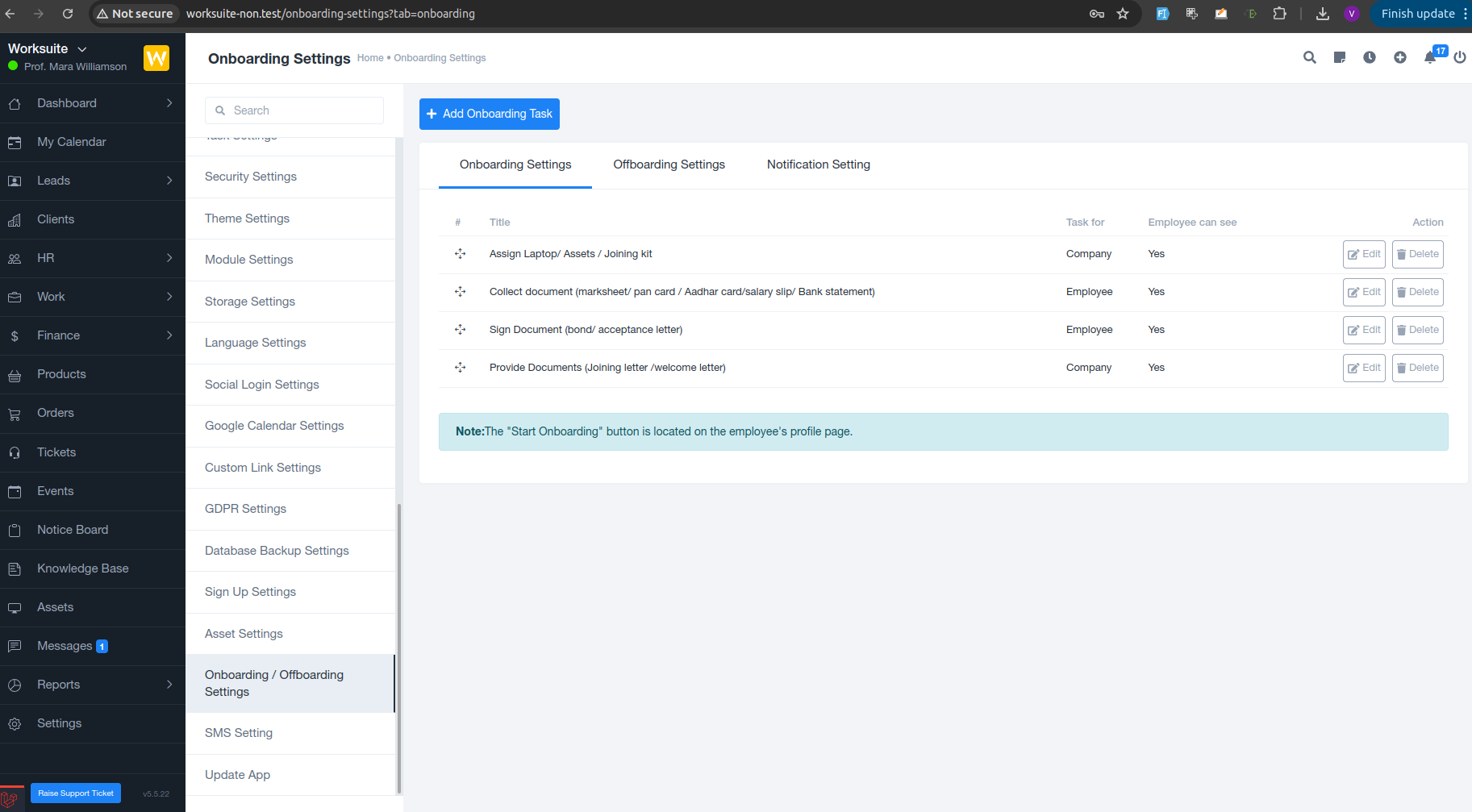
The Onboarding Settings tab lets admins create and manage tasks that must be completed when a new employee joins.


? Key Features

  • Add Onboarding Tasks with a single click

  • Define task ownership (Company or Employee)

  • Control whether the employee can see the task

  • Reorder tasks for a logical onboarding flow

  • Edit or delete tasks anytime

? Common Onboarding Tasks

Examples of onboarding tasks include:

  • Assign laptop, assets, or joining kit

  • Collect documents (Aadhaar, PAN, mark sheets, salary slips, bank details)

  • Sign documents (bond, acceptance letter)

  • Share joining letter or welcome documents

▶️ How It Works

Once onboarding tasks are configured:

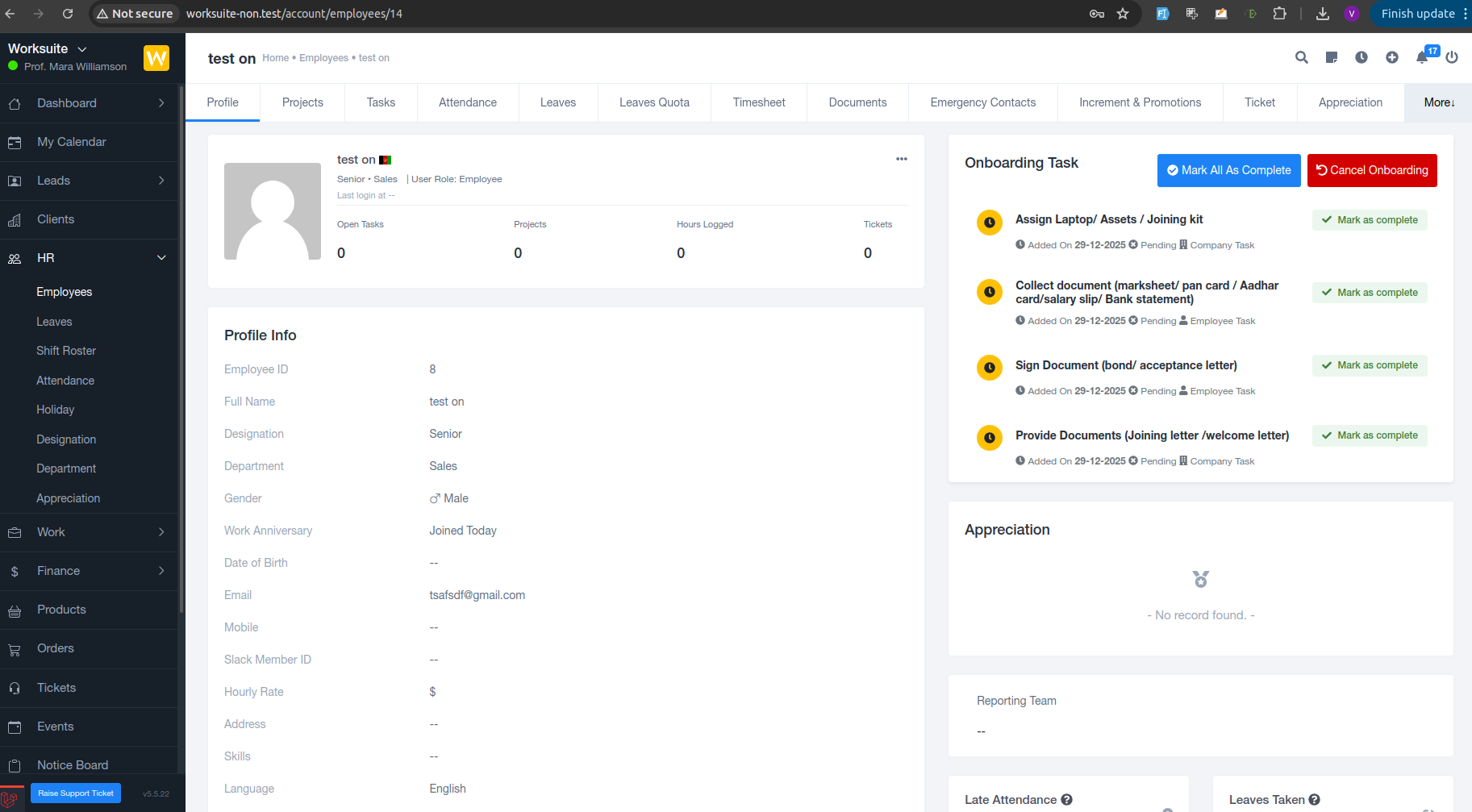
  • The “Start Onboarding” button appears on the employee’s profile

  • All predefined tasks are automatically assigned

  • HR and employees can track progress in real time


? Offboarding Module – Smooth & Secure Employee Exit

The Offboarding Settings tab helps manage exit-related tasks when an employee leaves the organization.

? Key Features

  • Create structured offboarding checklists

  • Assign tasks to HR, IT, or the employee

  • Ensure asset recovery and access revocation

  • Maintain compliance and documentation

? Common Offboarding Tasks

  • Collect company assets (laptop, ID card, access keys)

  • Disable system access

  • Complete final settlement documents

  • Conduct exit formalities


? Notification Settings

The module integrates with notification settings to:

  • Alert employees when tasks are assigned

  • Notify admins on task completion or delays

  • Ensure timely follow-ups without manual reminders


? Why Use the Onboarding & Offboarding Module?

  • Eliminates manual follow-ups

  • Reduces human errors

  • Ensures compliance and consistency

  • Improves employee experience

  • Keeps HR processes transparent and trackable


✅ Ideal For

  • HR teams managing multiple employees

  • Growing organizations with frequent hiring

  • Companies focused on compliance and asset security

  • Remote and hybrid workplaces


In summary:
The Onboarding & Offboarding Module transforms complex HR processes into simple, task-driven workflows—making employee entry and exit smooth, professional, and stress-free.


If you want, I can also:

  • Shorten this for release notes

  • Rewrite it for marketing website

  • Add a step-by-step user guide

  • Create tooltips text for each button/column

Just tell me ?

Was this article helpful?

That’s Great!

Thank you for your feedback

Sorry! We couldn't be helpful

Thank you for your feedback

Let us know how can we improve this article!

Select at least one of the reasons
CAPTCHA verification is required.

Feedback sent

We appreciate your effort and will try to fix the article