This is an add-on module that works exclusively with the TableTrack application. To purchase TableTrack, please visit TableTrack on CodeCanyon
What It Does
The Loyalty & Rewards Module helps you build repeat business by rewarding customers with points and stamps. It supports flexible earning rules, tiered benefits, and redemption options across POS, Customer Site, and Kiosk.
The module includes:
- Points and Stamp Programs with configurable earning rules
- Tiered Rewards based on customer activity
- Flexible Redemption via discounts, coupons, or free items
- Multi-Platform Support for POS, Customer Site, and Kiosk
- Automated Tracking of balances and redemptions
Prerequisites
- Active TableTrack installation
- Customer accounts are enabled for earning points
- Loyalty permissions enabled for staff roles
- POS, Customer Site, or Kiosk enabled for redemptions
Enable Module
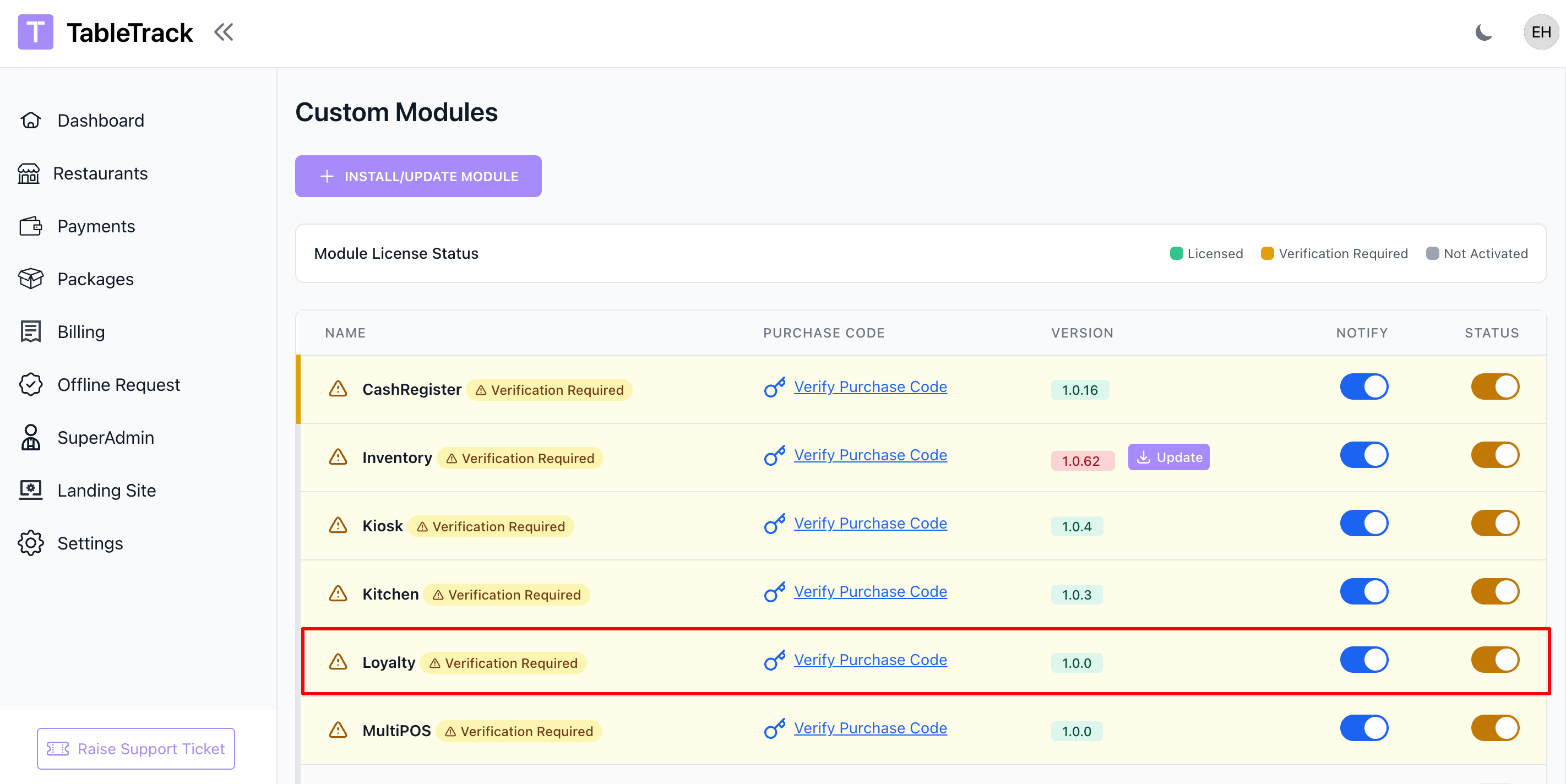
The Loyalty module is enabled by the superadmin. If you do not see loyalty settings in your panel, please contact support.
- Open Superadmin Panel -> Custom Modules -> Loyalty
- Turn on the Enable Loyalty Program
- Save changes
Setup
Loyalty Program Setup
Configure earning rules, tiers, and redemption options before launching your program.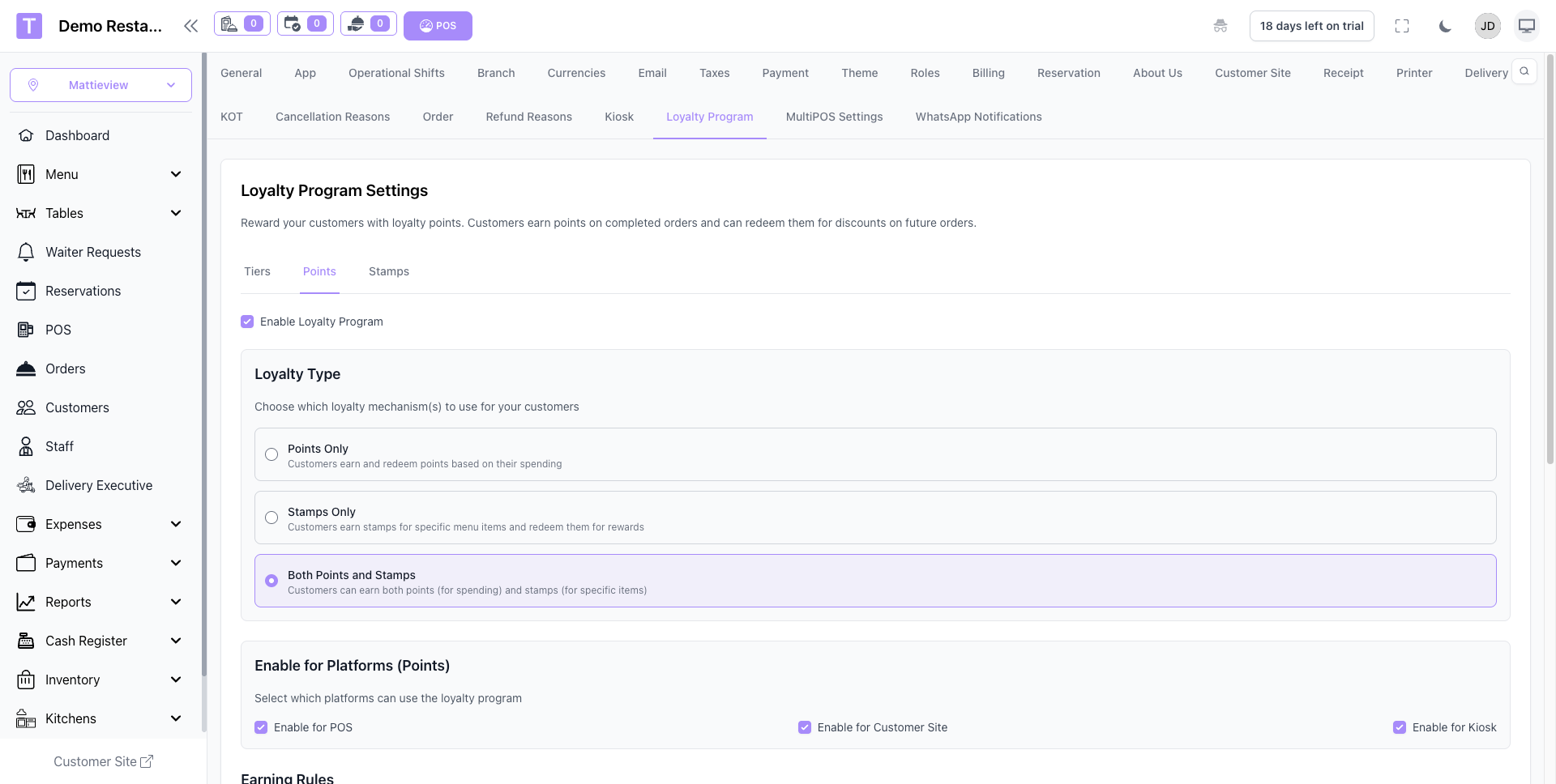
- Set point or stamp earning rules per order
- Define tiers and benefits for high-value customers
- Create redemption options (discounts, free items, coupons)
- Set expiration rules and minimum redemption thresholds
- Enable loyalty on the platforms you use (POS, Customer Site, Kiosk)
Once rules are configured, customers start earning rewards automatically.
Functionality After Setup
After setup, loyalty earning and redemption works automatically across all enabled sales channels.
- Auto Earning: Points or stamps are awarded after eligible orders.
- Redemption Options: Customers redeem rewards at checkout.
- Tier Progression: Tier upgrades apply based on activity rules.
- Multi-Platform: POS, Customer Site, and Kiosk can all earn and redeem.
- Balance Tracking: Staff can view current balances and history.
Rewards & Rules
Use flexible rules to match your restaurant's loyalty strategy.
- Points Program: Earn points based on spend or item categories.
- Stamp Program: Collect stamps for visits or specific purchases.
- Tiers: Unlock better rewards for high-frequency customers.
- Redemption Limits: Control minimum balances and max usage per order.
Where Customers Can Earn and Redeem
Step 1: POS
Earn and redeem loyalty points or stamps directly at the POS checkout.
Earning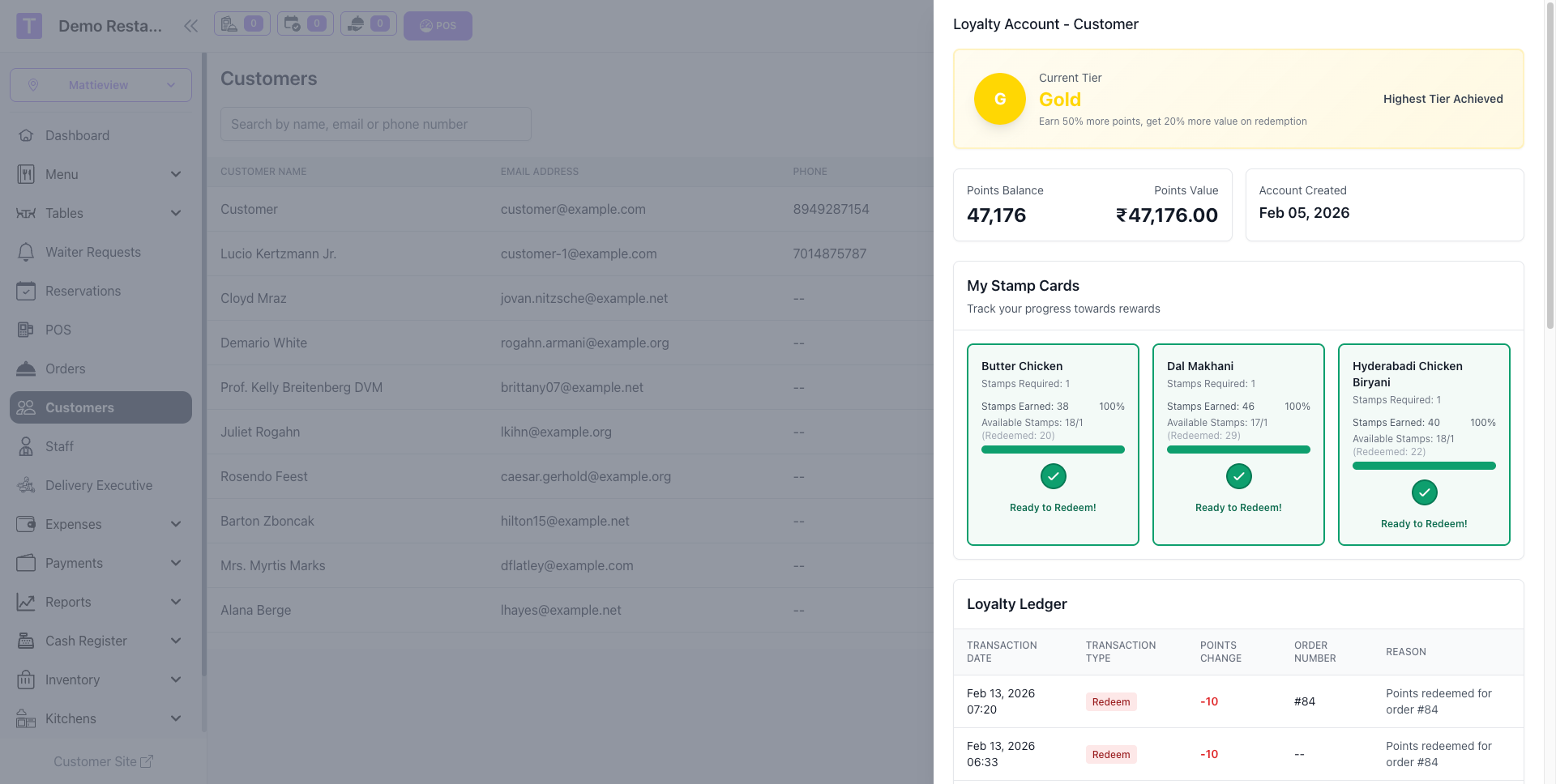
Redemption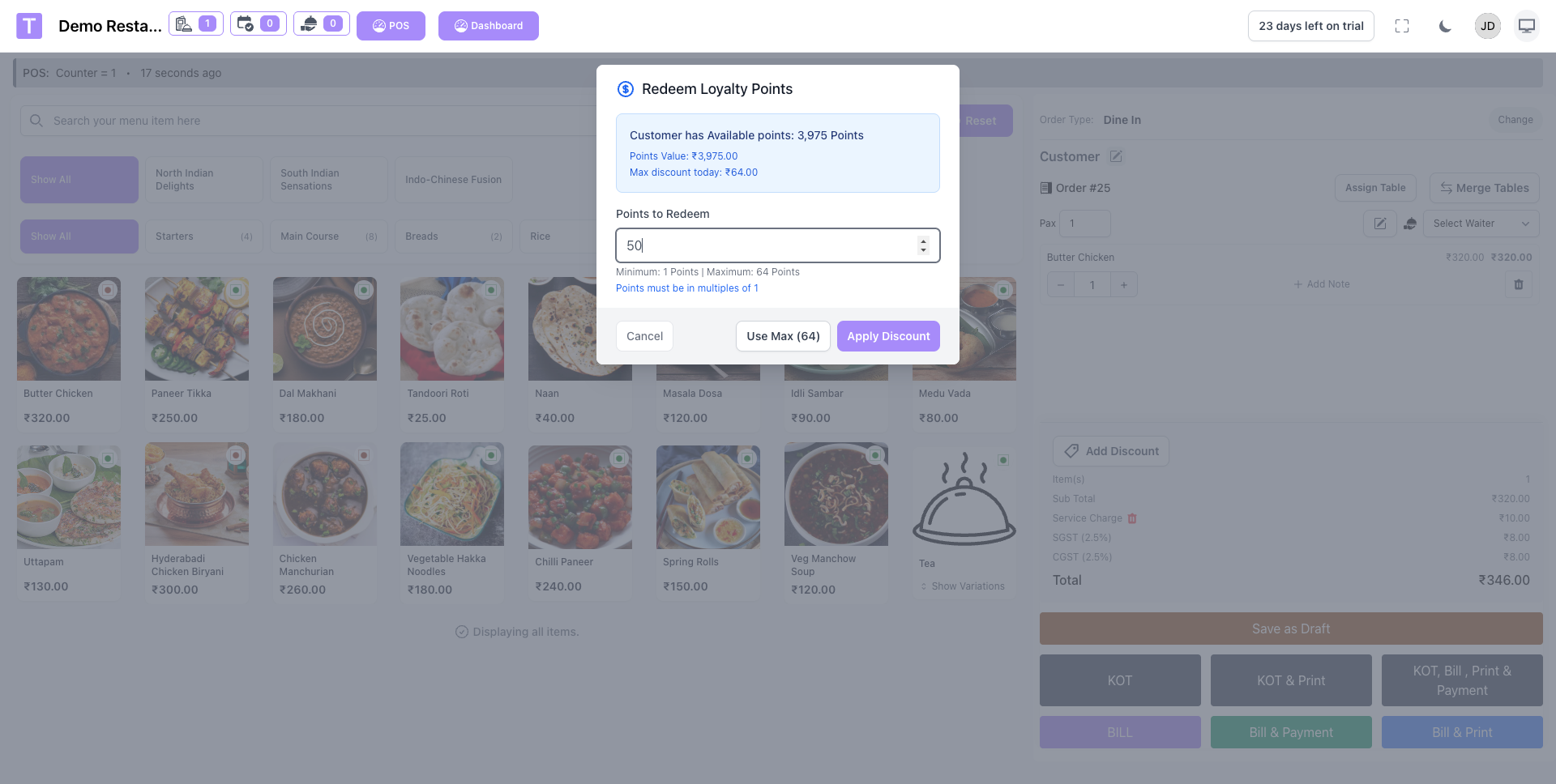
Step 2: Customer Site
Customers earn and redeem rewards during online ordering on the customer site.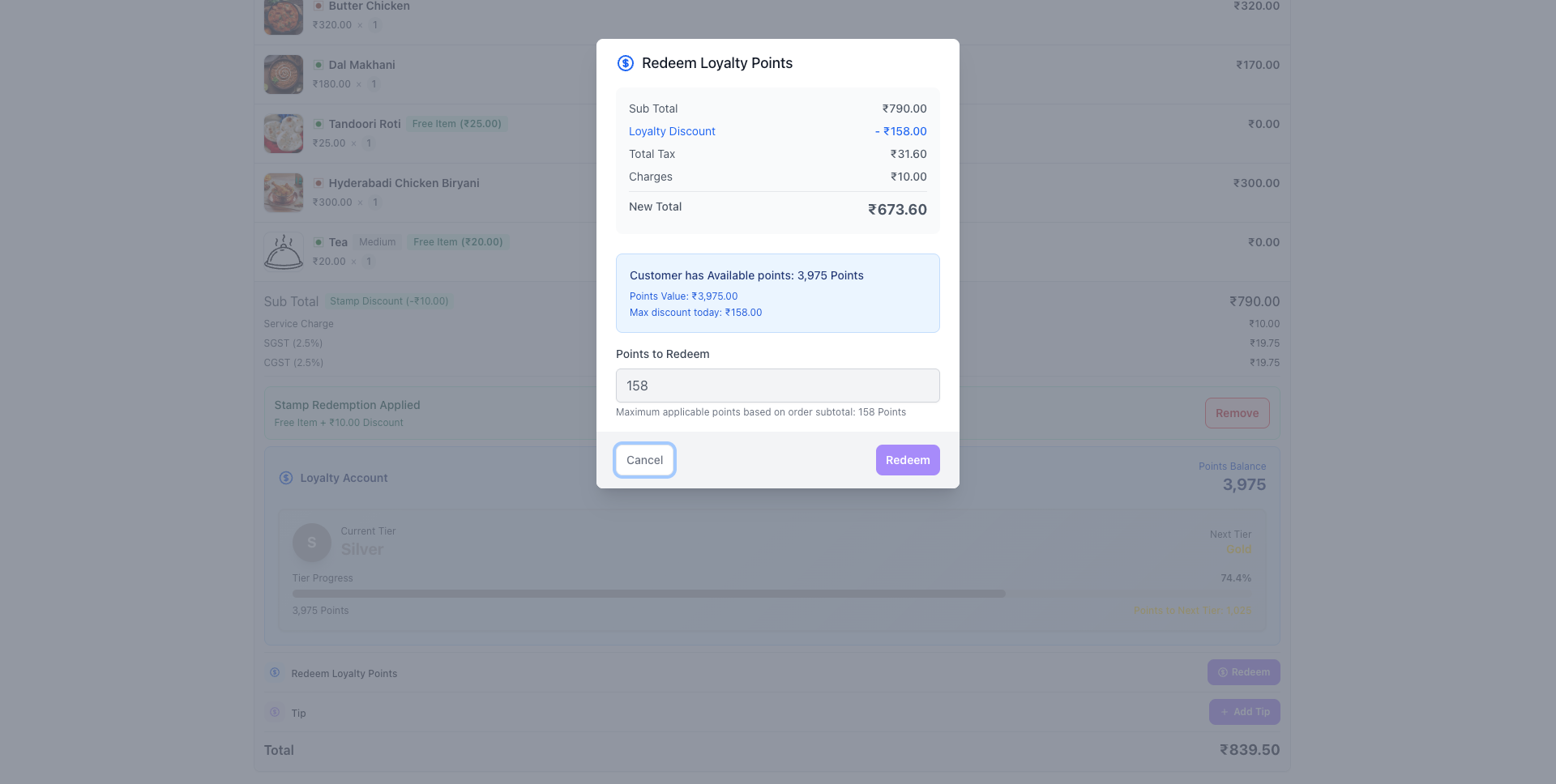
Step 3: Kiosk
Loyalty earning and redemption is available on self-service kiosks for quick access.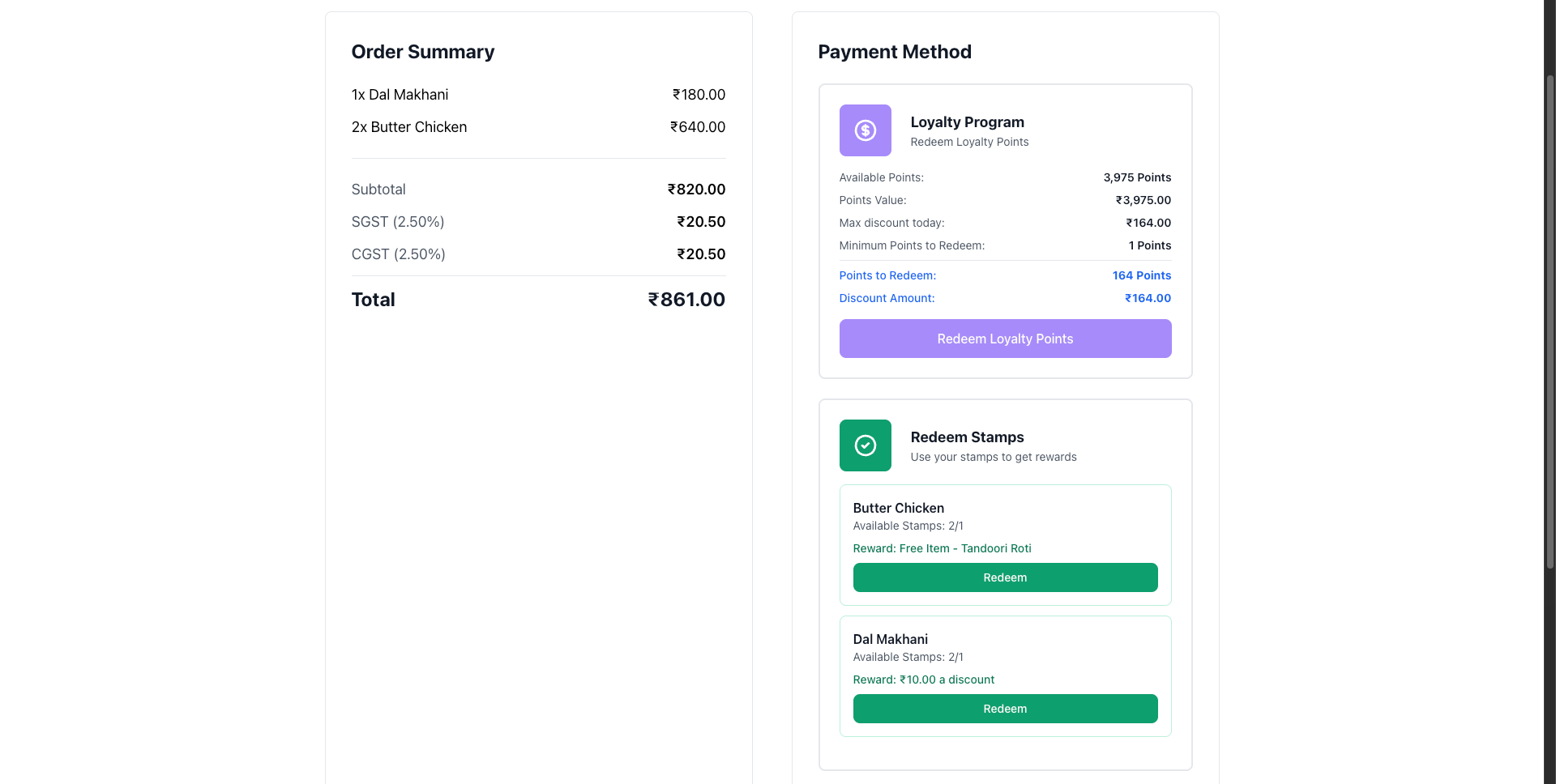
Troubleshooting
Common Issues
- Points not added: Confirm the order is eligible and the customer is logged in.
- Redemption blocked: Check minimum balance and redemption rules.
- Tier not updating: Verify tier thresholds and order sync.
If you still face issues, contact support with the customer ID and order number.
Summary
The Loyalty & Rewards module includes:
- Points and Stamps: Dual reward systems with flexible earning rules.
- Tiered Benefits: Rewards for your most loyal customers.
- Flexible Redemptions: Discounts, free items, and coupons.
- Multi-Platform Support: Works across POS, Customer Site, and Kiosk.
- Automated Tracking: Accurate balances and redemption history.
Was this article helpful?
That’s Great!
Thank you for your feedback
Sorry! We couldn't be helpful
Thank you for your feedback
Feedback sent
We appreciate your effort and will try to fix the article