Compatible with TableTrack v1.2.2 and above
This is an add-on module that works exclusively with the TableTrack application. To purchase TableTrack, please visit TableTrack on CodeCanyon
What It Does
The MultiPOS Module lets restaurants register and manage multiple POS devices from one centralized dashboard. Orders, tables, and payments stay synchronized across devices in real time.
The module includes:
- Multiple POS Terminals per outlet or branch
- Real-Time Sync for orders, tables, and payments
- Approval Workflow for new device registrations
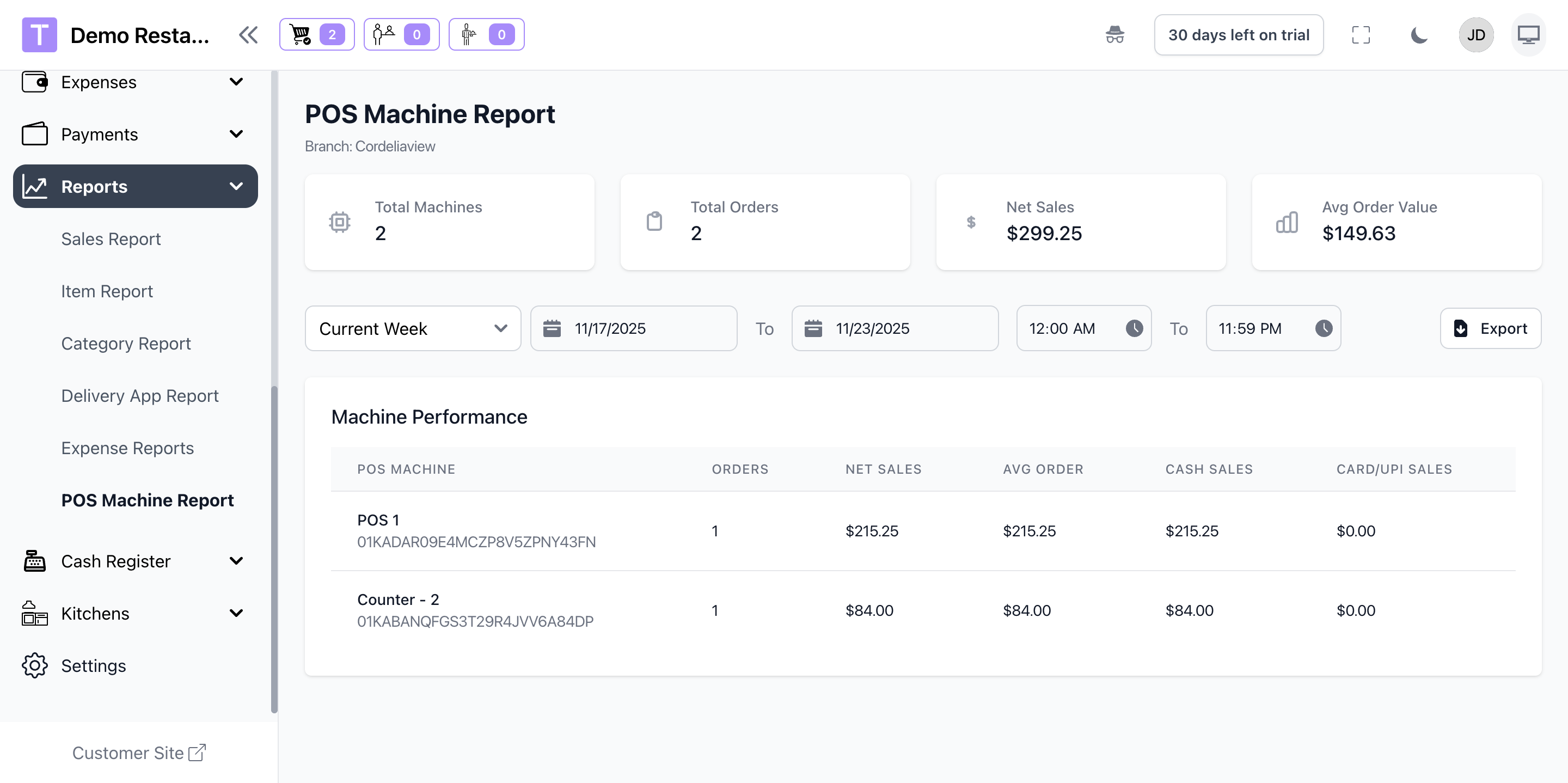
- Machine-Wise Reports for sales and performance
- Branch-Level Controls to manage device limits
- Centralized Monitoring from the admin panel
Prerequisites
- Active TableTrack installation
- Multiple POS devices available for registration
- Stable network connection for real-time sync
- Staff roles with POS access and permissions
Enable Module
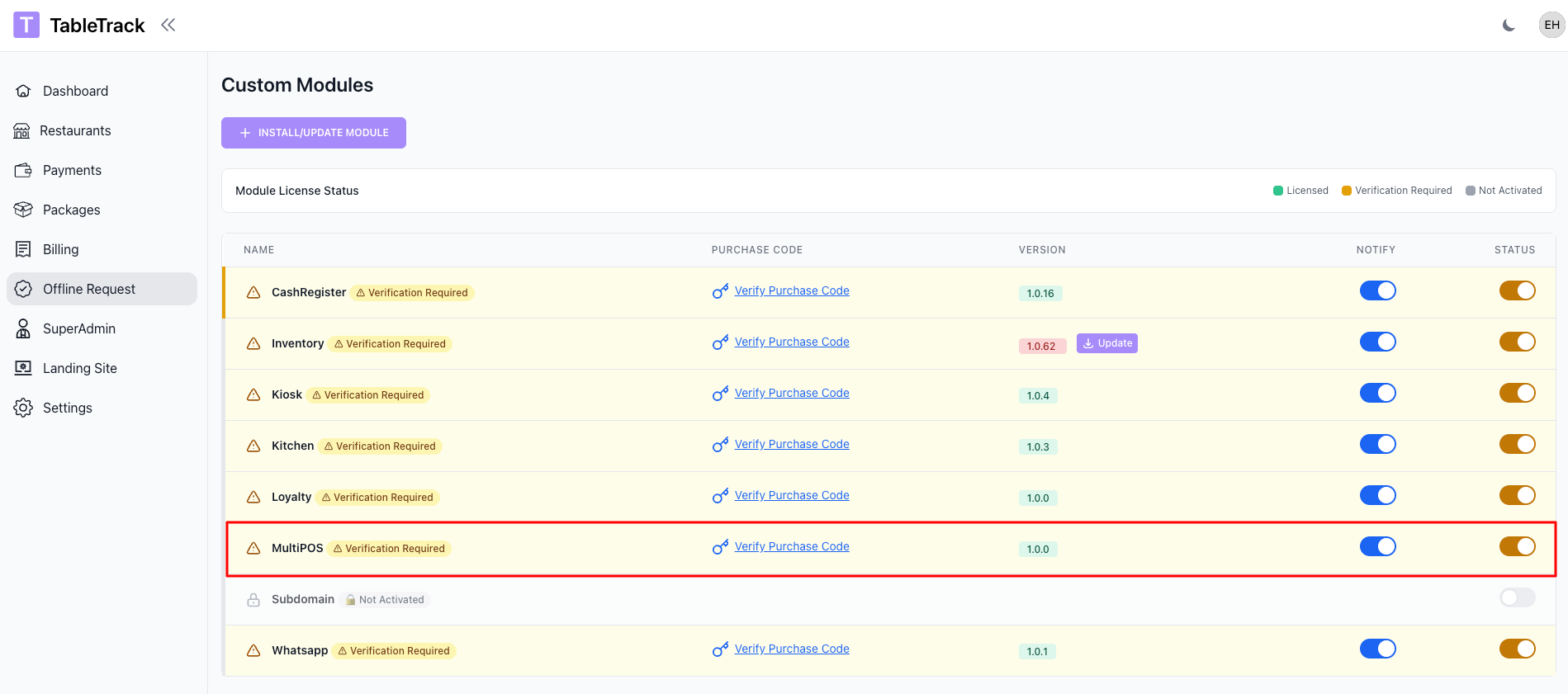
The MultiPOS module is enabled by the superadmin. If you do not see device settings in your panel, please contact support.
- Open Superadmin Panel -> Custom Modules -> MultiPOS
- Turn on Enable MultiPOS
- Save changes
Setup
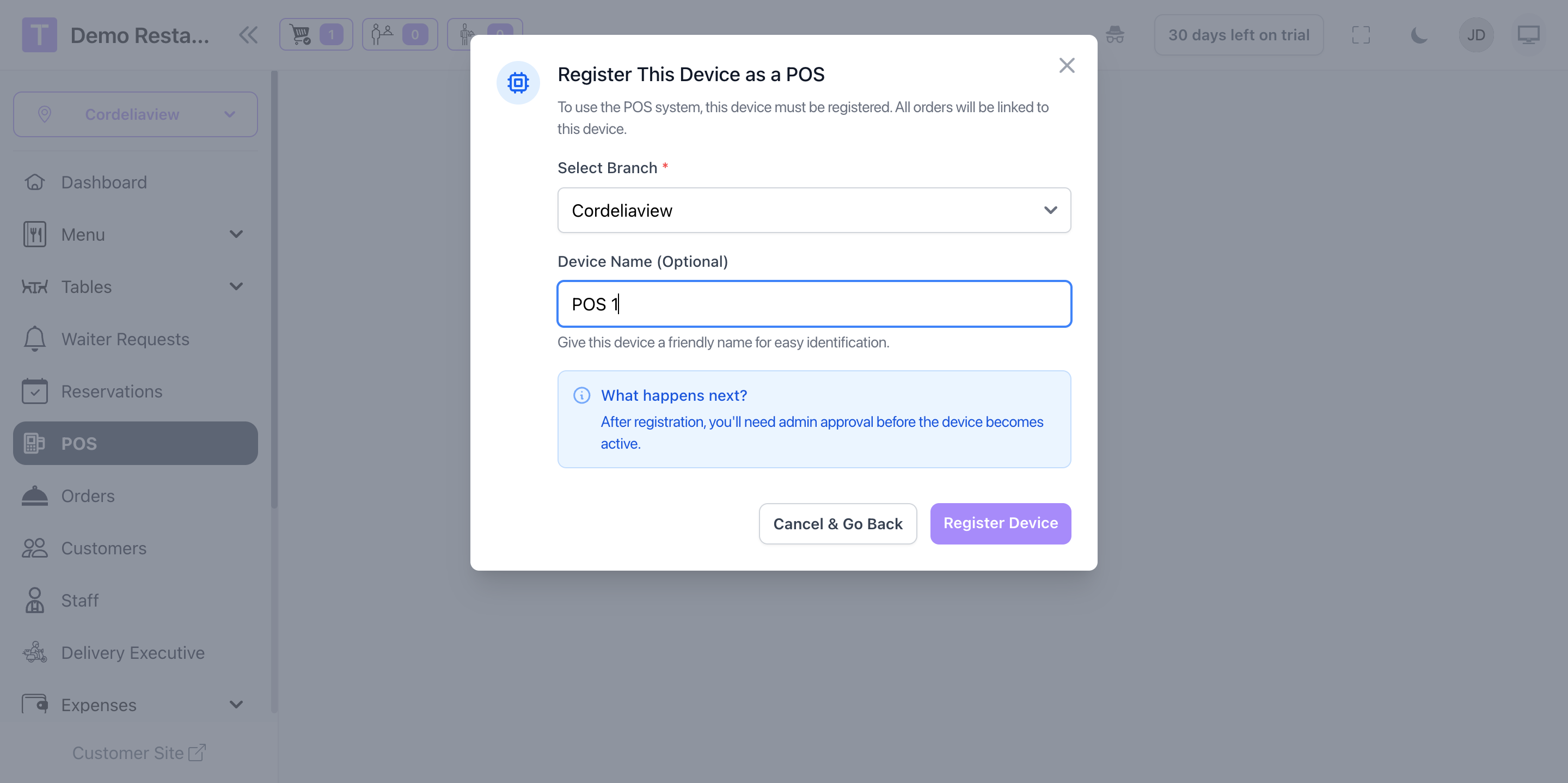
Device Registration
Approve each POS device before it can take orders.
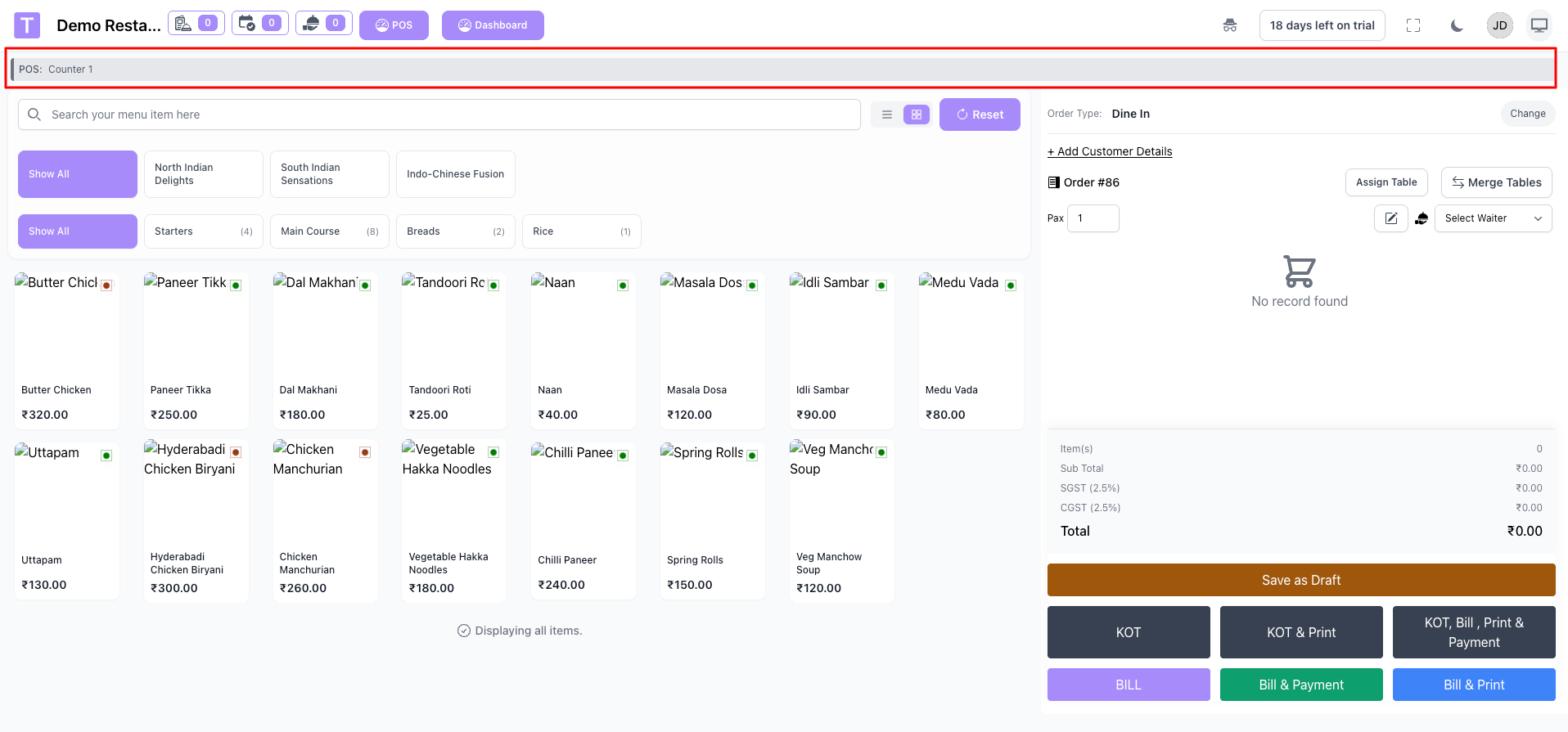
- Go to POS menu and submit a registration request
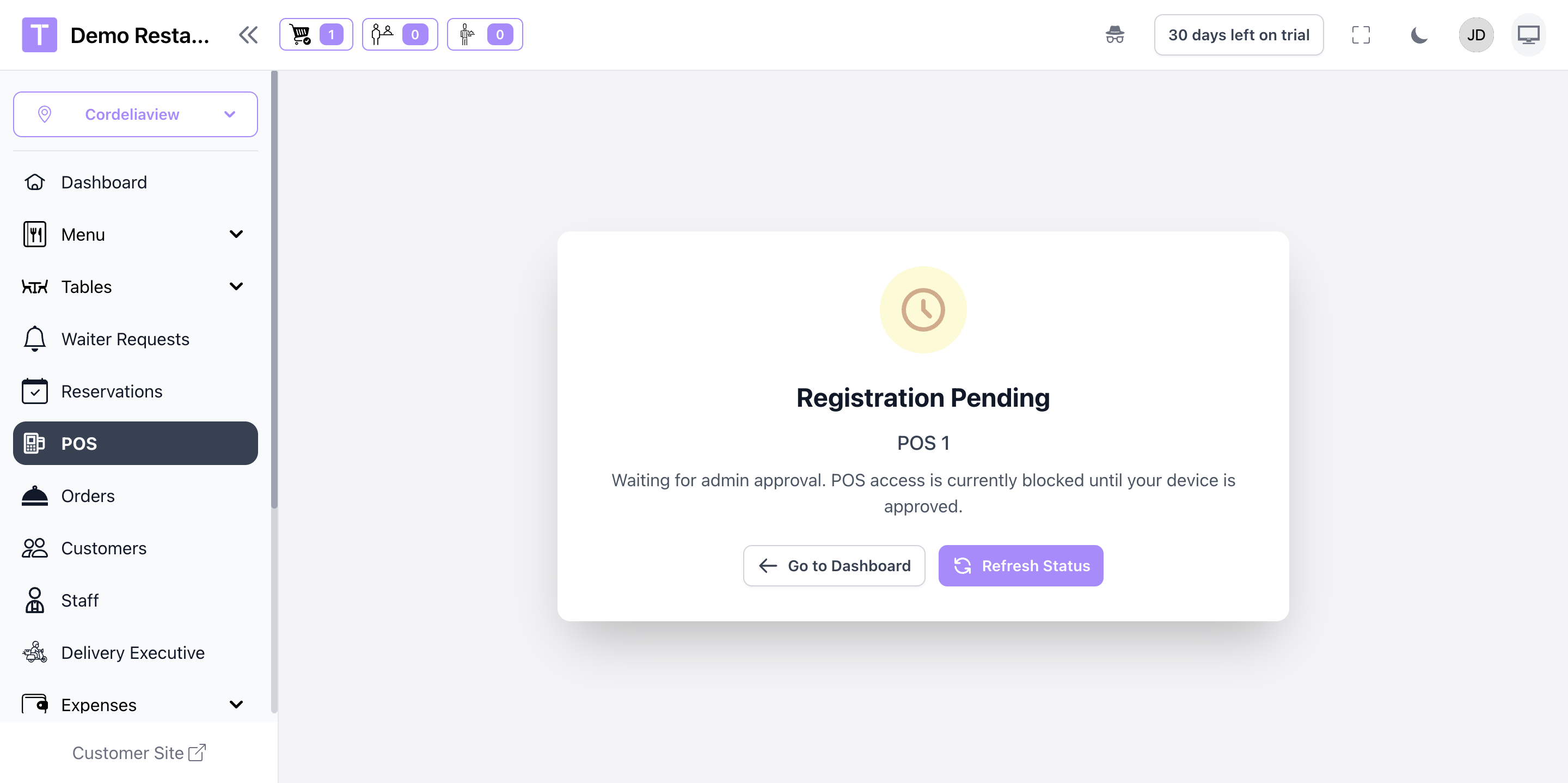
- Open Admin Panel -> MultiPOS Devices
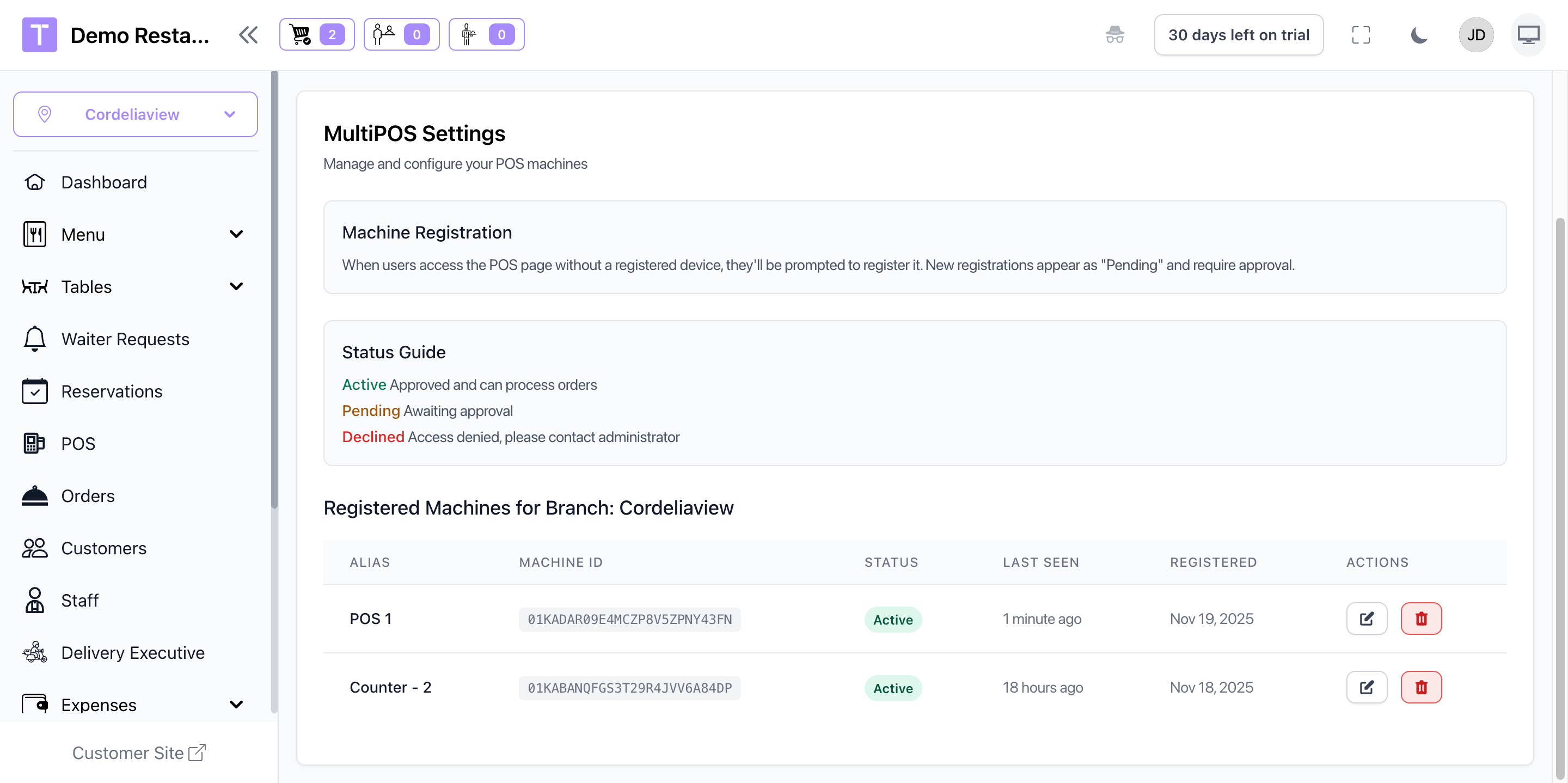
- Approve the device
- limits based on your package
Once approved, devices sync instantly and share orders in real time.
Functionality After Setup
After setup, all approved devices share the same live order flow and stay synchronized.
- Live Sync: Orders, tables, and payments update across devices instantly.
- Device Controls: Admins can approve, disable, or decline devices.
- Machine Reports: Track sales and performance per device.
- Branch Limits: Device limits are enforced by package rules.
- Status Monitoring: See last active time and online status.
Device Management
Monitor performance and maintain control over every POS terminal.
- Approval Queue: Review new device requests before activation.
- Machine Reports: Track sales and performance per device.
- Device Limits: Manage active terminals based on your plan.
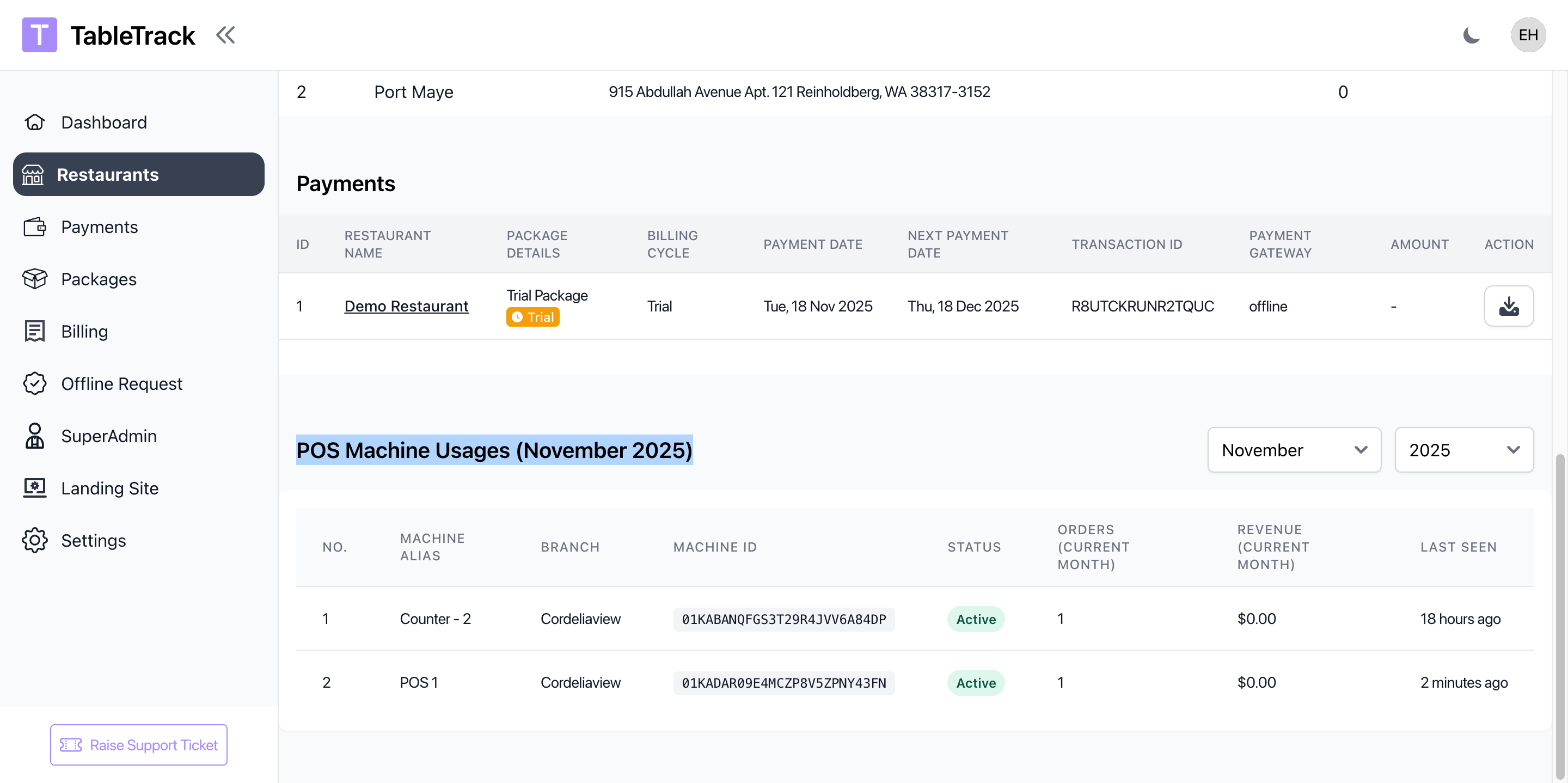
- Status Tracking: See online and last active time for each device.
Troubleshooting
Common Issues
- Device not listed: Ensure the registration request was submitted and approved.
- Sync delays: Check network connectivity on the device.
- Device limit reached: Deactivate unused devices or upgrade your plan.
If issues persist, contact support with the site credentials along with server details.
Summary
The MultiPOS module includes:
- Multiple Terminals: Register and run several POS devices at once.
- Real-Time Synchronization: Orders and payments sync instantly across all devices.
- Device Approval Workflow: Control which terminals can access the system.
- Machine Reports: Track sales and performance per device.
- Branch Management: Assign devices by outlet or service area.
Was this article helpful?
That’s Great!
Thank you for your feedback
Sorry! We couldn't be helpful
Thank you for your feedback
Feedback sent
We appreciate your effort and will try to fix the article