Compatible with TableTrack v1.2.48 and above
This is an add-on module that works exclusively with the TableTrack application. To purchase TableTrack, please visit TableTrack on CodeCanyon
What It Does
The Cash Register Module provides comprehensive drawer management for restaurants. Track opening and closing balances, cash denominations, cash in/out events, and shift reports while keeping a clear audit trail for every cashier.
The module includes:
- Cash Drawer Operations with opening and closing balance checks
- Denomination Tracking for bills and coins with auto totals
- Shift Reporting with X and Z reports
- Discrepancy Detection to identify shortages and overages
- Cash In/Out Logs with timestamps and staff notes
- Machine-Wise Tracking for multiple registers
Prerequisites
- Active TableTrack installation
- Cash register permissions enabled for cashier roles
- Cash drawer or register configured for each outlet
- Staff assigned to cashier shifts
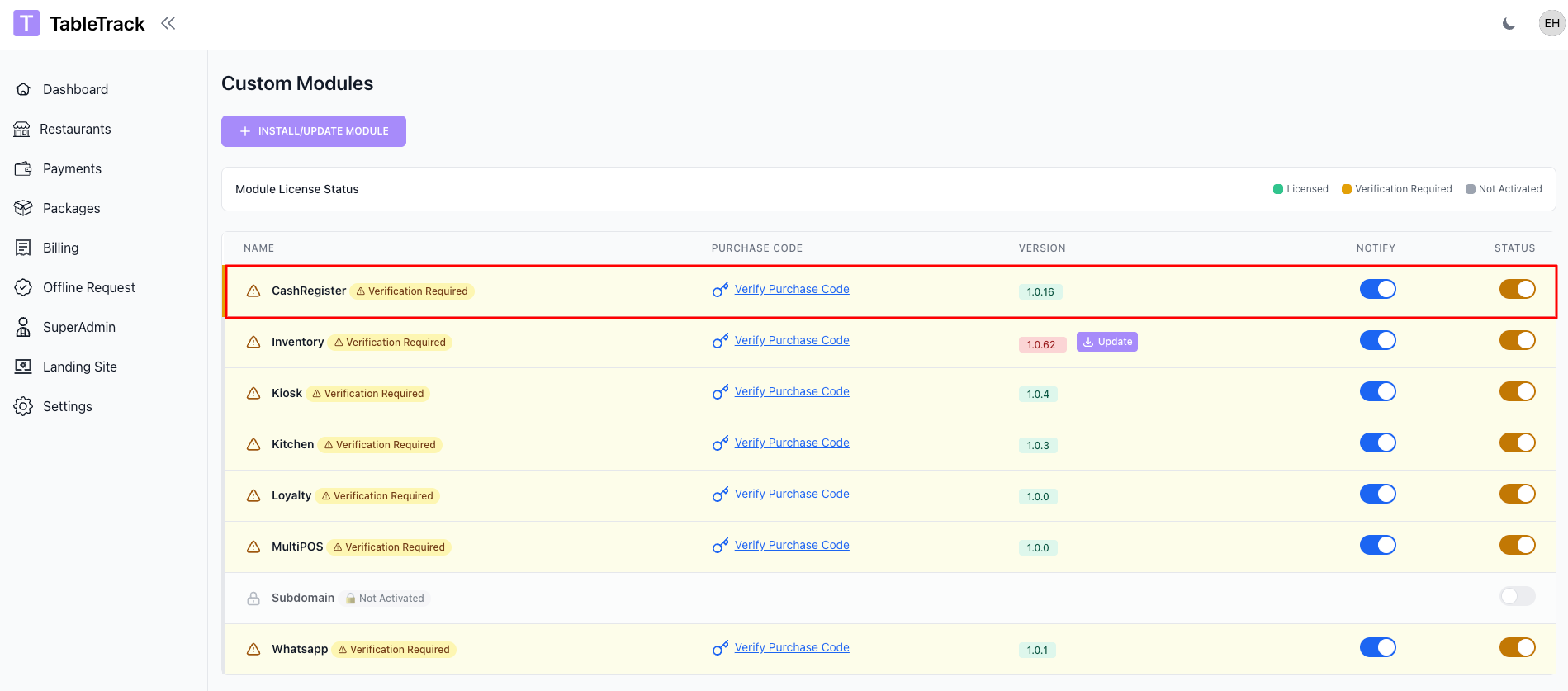
Enable Module
The Cash Register module is enabled by the superadmin. If you do not see cash register settings in your panel, please contact support.
- Open Superadmin Panel -> Custom Modules -> Cash Register
- Turn on Enable Cash Register
- Save changes
Setup
Initial Configuration
Configure registers, denominations, and cashier assignments before your first shift.
- Create cash drawers for each outlet or POS station
- Define supported denominations and base currency
- Assign cashiers to cash registers
- Set opening balance requirements
The cash register is ready to use once opening balances are set, and a cashier starts a shift.
Functionality After Setup
After setup, cash drawers can be opened and closed per shift while keeping a full audit trail.
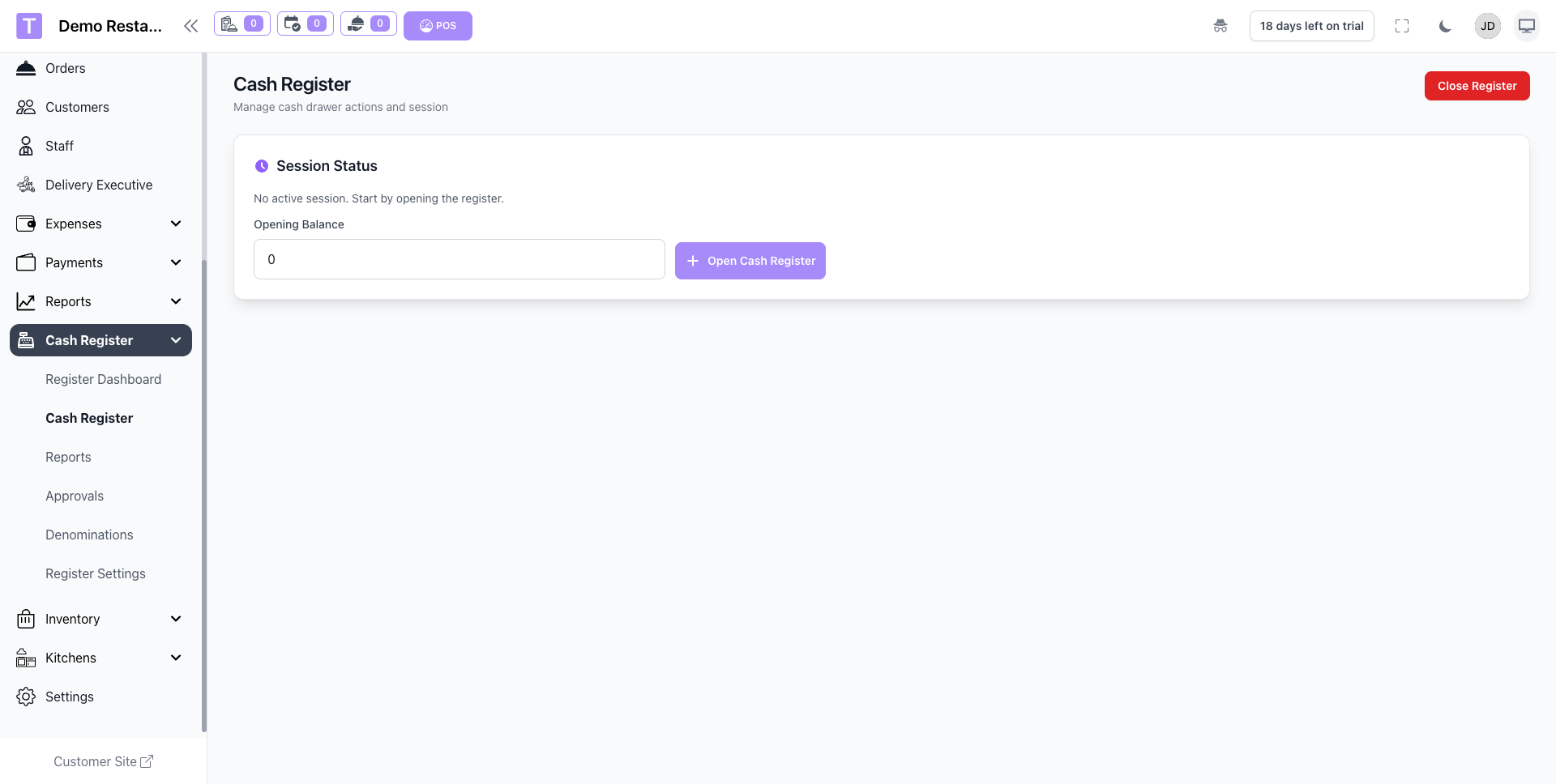
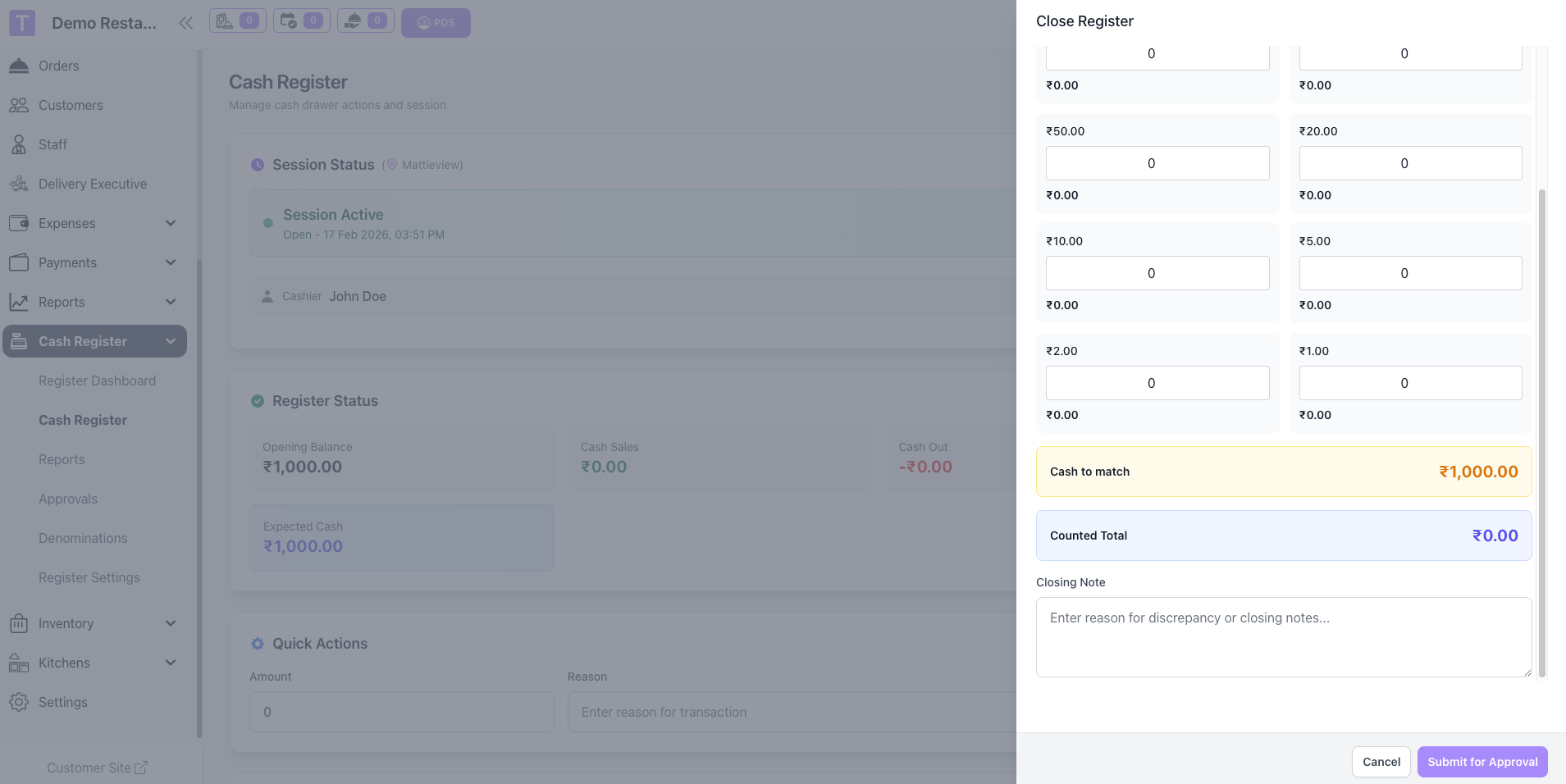
- Register Open/Close: Cashiers open a register with an opening balance and close it with a final count.
- Denomination Counts: Bills and coins are tracked with automatic totals.
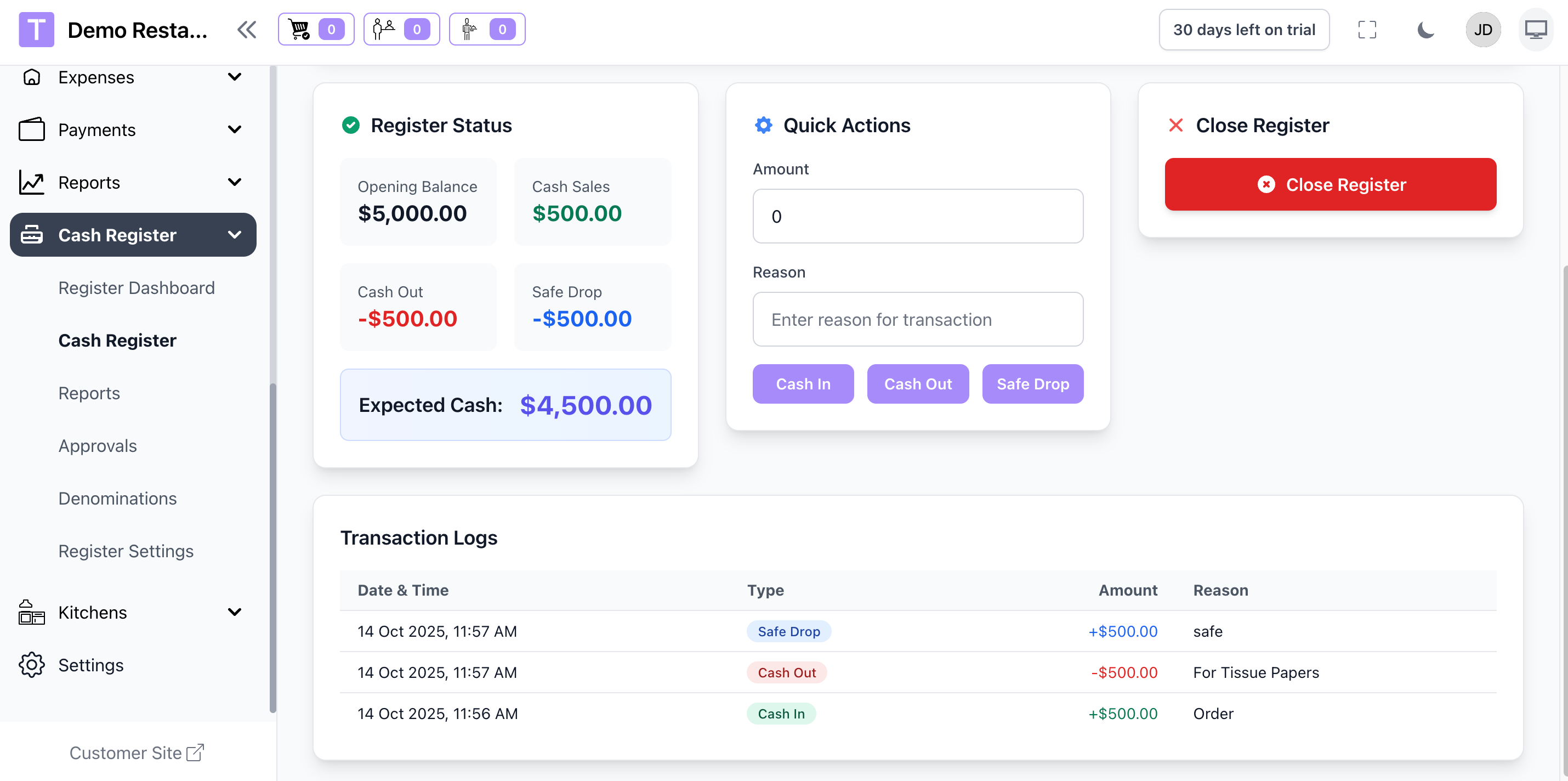
- Cash In/Out: Record withdrawals and deposits with reasons and staff names.
- Discrepancy Alerts: Overages and shortages are highlighted for review.
- Register Reports: X and Z reports are generated per shift and per outlet.
Reports
Use shift reports to monitor cash flow and ensure accurate reconciliation.
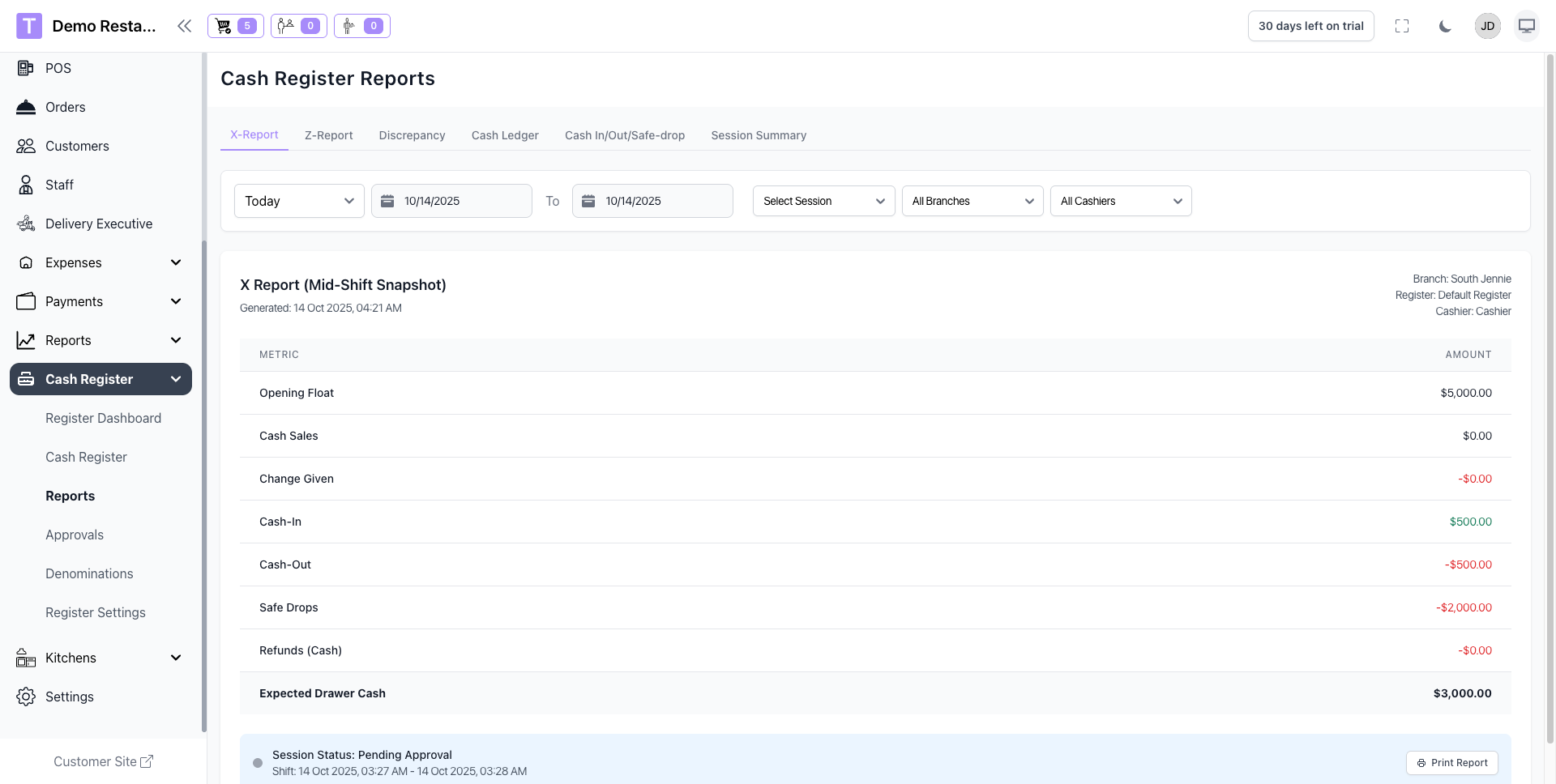
- X-Report: Mid-shift summary without closing the register.
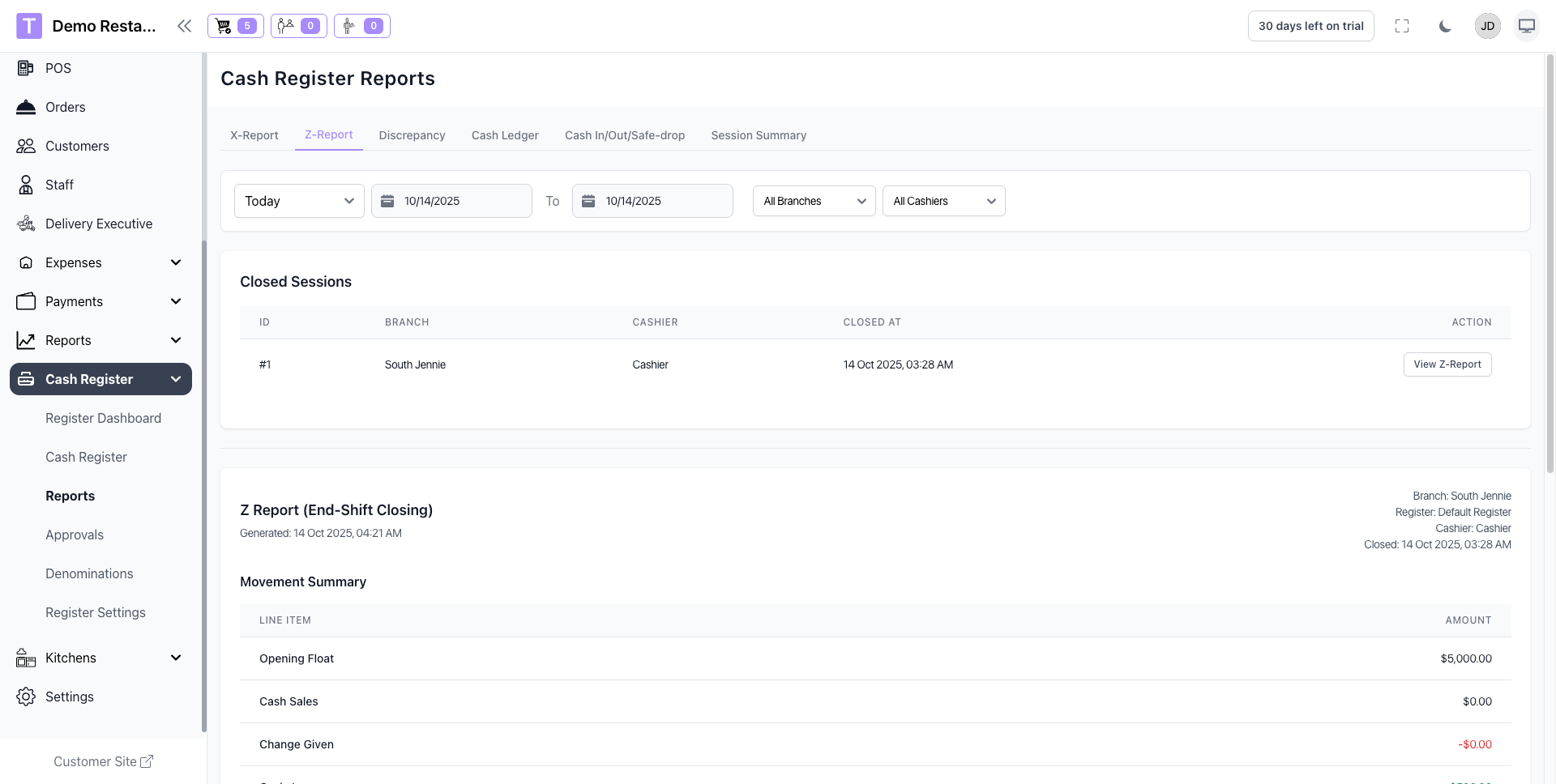
- Z-Report: End-of-shift report that closes the register and locks totals.
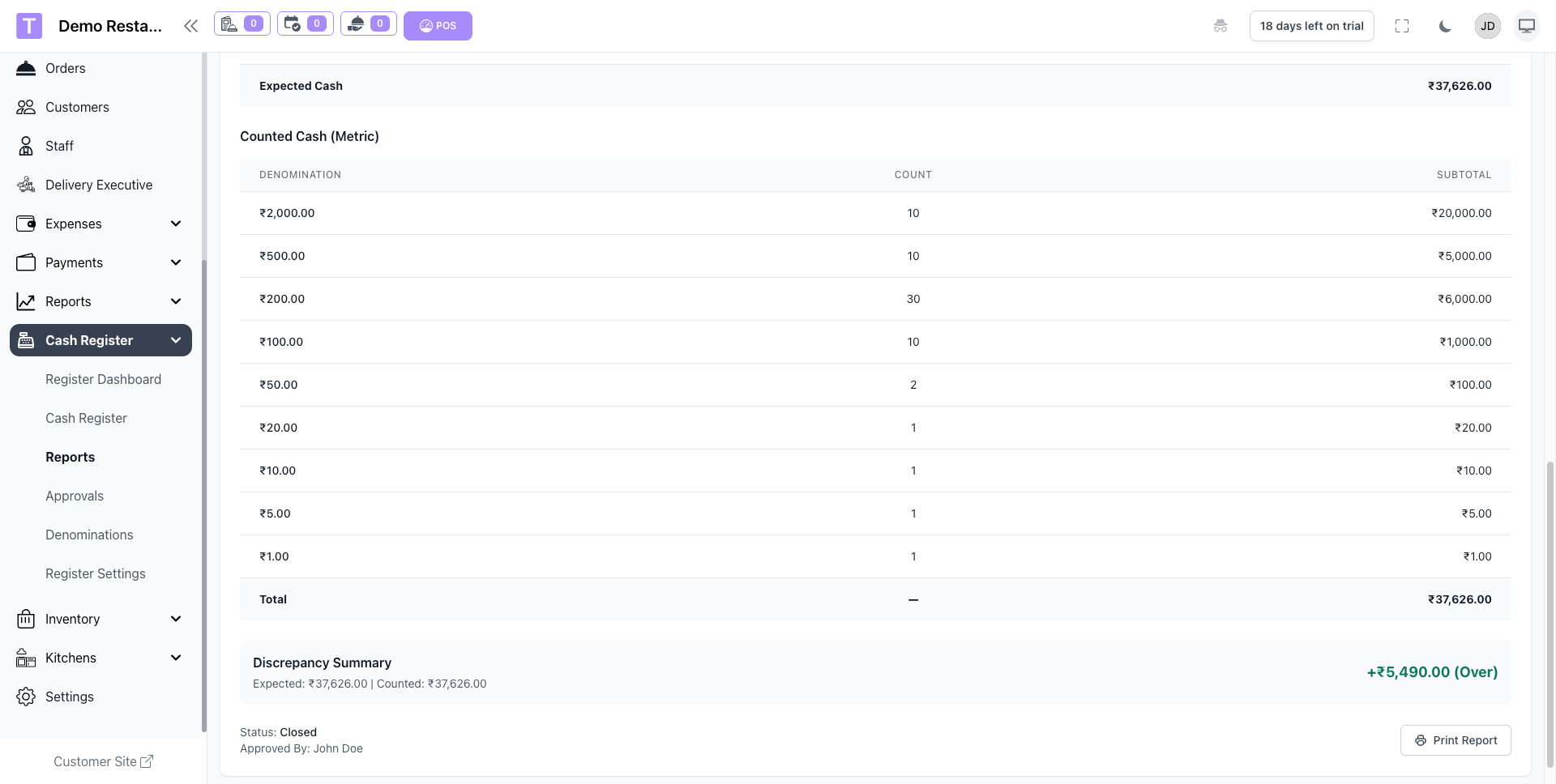
- Denomination Report: Detailed breakdown of bills and coins.
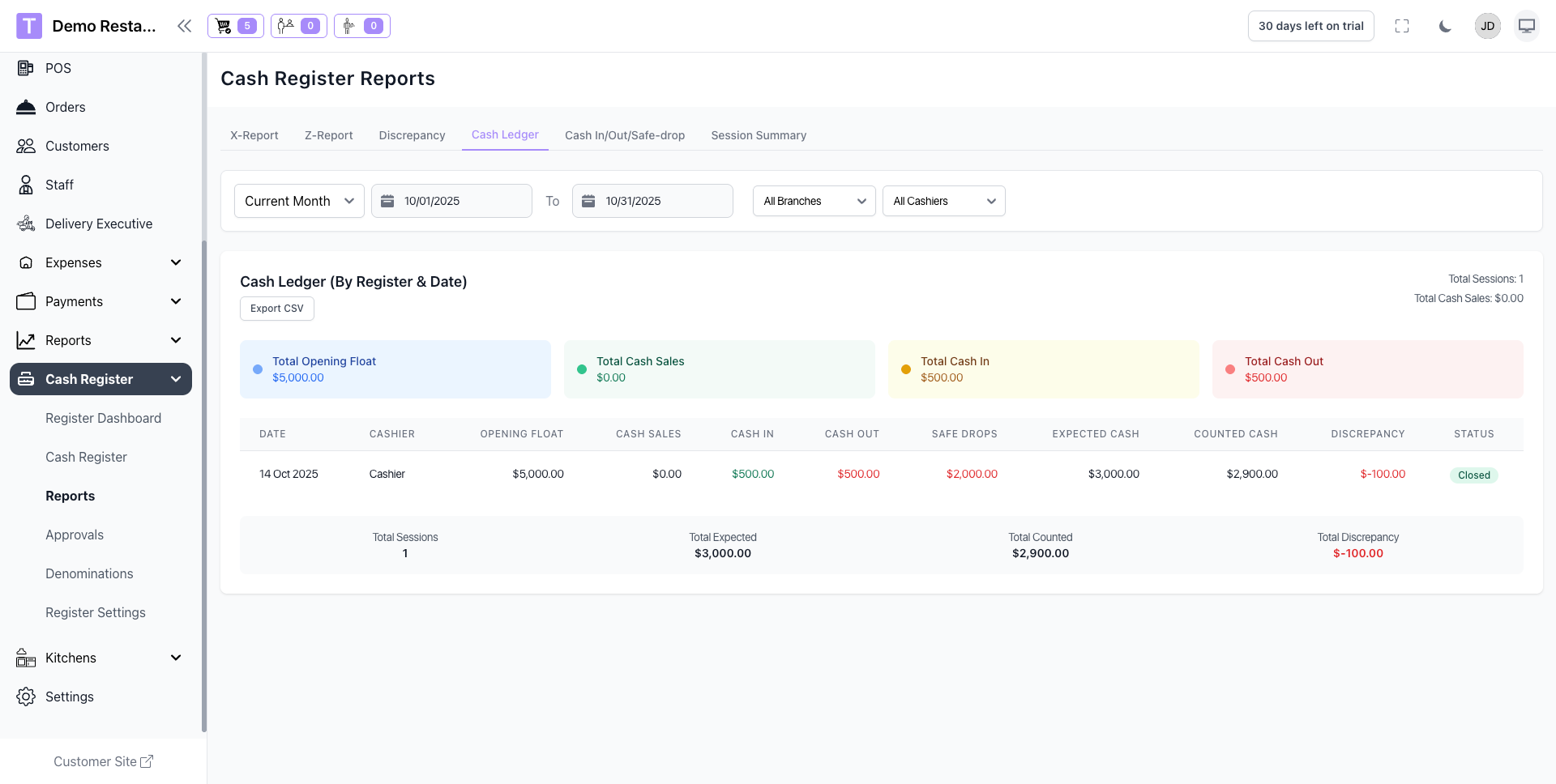
- Cash Movement Log: Cash in/out history with reasons and staff names.
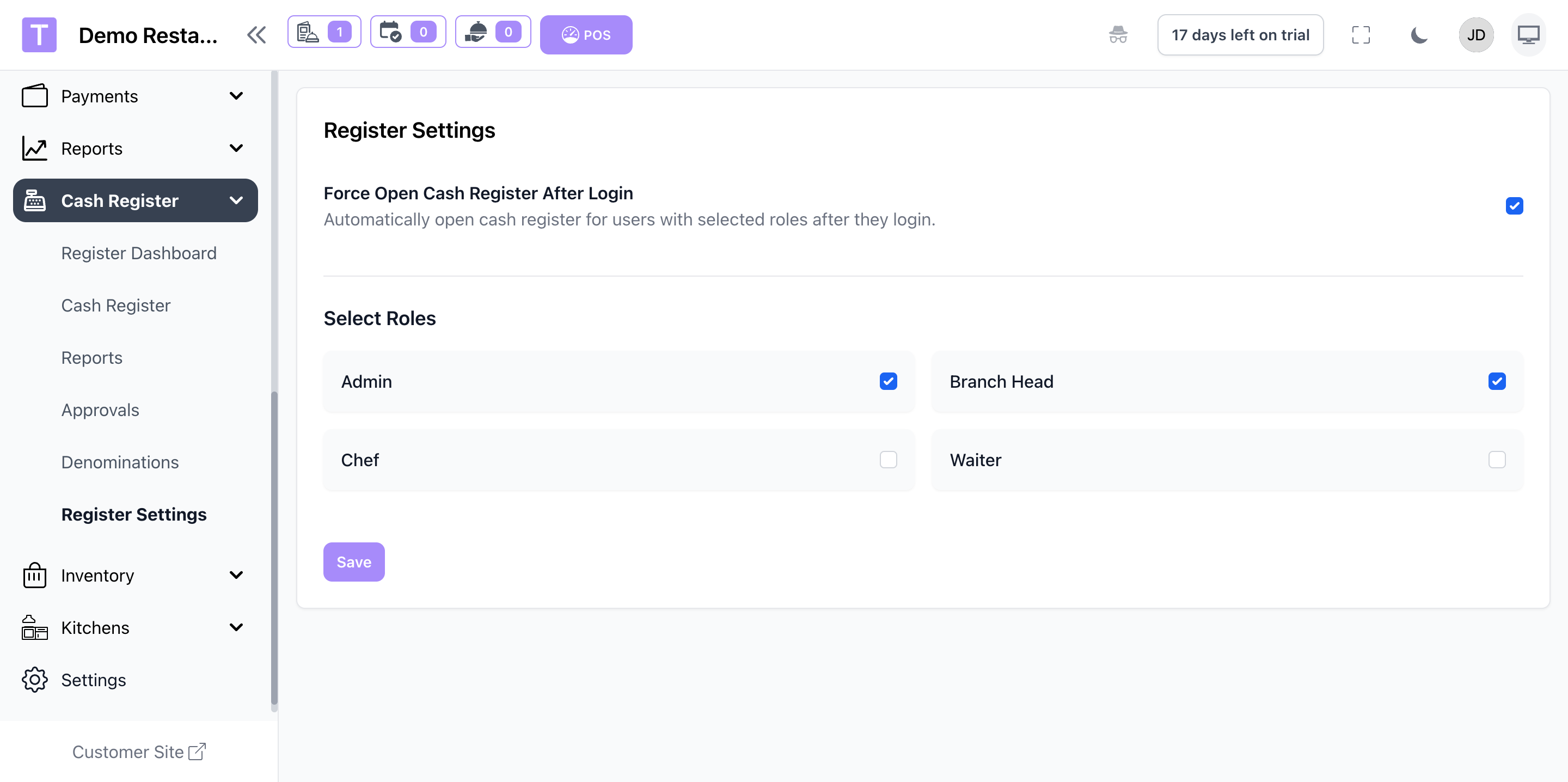
Register Settings
Role-Based Force login
Troubleshooting
Common Issues
- Register not visible: Confirm the module is enabled and the outlet has a drawer assigned.
- Unable to open shift: Check cashier permissions and opening balance settings.
- Report totals mismatch: Review cash in/out entries and denomination counts.
If issues persist, contact support with the outlet name and shift time.
Summary
The Cash Register module includes:
- Cash Drawer Controls: Open, close, and audit drawers with shift-based tracking.
- Denomination Management: Accurate bill and coin counts with auto totals.
- Shift Reports: X and Z reports for real-time and end-of-day reconciliation.
- Cash Movement Logs: Transparent records of cash in/out activity.
- Multi-Register Support: Manage multiple drawers across outlets.
Was this article helpful?
That’s Great!
Thank you for your feedback
Sorry! We couldn't be helpful
Thank you for your feedback
Feedback sent
We appreciate your effort and will try to fix the article