Catalog is to set up the list of items that will be sold in mart.
Product Catalog
View all products arranged by categories and subcategories for easy browsing and selection.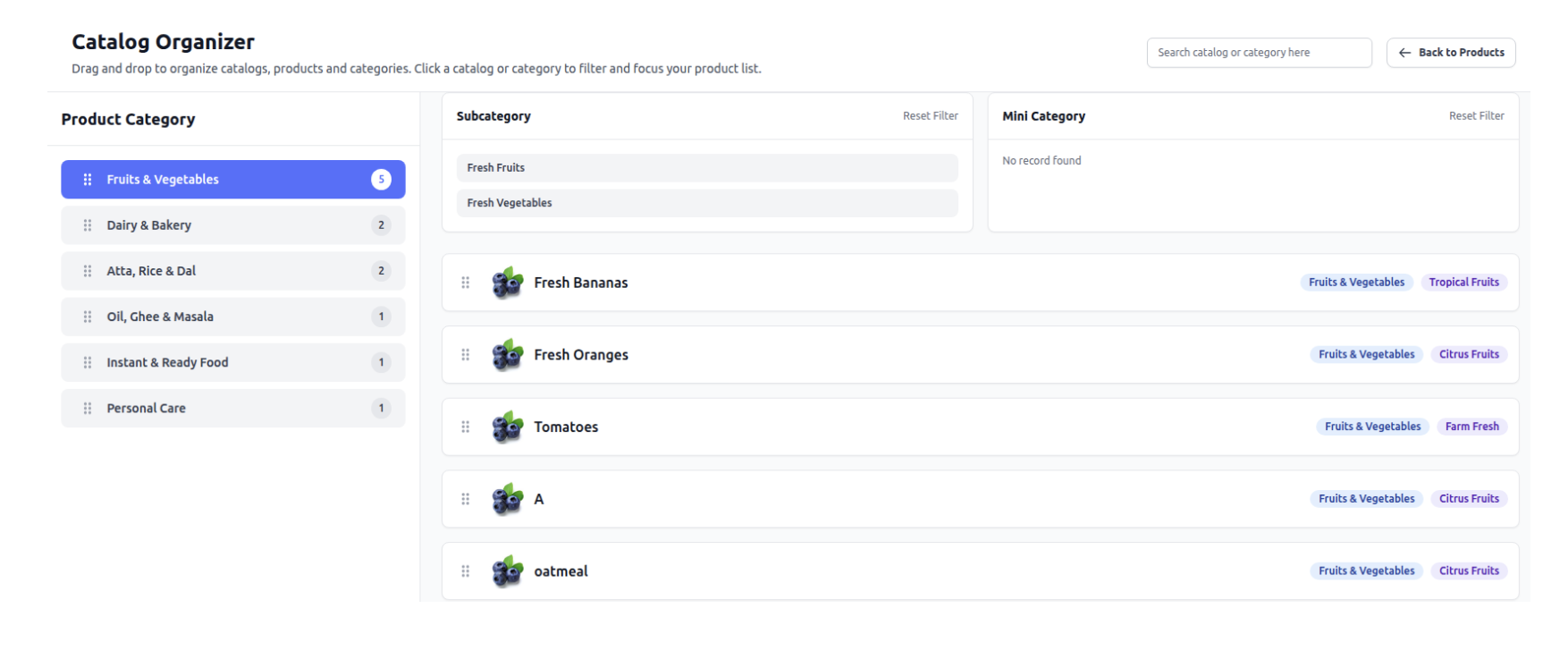
Products
Add and manage products with all details like name, price, variants, and attributes.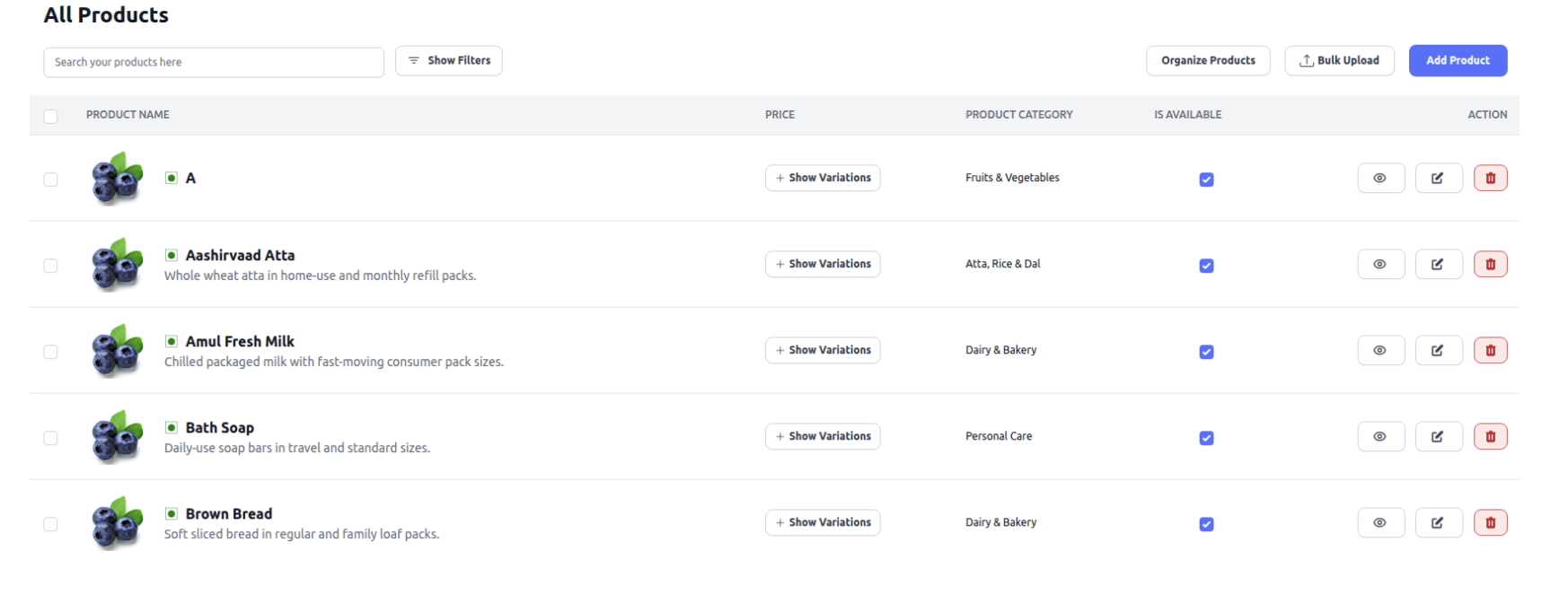
How to Add Product Variants
While creating a new product:
Enable Variants
Select the “Has Variations” option.
This will open the variant section.
Add Variant Details
Each variant requires the following:
1. Specification
Define the variant type (e.g., 100g, 50kg, red color).
2. Cost Price
Enter the purchase price from the vendor.
3. Selling Price
Enter the price at which the variant will be sold.
4. Quantity
Add available stock.
If added → stock updates in inventory.
If not added → product appears in catalog but not in inventory.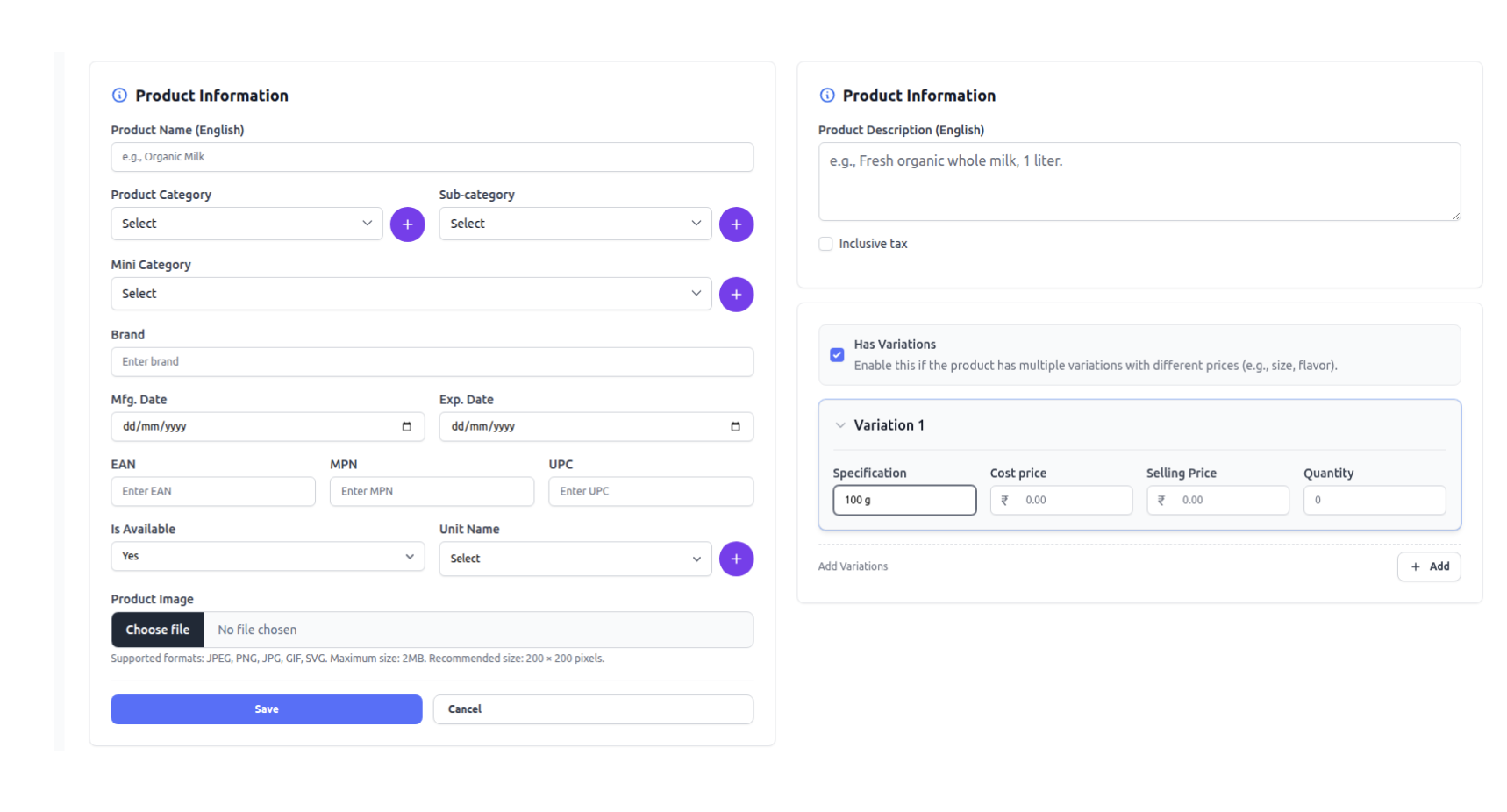
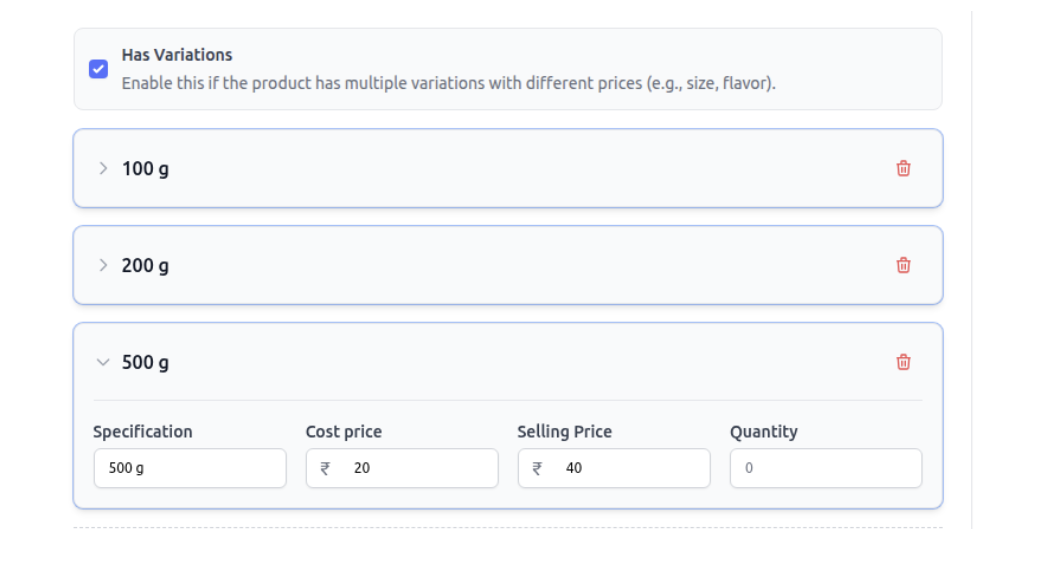
Note* - Every variant will have a unique barcode.
Categories
Create and organize categories, subcategories, and mini categories for product structuring.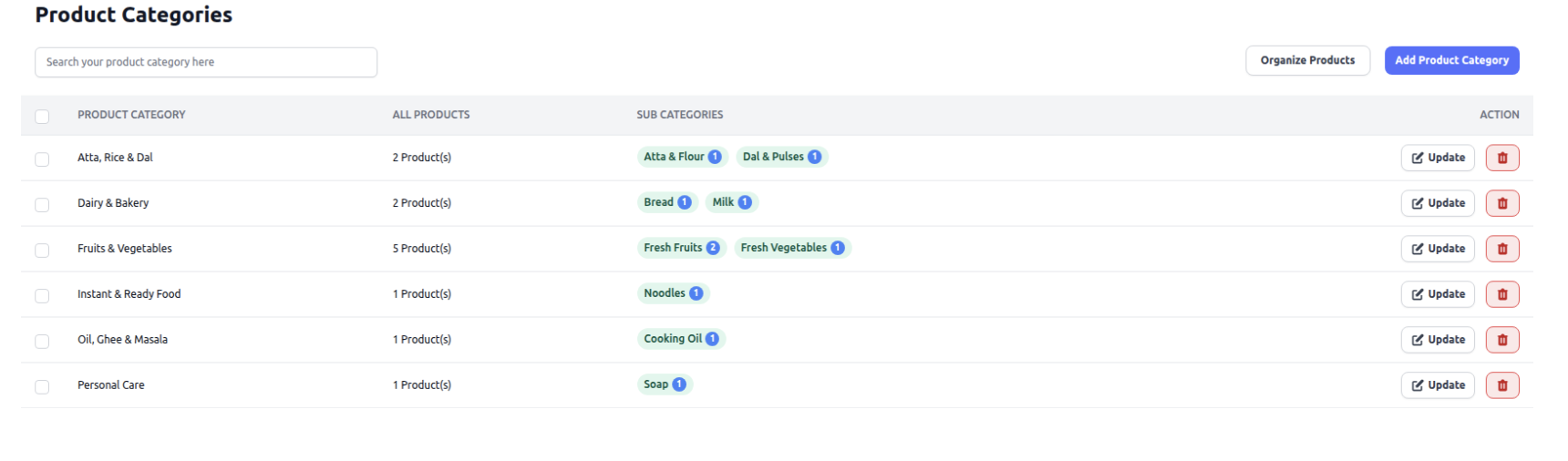
Barcodes
Generate and print barcodes for each product and variant for quick billing and tracking.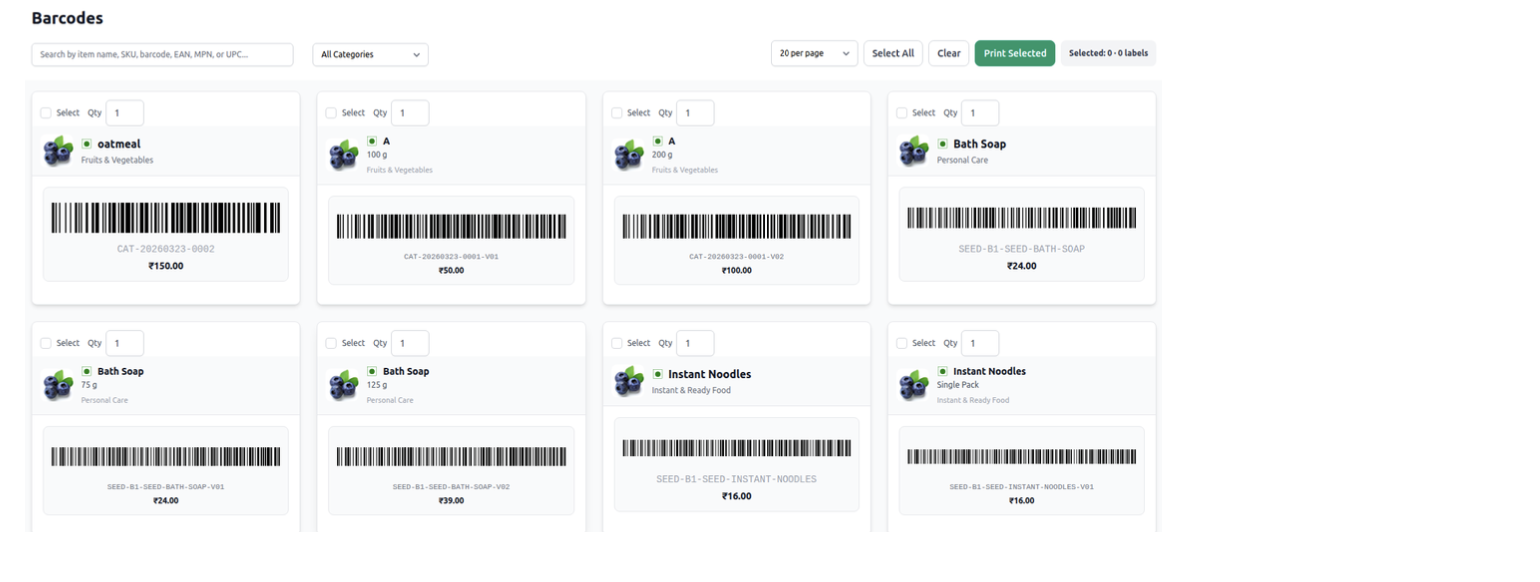
Was this article helpful?
That’s Great!
Thank you for your feedback
Sorry! We couldn't be helpful
Thank you for your feedback
Feedback sent
We appreciate your effort and will try to fix the article