Overview
The Waiter Table Assignment Module allows administrators or managers to assign specific waiters to individual tables. Each table can have:
Primary Waiter
Secondary (Backup) Waiter
Once a waiter is assigned to a table, only the assigned waiter(s) will receive order notifications when a new order is placed for that table.
This feature improves accountability, service efficiency, and staff coordination within the restaurant.
Purpose
In busy restaurants, managing table responsibility manually can cause:
Confusion among waiters
Delayed service
Missed notifications
Lack of accountability
The Waiter Table Assignment module ensures that each table has clearly defined responsibility, and order notifications are sent only to the assigned waiter(s).
Key Features
1️ Table-Based Waiter Assignment
Assign a Primary Waiter to a table.
Optionally assign a Secondary Waiter as backup.
Assignments can be updated anytime.
Supports dynamic reassignment.
2 Notification Control
When an order is placed for a table:
Only the assigned waiter receives the notification.
Other waiters will NOT receive alerts for that table.
Reduces unnecessary notification clutter.
3 Role-Based Responsibility
Primary waiter is mainly responsible for servicing the table.
Secondary waiter can assist when needed.
Ensures continuous service even if primary waiter is unavailable.
4 Real-Time Order Alerts
After order placement:
Instant notification is triggered.
Work Flow
Step 1: Assign Waiter to Table
Admin/Manager selects a table.
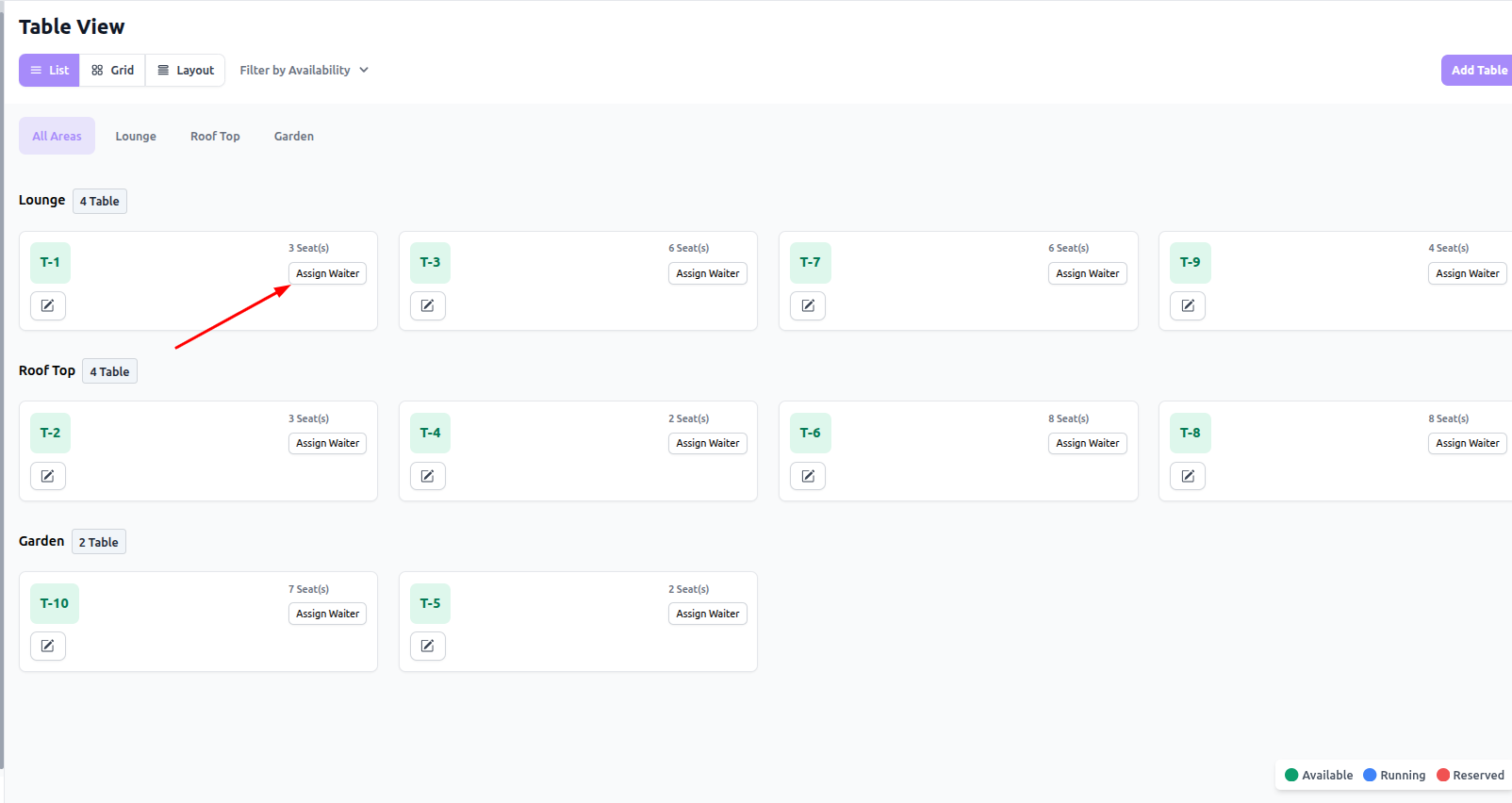
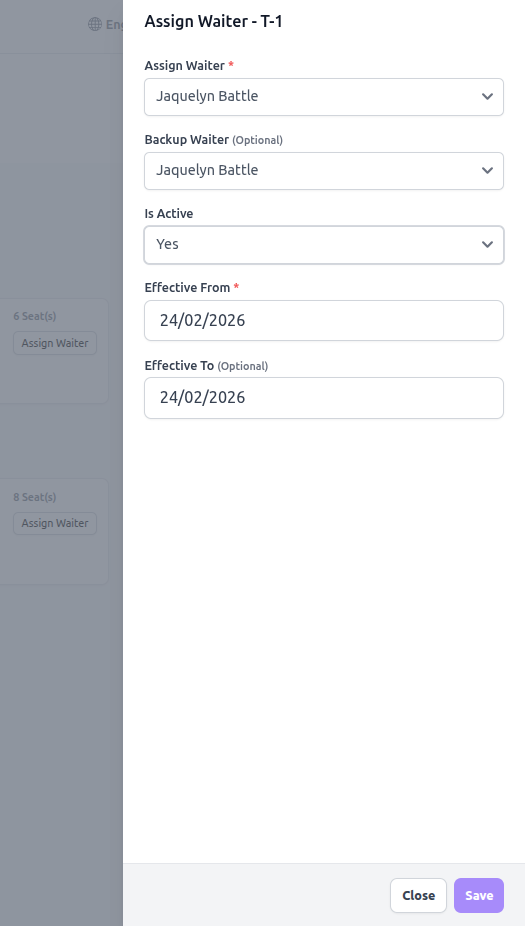
Chooses Primary Waiter.
Optionally selects Secondary Waiter.
Select start and end date
Saves assignment.
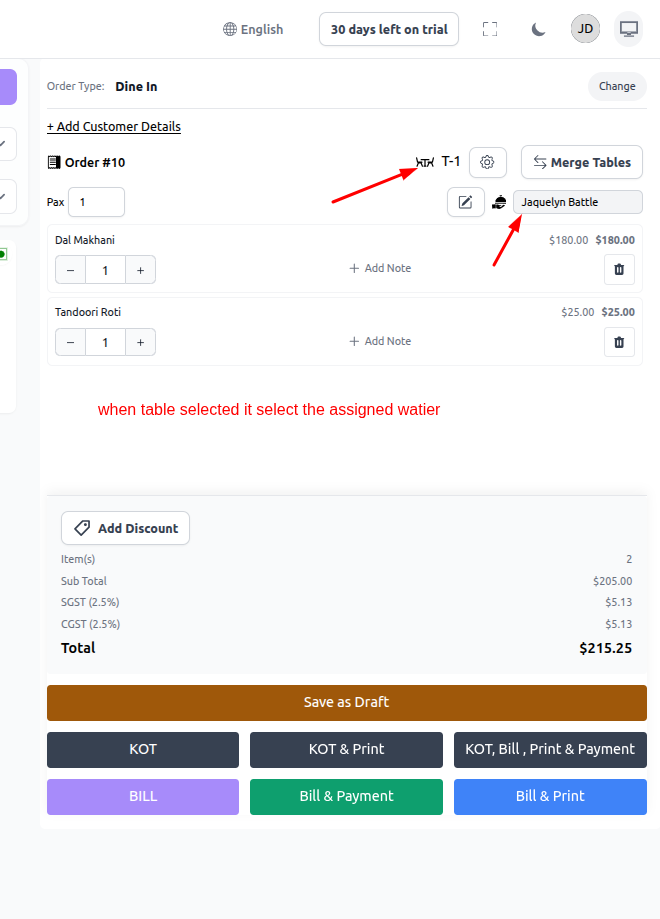
Step 2: Order placed from either POS or Customer site
Order is placed on that assigned table.
System identifies table ID.
System fetches assigned waiter(s).
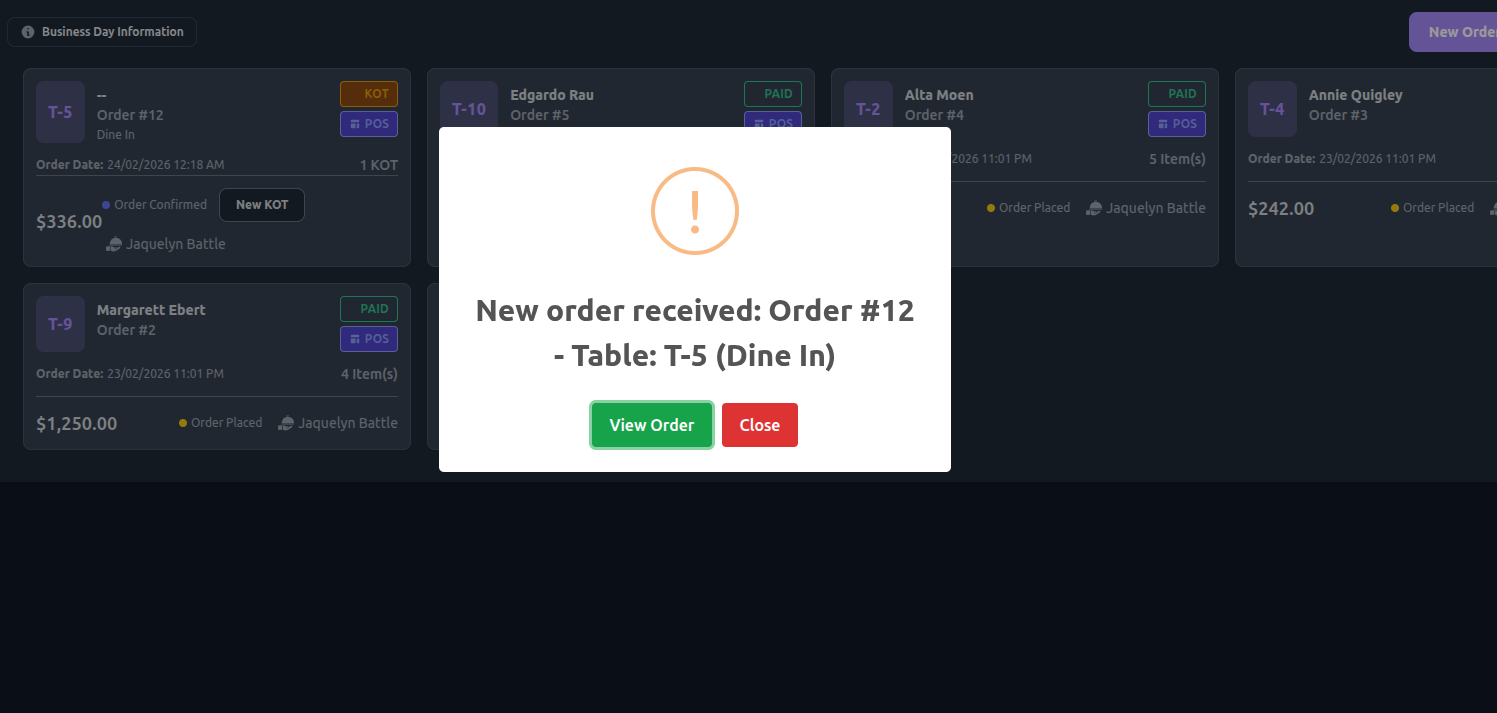
Step 3: Notification Trigger
Notification sent only to:
Primary Waiter
Secondary Waiter (if assigned)
Other staff members are excluded.
Business Benefits
Clear waiter responsibility
Faster response to table orders
Reduced service delays
Improved staff accountability
Better customer experience
Was this article helpful?
That’s Great!
Thank you for your feedback
Sorry! We couldn't be helpful
Thank you for your feedback
Feedback sent
We appreciate your effort and will try to fix the article