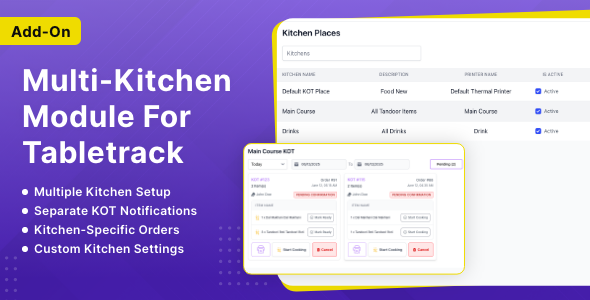
Overview
The Multiple Kitchen Management Module is designed to streamline restaurant operations by allowing different types of food items to be prepared in separate kitchens. This module enables restaurants to efficiently manage orders across multiple kitchen stations such as Main Kitchen, Bar, Bakery, Tandoor, Dessert Station, etc.
It ensures that each menu item is automatically routed to its assigned kitchen, improving preparation efficiency, reducing confusion, and enhancing overall service speed.
Purpose
In many restaurants, food preparation is divided across different kitchen sections based on cuisine type, equipment requirements, or staff specialization. Managing all items under a single kitchen workflow can lead to:
Order delays
Preparation errors
Overcrowding in one kitchen
Miscommunication between staff
Key Features
Kitchen Creation & Management
- Create multiple kitchens (e.g., Main Kitchen, Bar, Tandoor, Bakery).
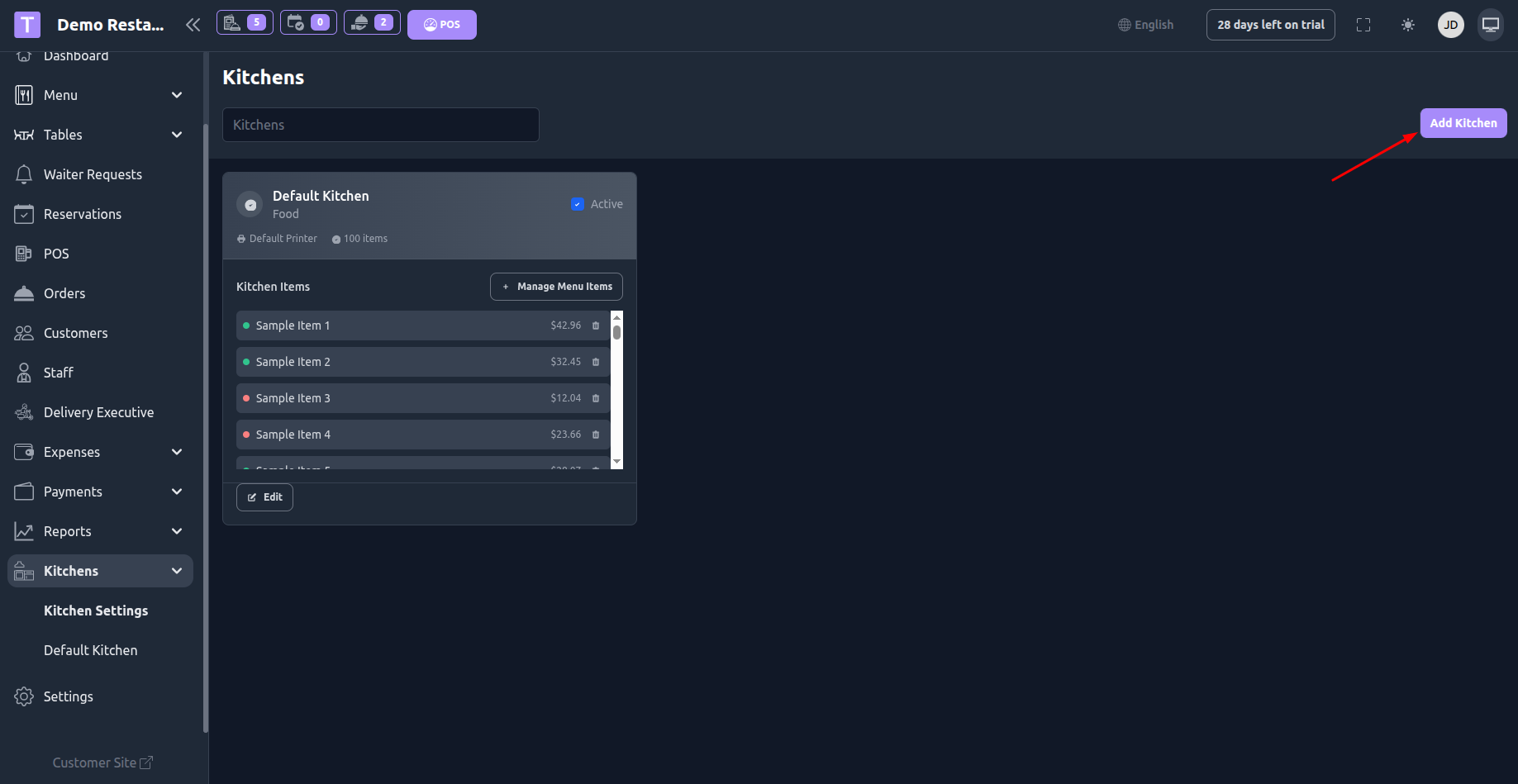
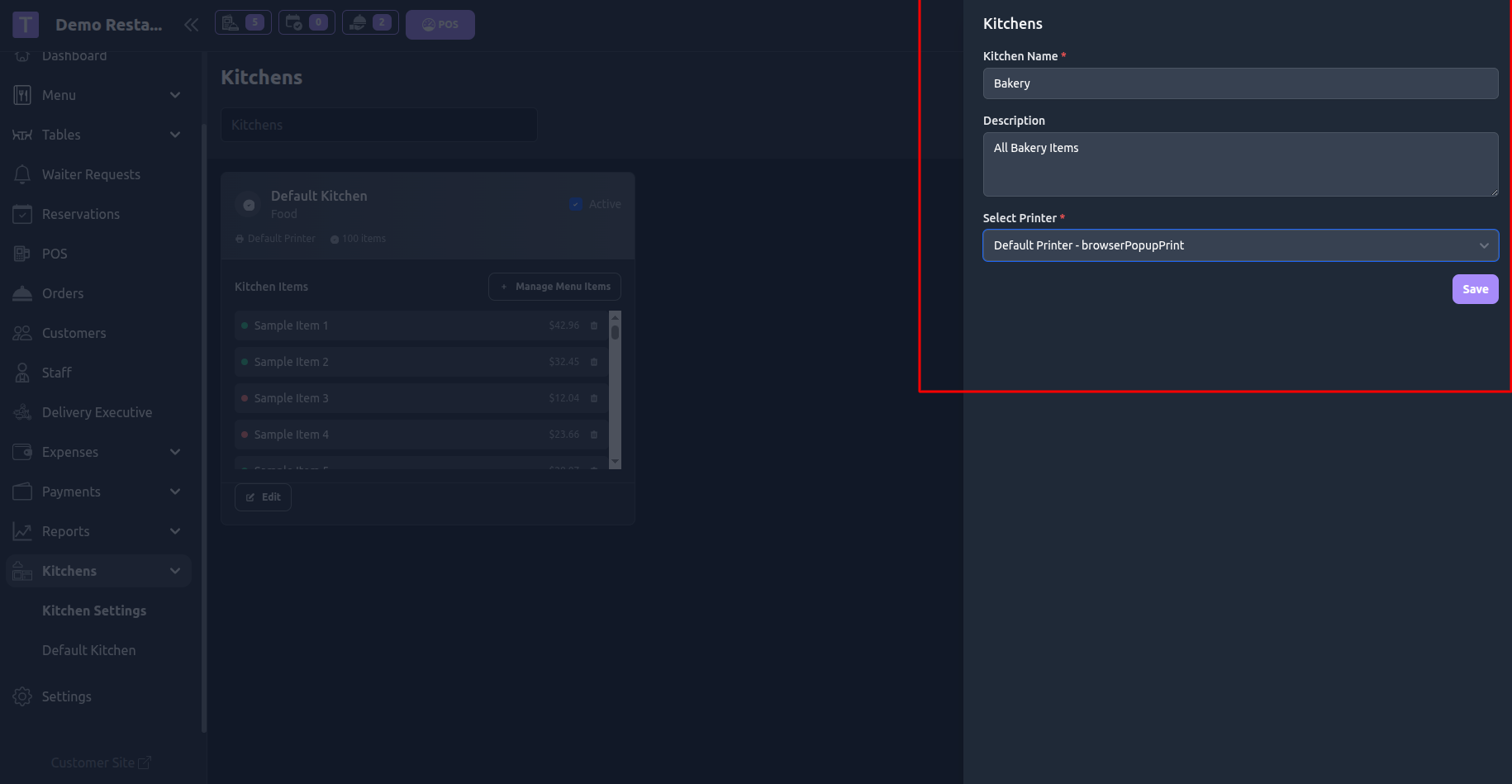
- Configure kitchen name, printer settings.
2. Menu Item Assignment
- Assign each menu item to a specific kitchen.
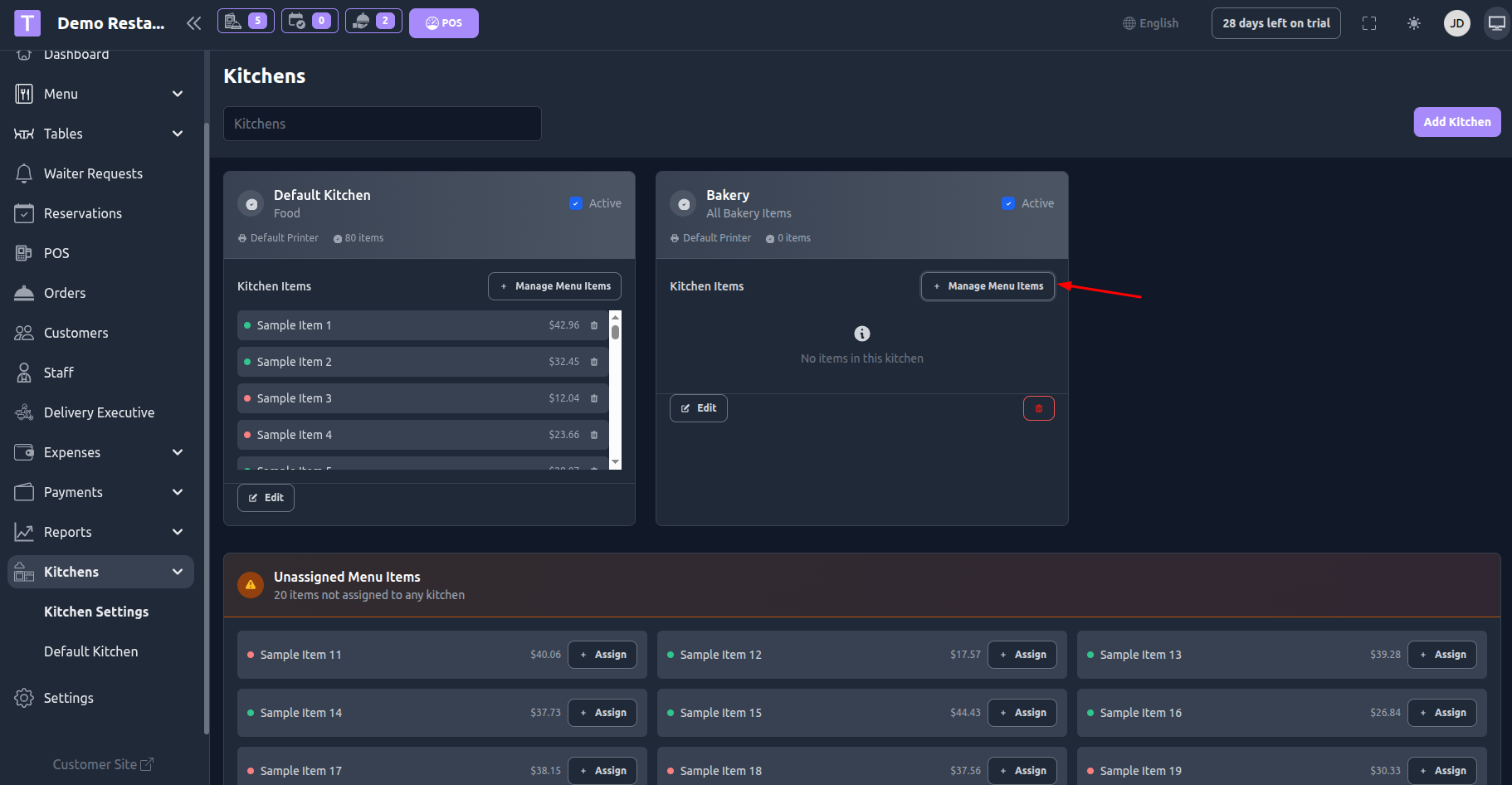
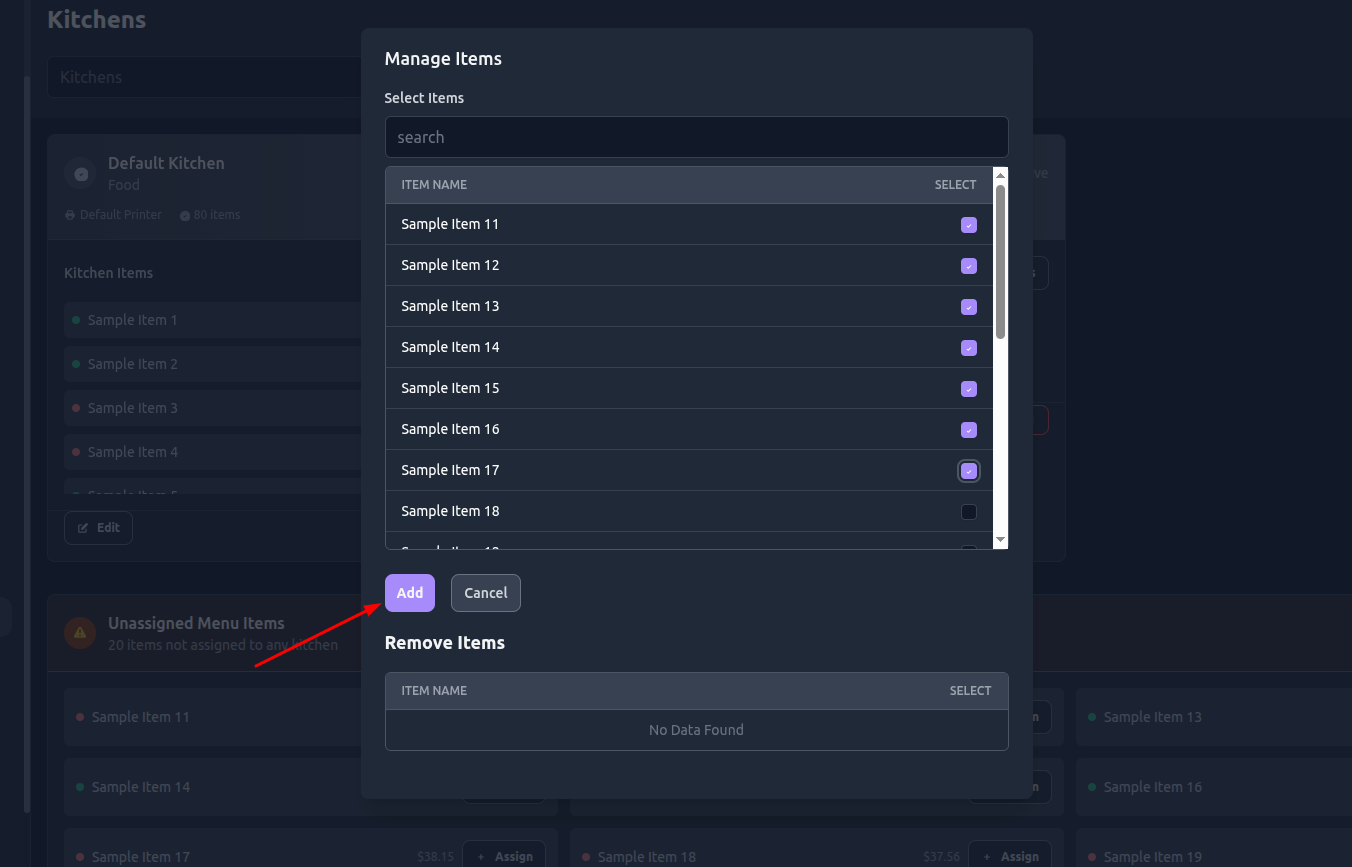
- Change kitchen assignment anytime as per operational needs.
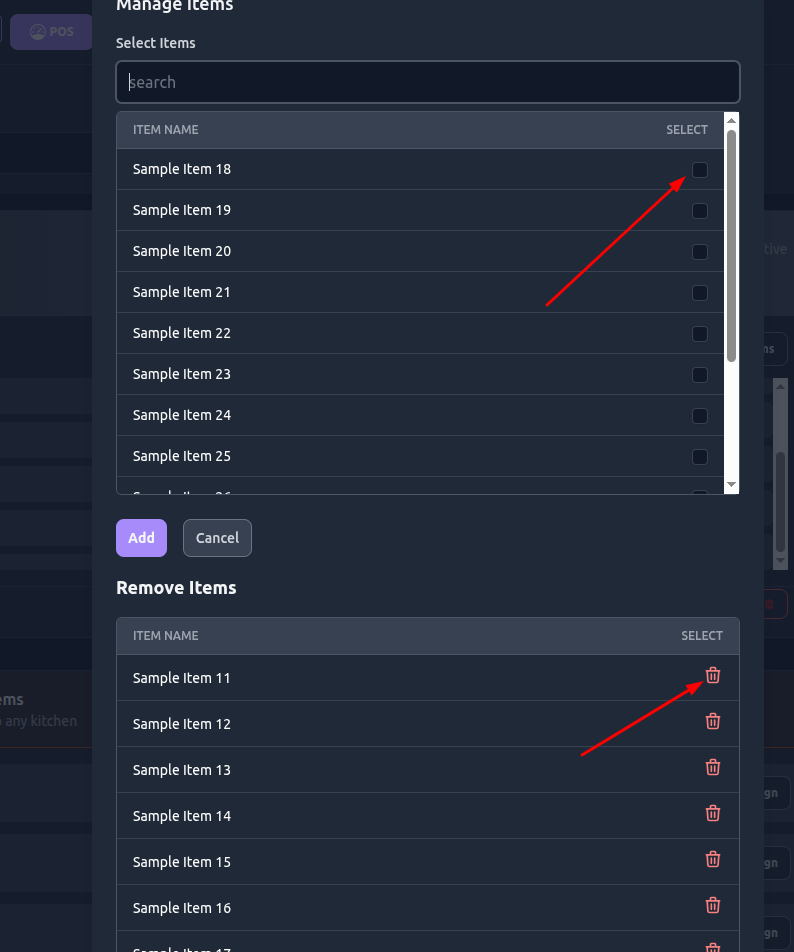
3. Automatic Order Routing
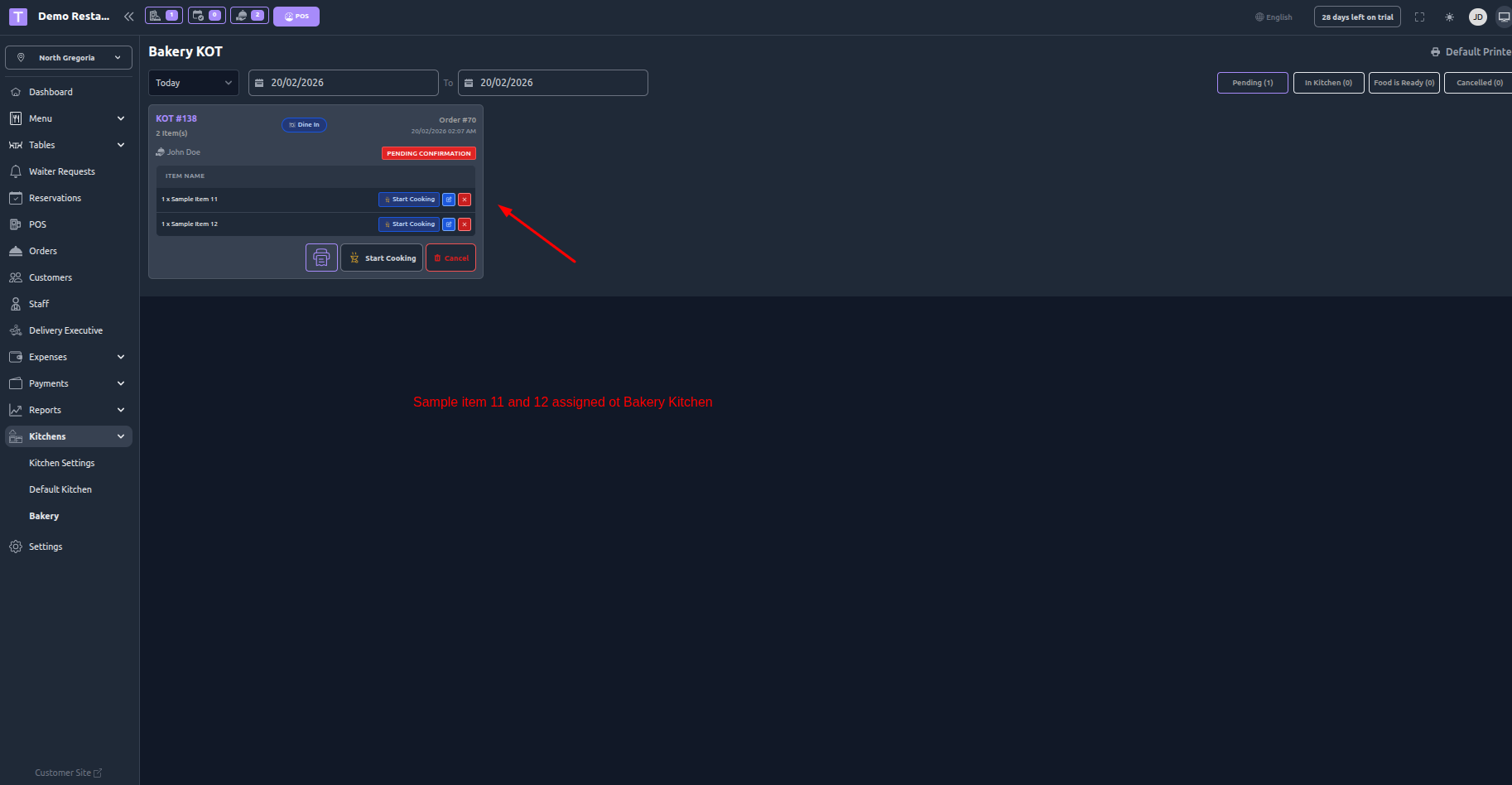
- When an order is placed, items are automatically grouped by their assigned kitchen.
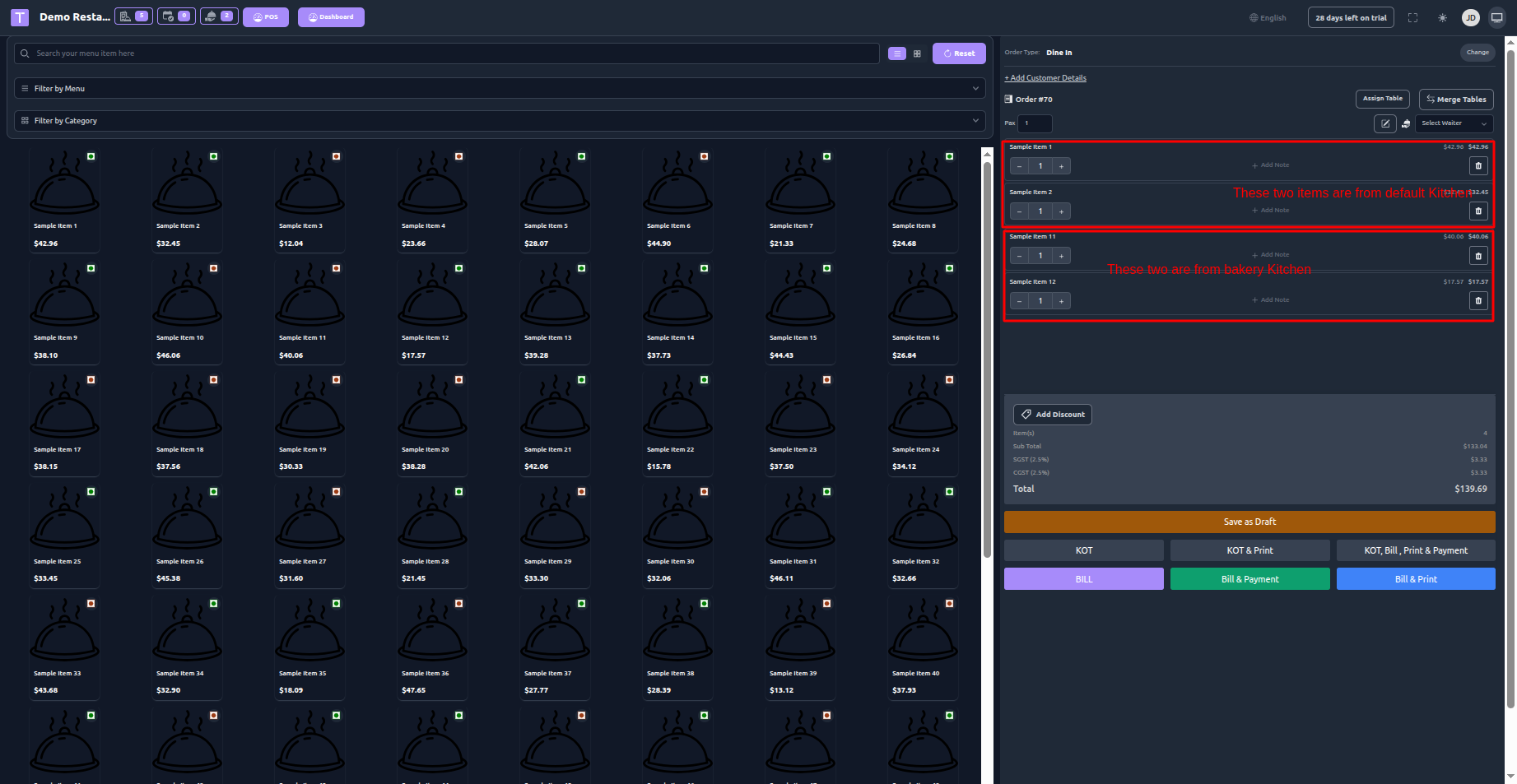
- Each kitchen receives only the relevant items.
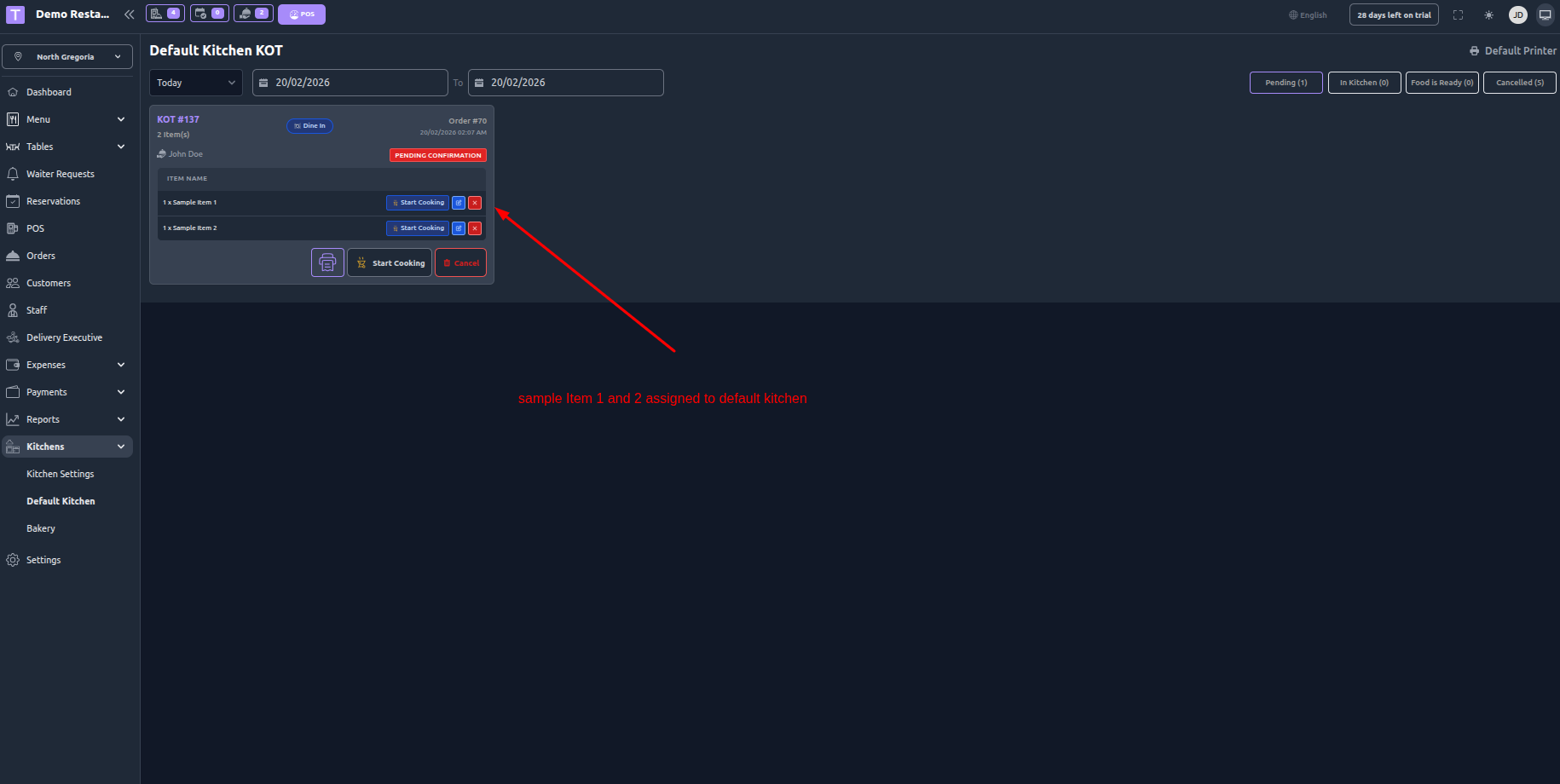
Generates separate KOT (Kitchen Order Ticket) per kitchen if required.
4. Kitchen-Specific KOT Printing
Print separate tickets for each kitchen.
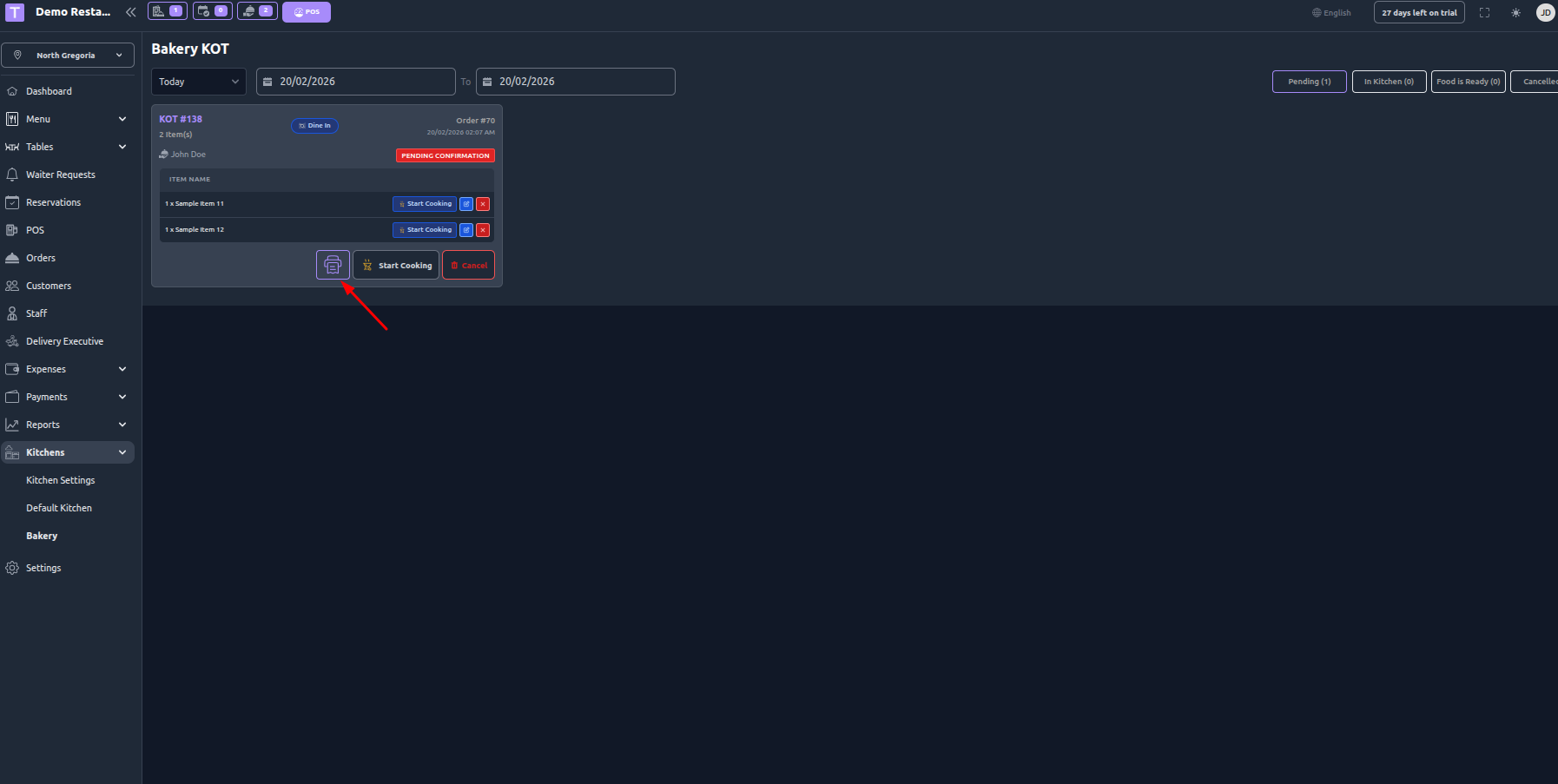
Support for thermal and PDF printing formats.
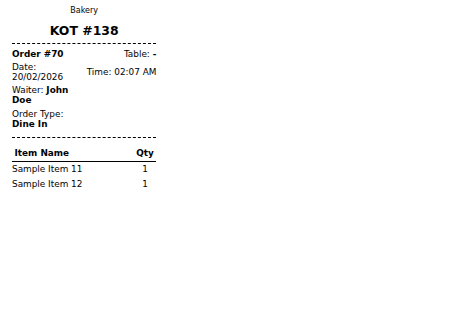
Conditional printing logic based on printer configuration.
6. Order Tracking per Kitchen
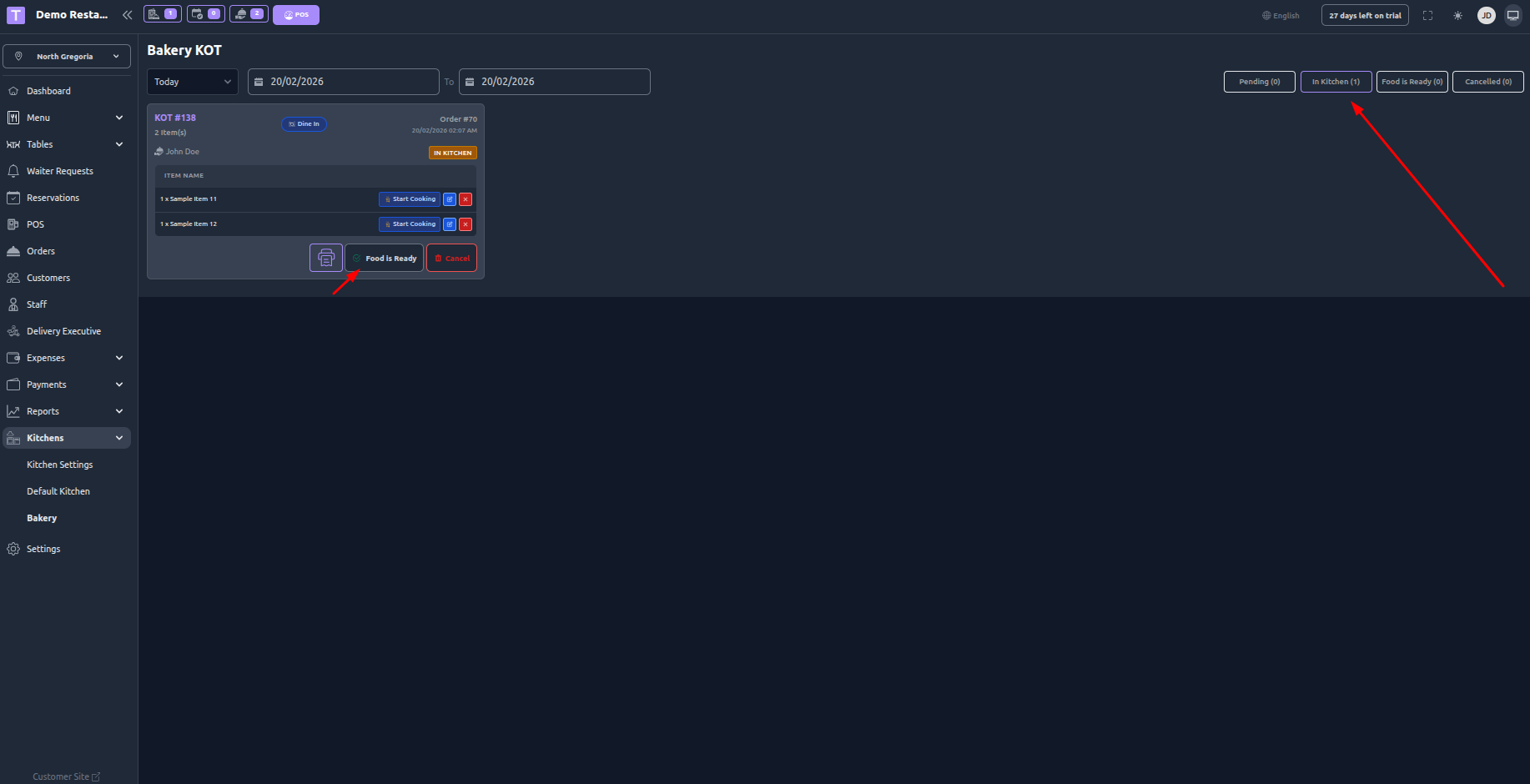
Track preparation status (Pending, In Kitchen, FoodIsReady).
Workflow
Admin creates multiple kitchens in the system.
Menu items are assigned to respective kitchens.
Customer places an order (Dine-in / Delivery / Pickup).
The system automatically splits items based on kitchen assignment.
A separate KOT is generated and printed for each kitchen.
Kitchen staff prepares assigned items.
Order status updates reflect across the system.
Benefits
Faster order processing
Reduced kitchen congestion
Better staff specialization
Improved order accuracy
Scalable for large restaurants or multi-cuisine setups
Better reporting per kitchen
Was this article helpful?
That’s Great!
Thank you for your feedback
Sorry! We couldn't be helpful
Thank you for your feedback
Feedback sent
We appreciate your effort and will try to fix the article