Overview
The Due Payment Reports Feature is designed to track partially paid orders and manage outstanding balances efficiently.
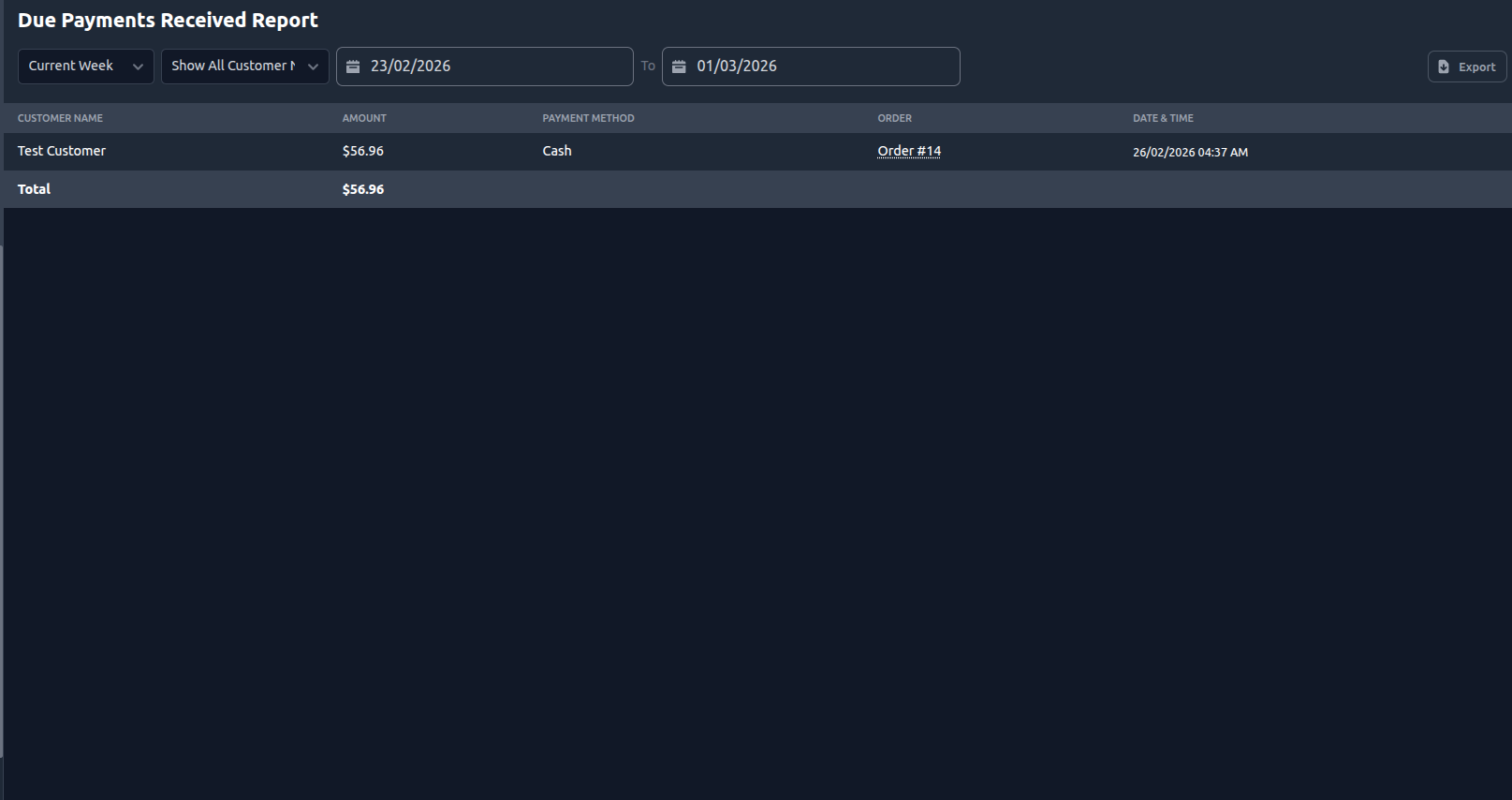
When a customer makes a partial payment (for example, pays only half of the total bill), the remaining unpaid amount is recorded as a Due Amount. Once the remaining amount is received, the transaction is recorded in the Due Payment Reports for proper tracking and reporting.
This feature ensures accurate financial monitoring and better control over pending payments.
Purpose
In restaurant operations, customers may:
Pay partially at billing time
Split payments
Pay advance and settle later
Leave pending balances
The Due Payment Reports module helps:
Track outstanding balances
Monitor collected due payments
Maintain accurate accounting
Prevent revenue leakage
Workflow
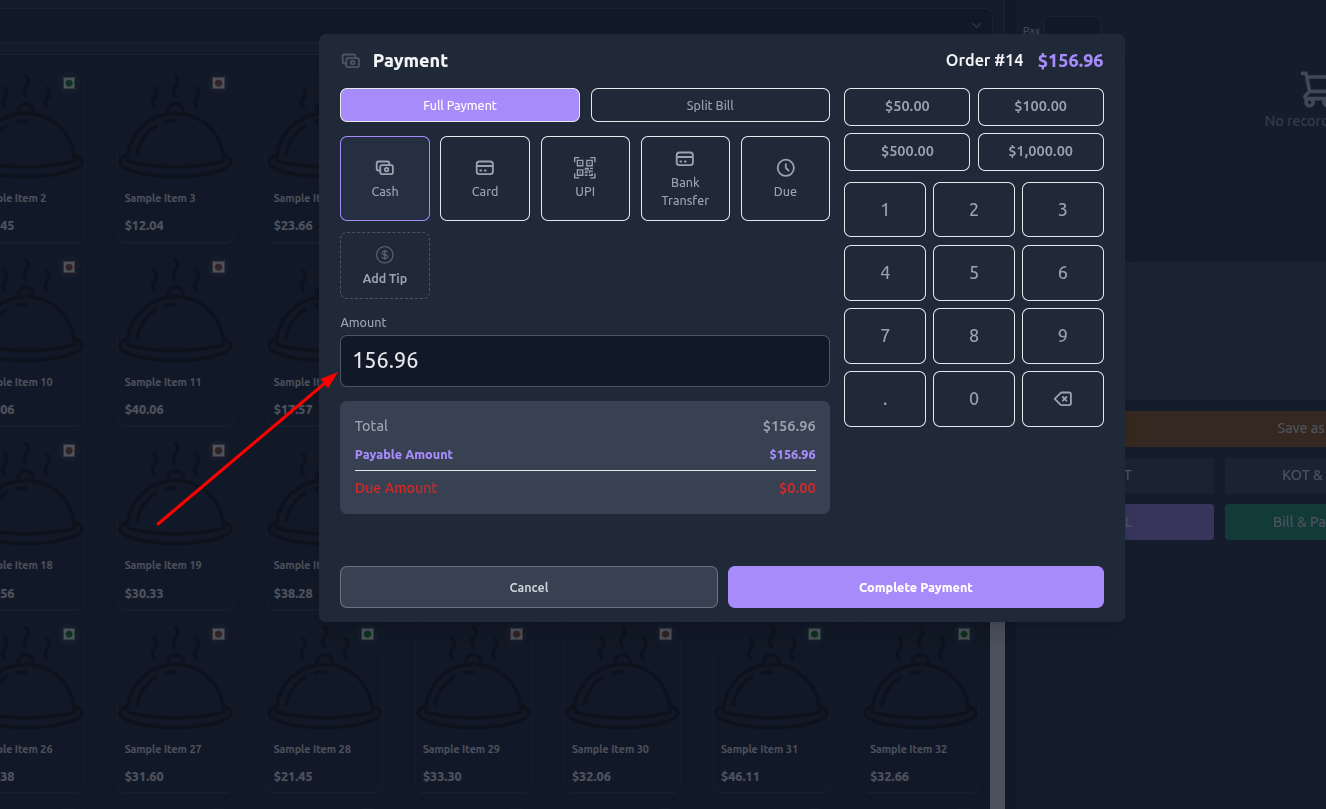
Step 1: Order Billing
Order total generated.
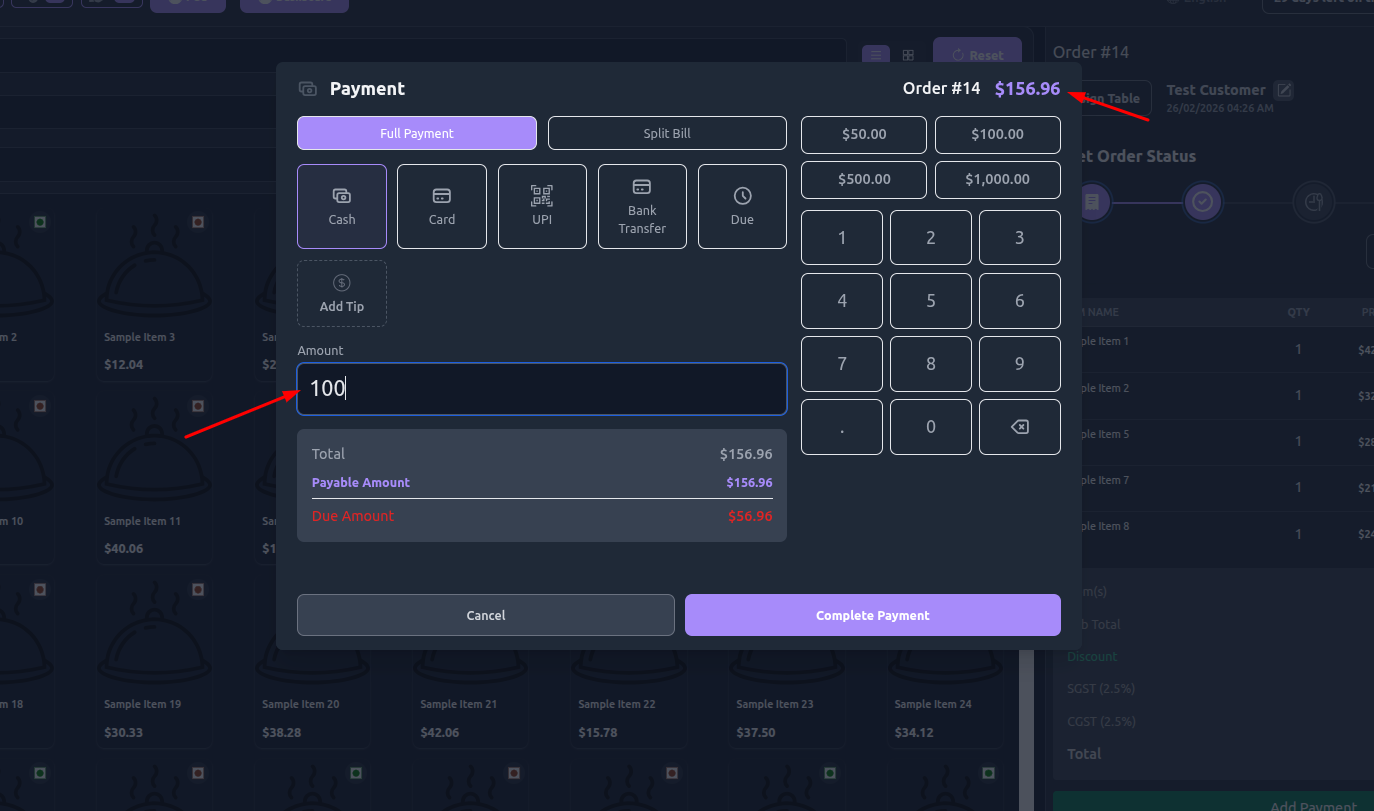
Customer pays partially.
System stores:
Paid amount
Due amount
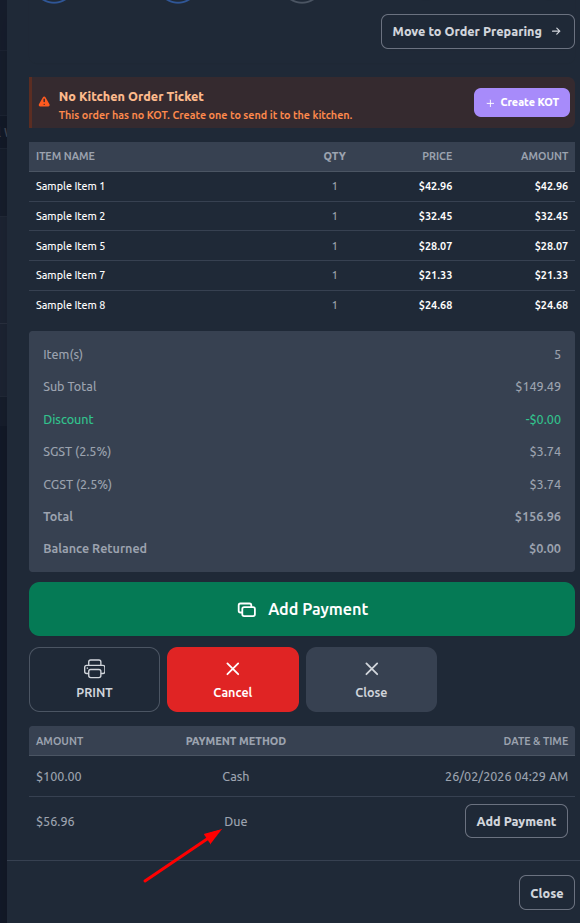
Payment status = Due
Step 2: Due Tracking
Order remains marked with due balance.
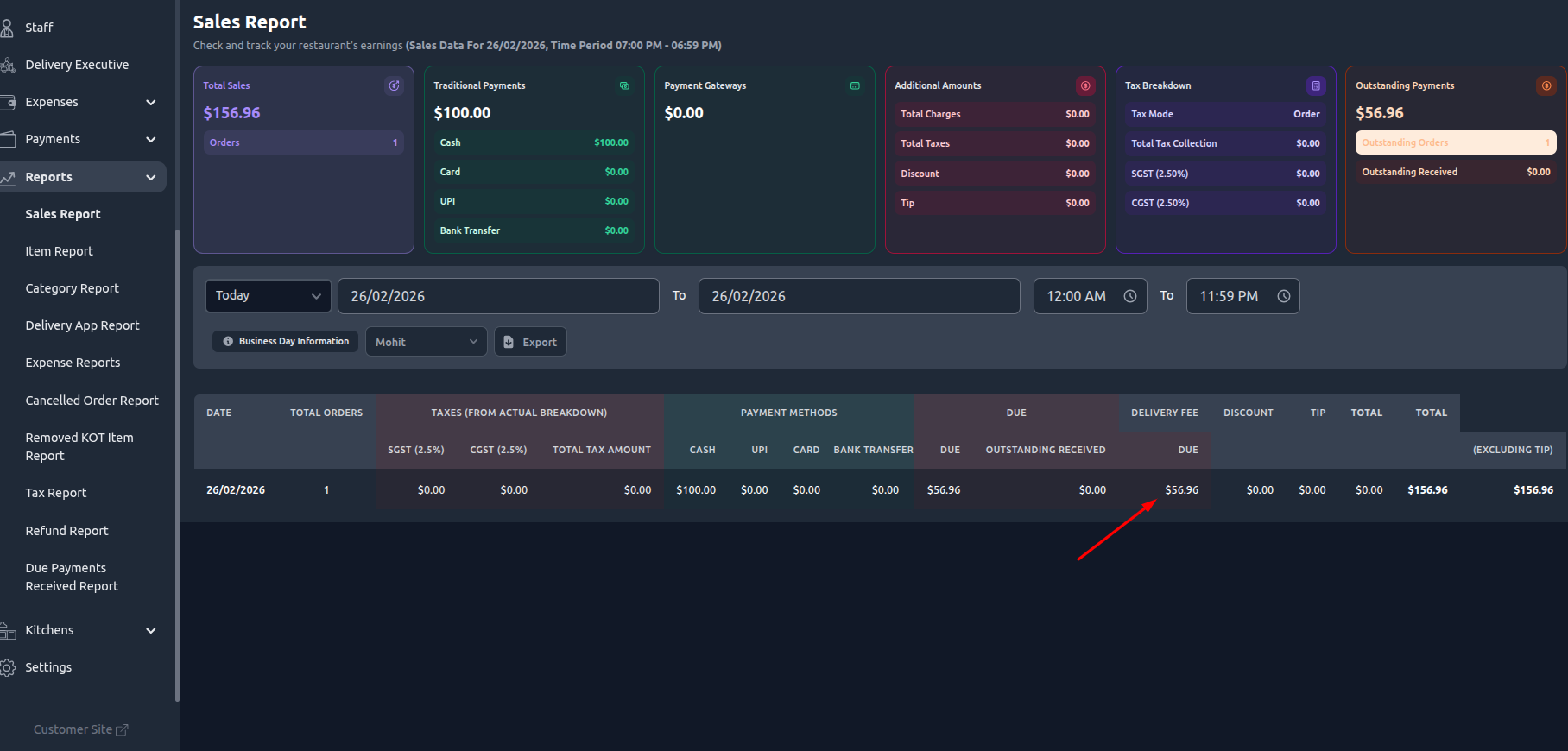
Due amount visible in outstanding reports.
Step 3: Due Payment Received
Staff collects remaining amount.
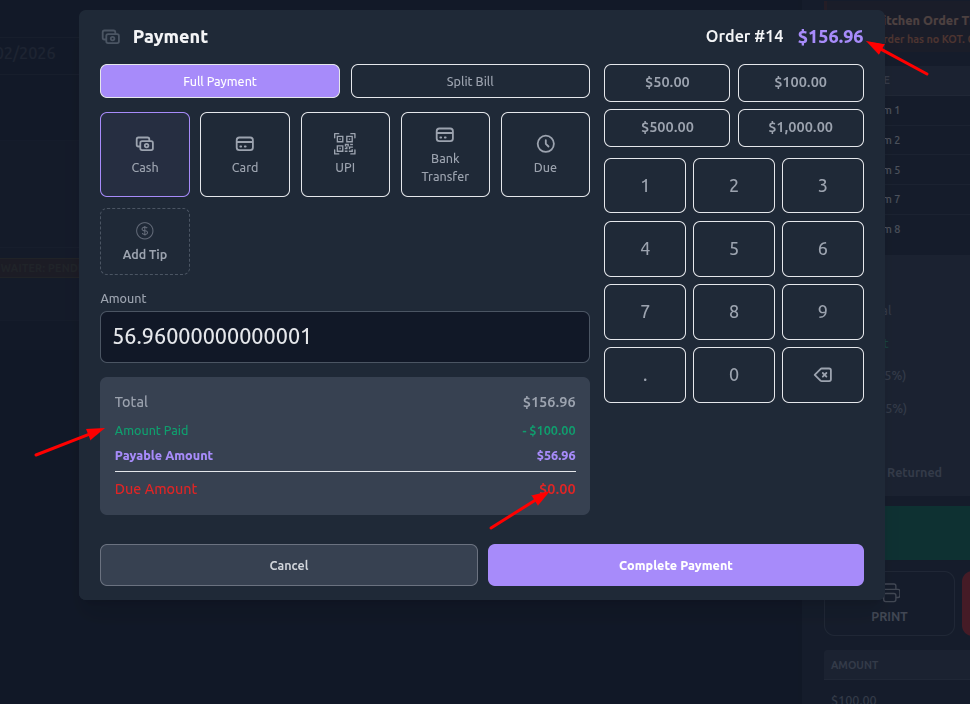
Payment entry added.
Due becomes zero.
Entry recorded in Due Payment Reports.
Was this article helpful?
That’s Great!
Thank you for your feedback
Sorry! We couldn't be helpful
Thank you for your feedback
Feedback sent
We appreciate your effort and will try to fix the article