Overview
The Mollie Payment Gateway Integration allows the restaurant management system to securely accept online payments through multiple payment methods including credit/debit cards, digital wallets, and local European payment options.
Mollie offers simple API-based integration and supports various online payment methods across Europe.
This integration enables customers to complete payments securely during checkout for Dine-In (QR orders), Delivery, and Pickup orders.
Integration Flow
Step 1: Customer Places Order
Customer selects items.
Chooses “Pay Online”.
System creates a pending order.
Step 2: Create Mollie Payment
System calls Mollie API.
Generates payment link.
Redirects customer to Mollie payment page.
Step 3: Customer Completes Payment
Payment processed securely by Mollie.
Step 4: Webhook Notification
Mollie sends webhook to system endpoint.
System verifies payment status via API.
Step 5: Order Status Update
If payment is successful → Order marked as Paid.
KOT is printed automatically (if configured).
If payment fails → Order marked as Failed.
Configuration Settings
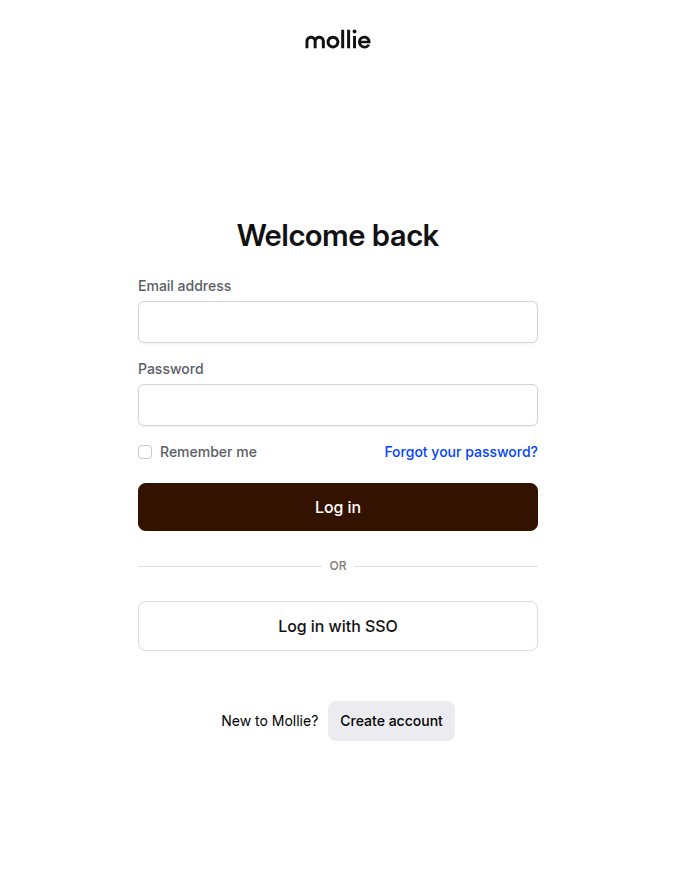
Step 1: Login to Mollie Dashboard
Go to the Mollie Dashboard.
Login to your Mollie account.
Step 2: Get API Keys
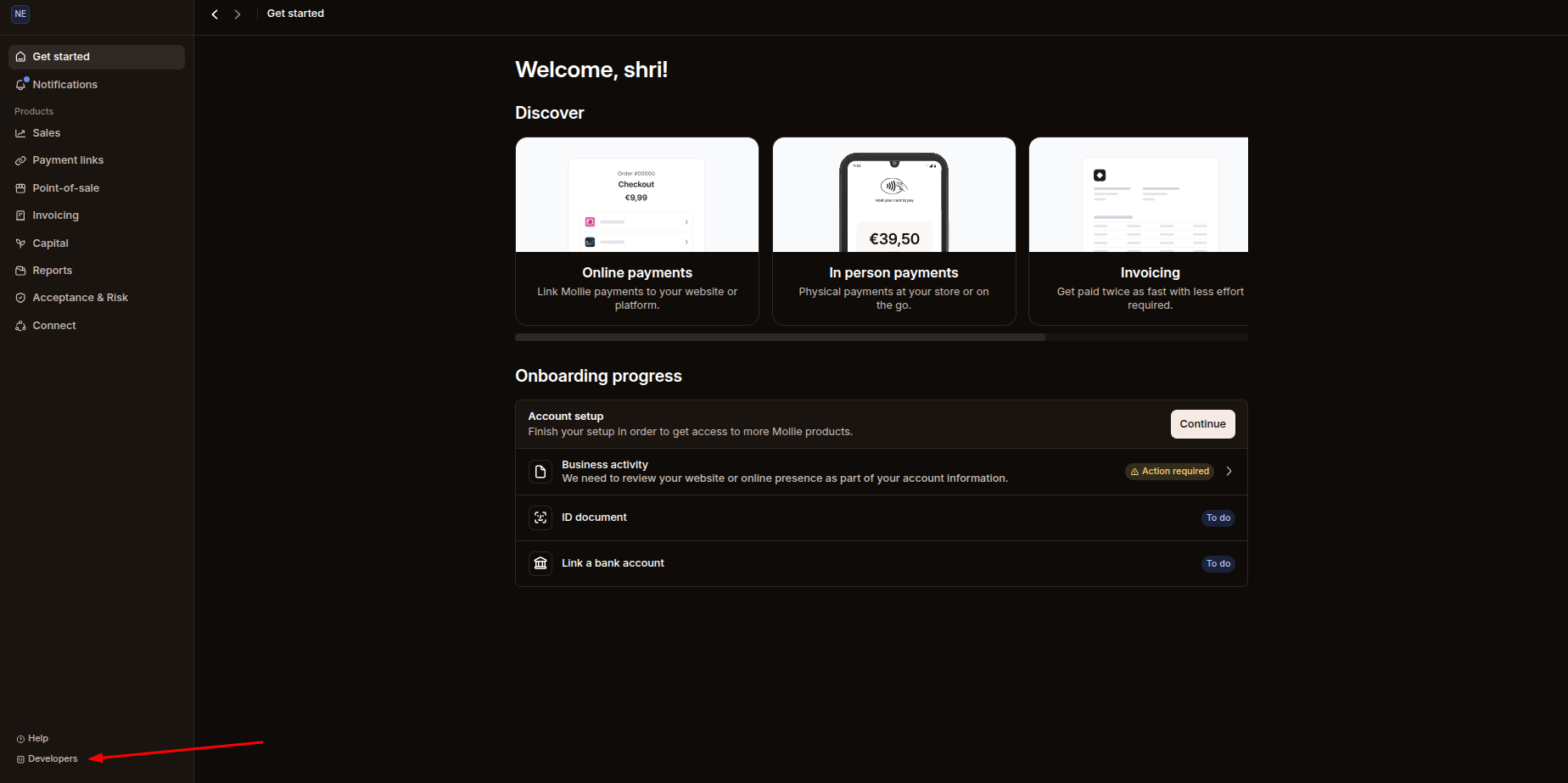
Click on Developers from the left menu.
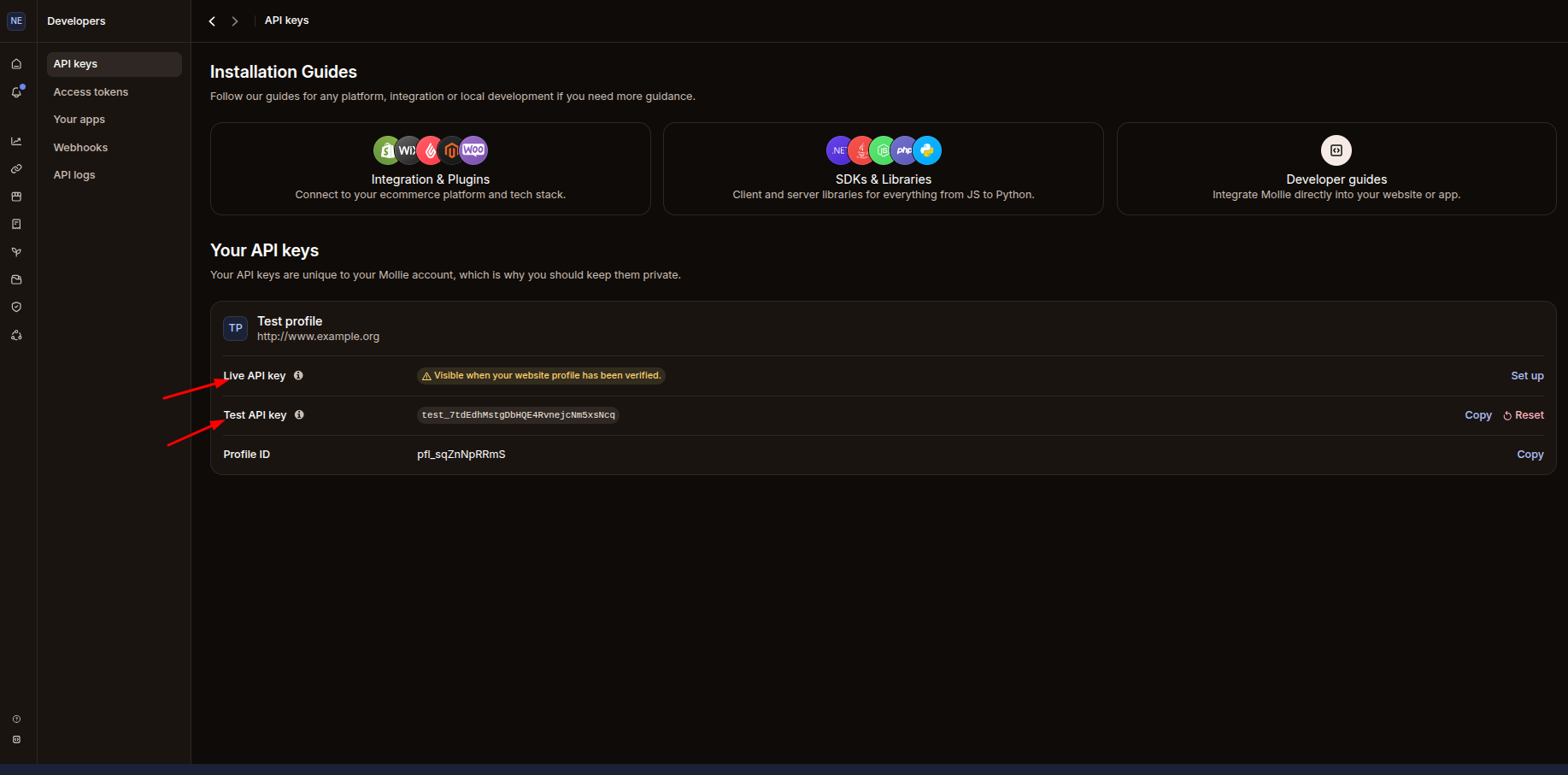
Go to API Keys.
Copy the Test API Key or Live API Key (as required).
Step 3: Configure Mollie in Your System
Login to your Restaurant Management System.
Navigate to:
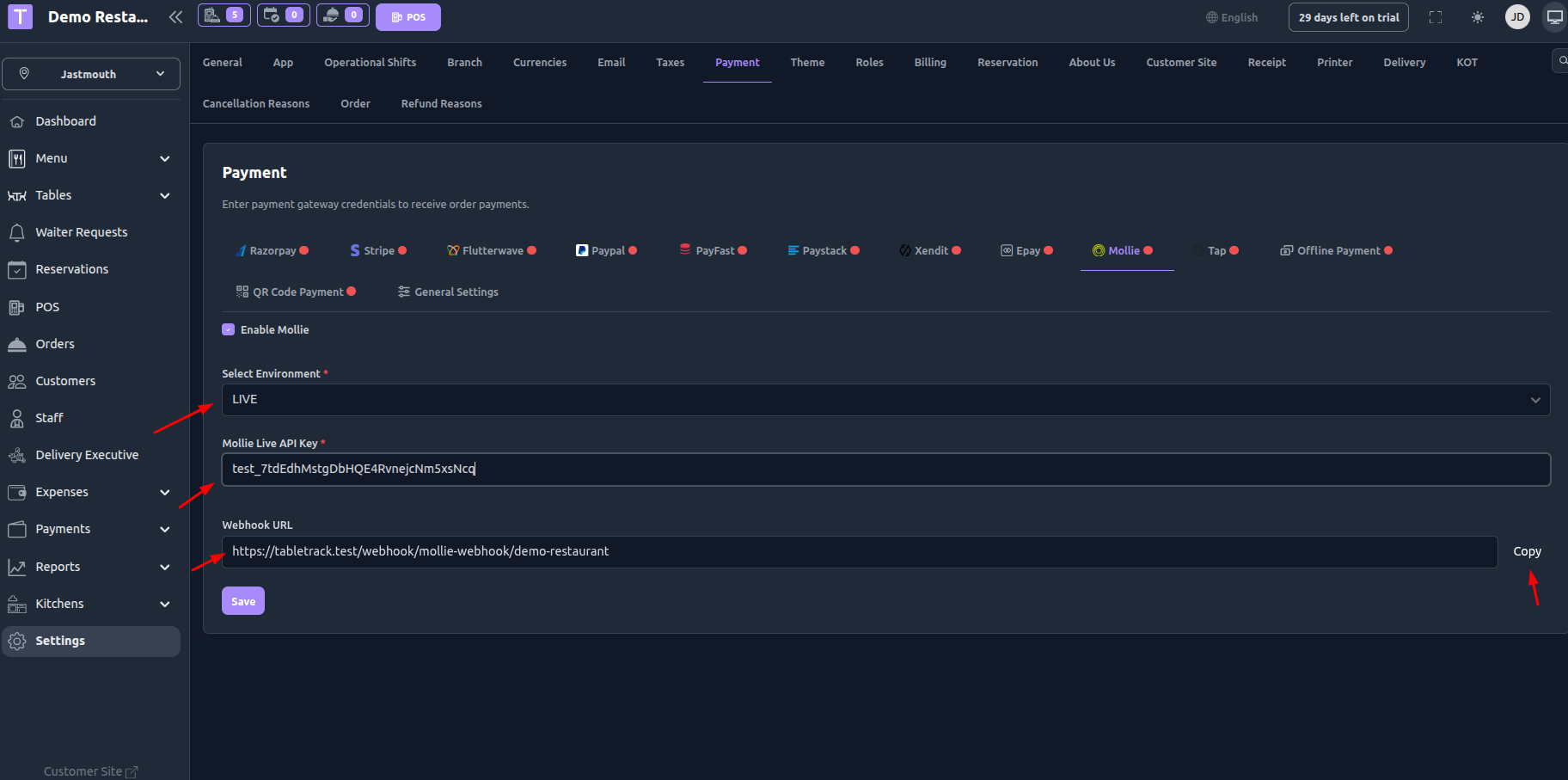
Settings → Payment SettingsClick on Mollie.
Enable Mollie Payment.
Paste the copied API Key into the API Key field.
Save the settings.
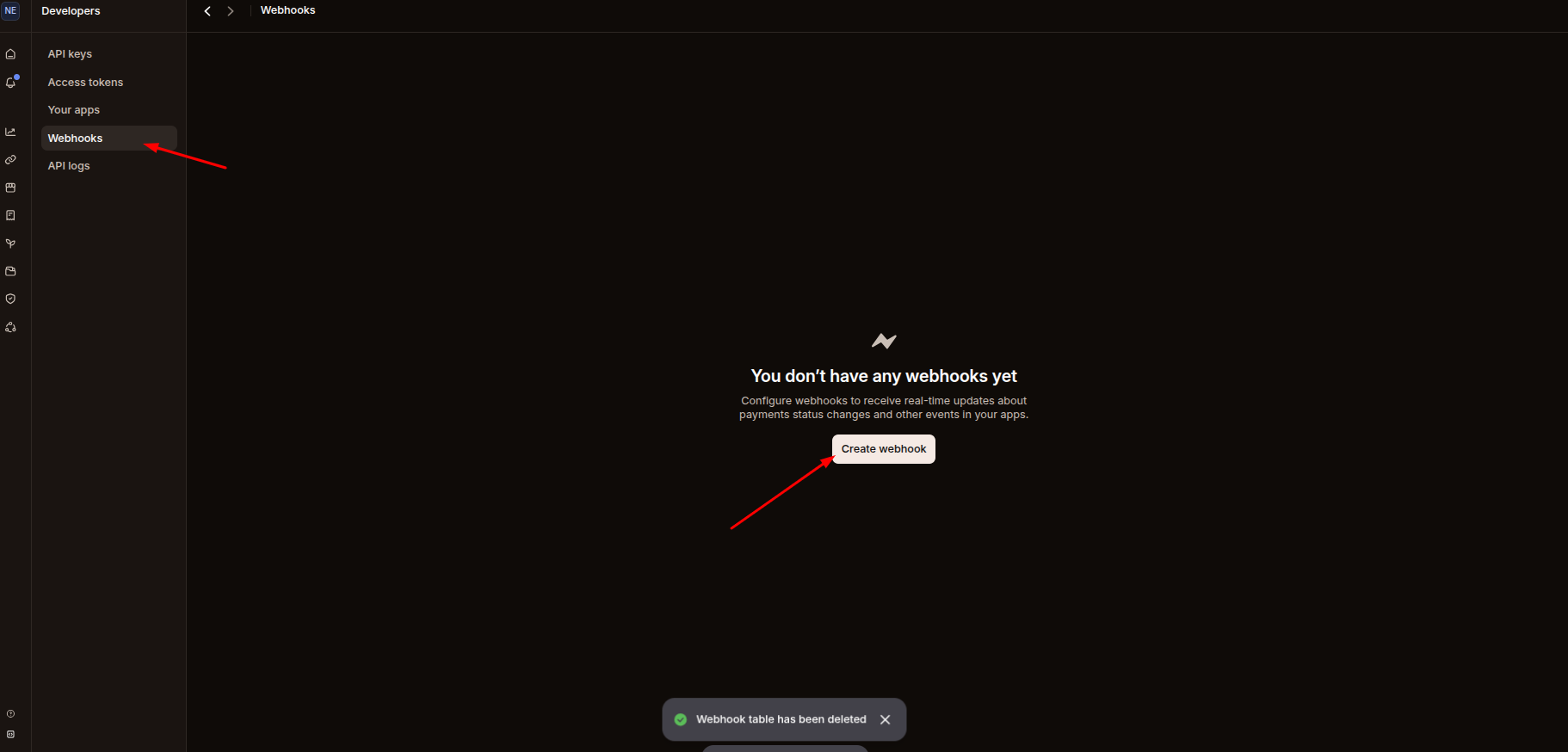
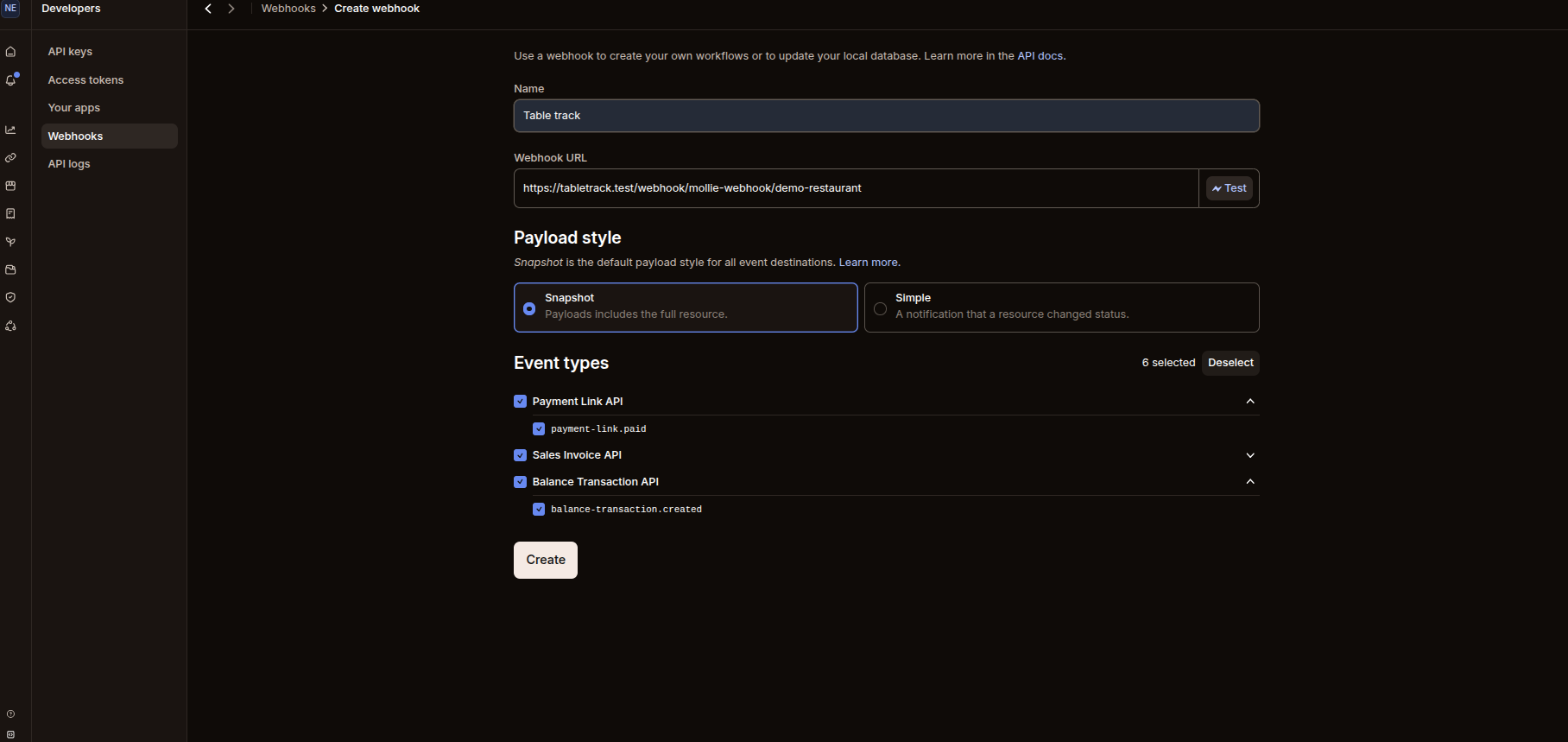
Step 4: Setup Webhook URL
In your system’s Mollie settings page, copy the generated Webhook URL.
Go back to the Mollie Dashboard.
Navigate to Developers → Webhooks.
Create webhook.
Paste the copied Webhook URL into Mollie’s webhook input field.
Save the webhook configuration.
Payment Flow (Customer Side)
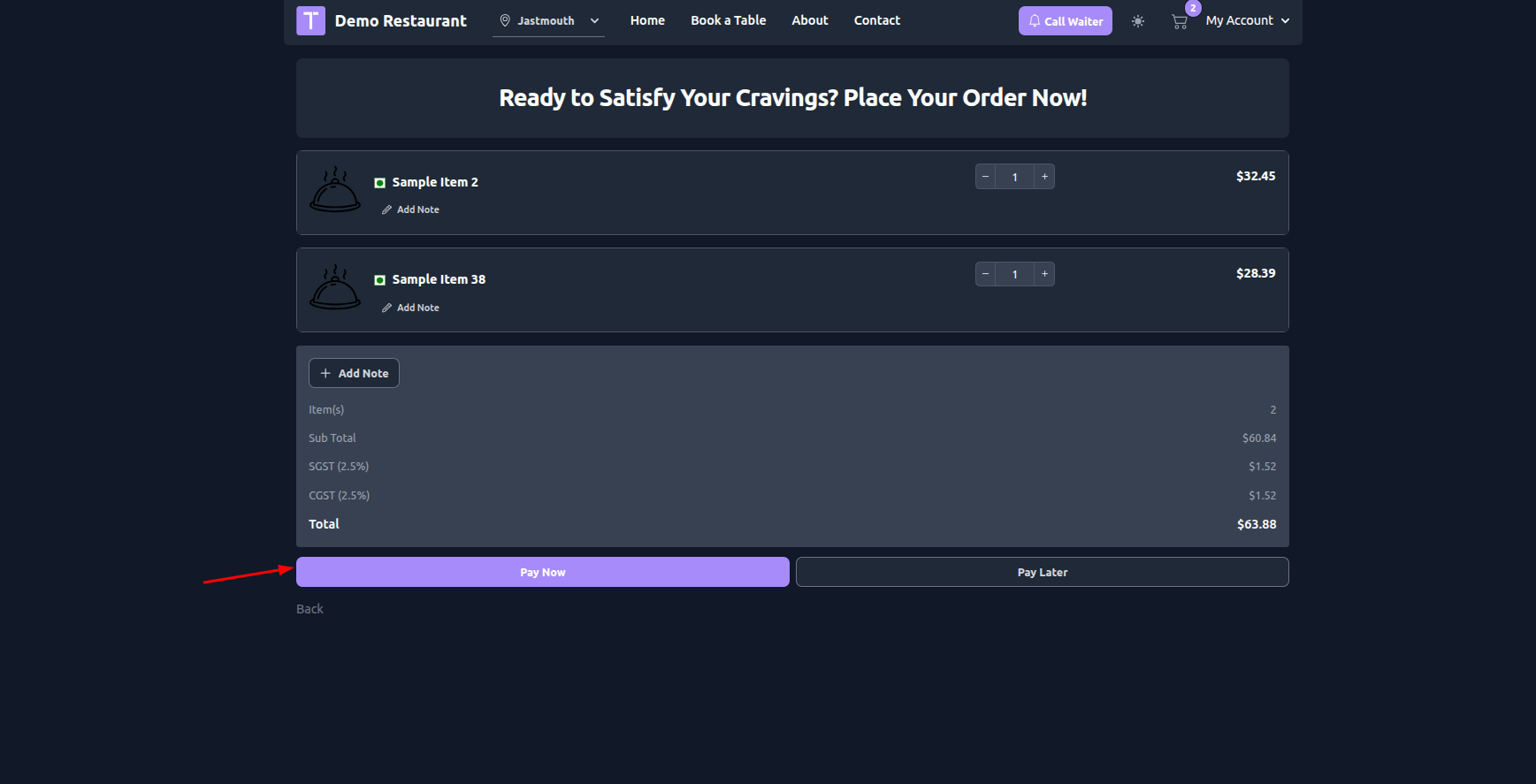
Customer places an order.
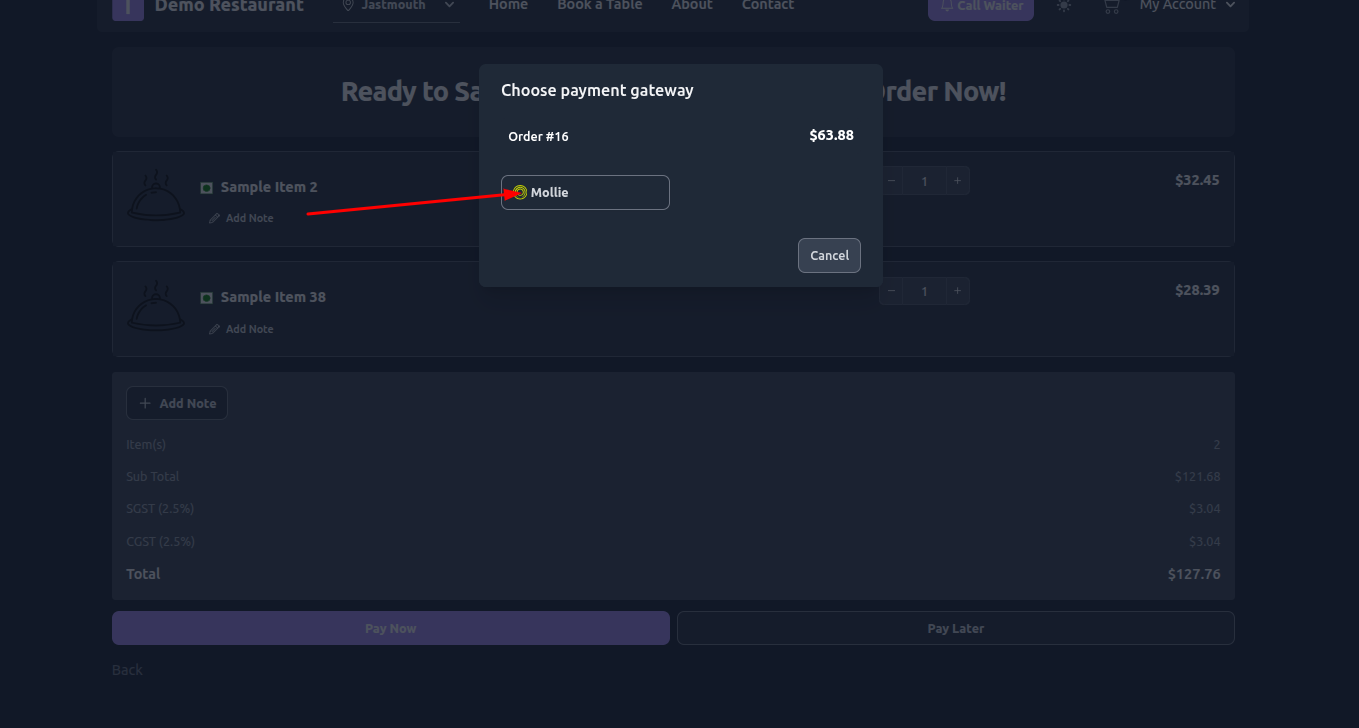
On the payment page, customer selects Pay with Mollie.
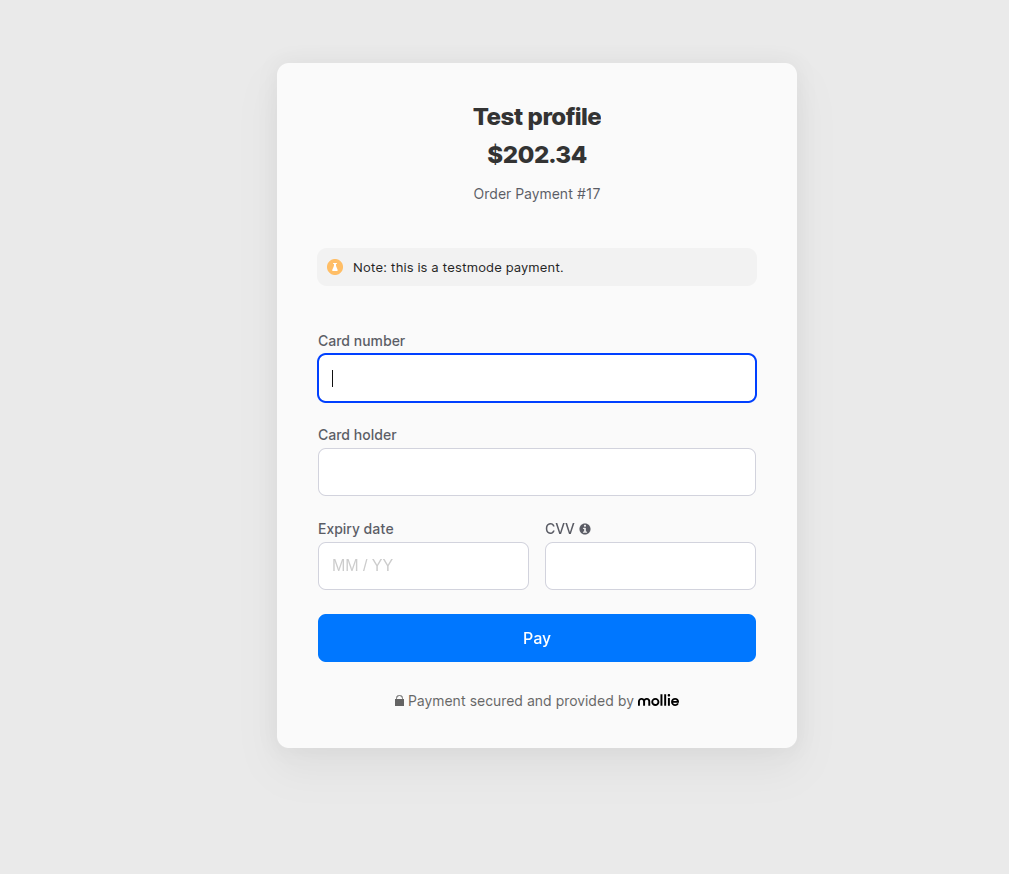
After clicking on Mollie, the official Mollie secure payment page opens.
Customer selects the preferred payment method (Card, iDEAL, etc.).
Customer enters payment details.
Clicks Pay.
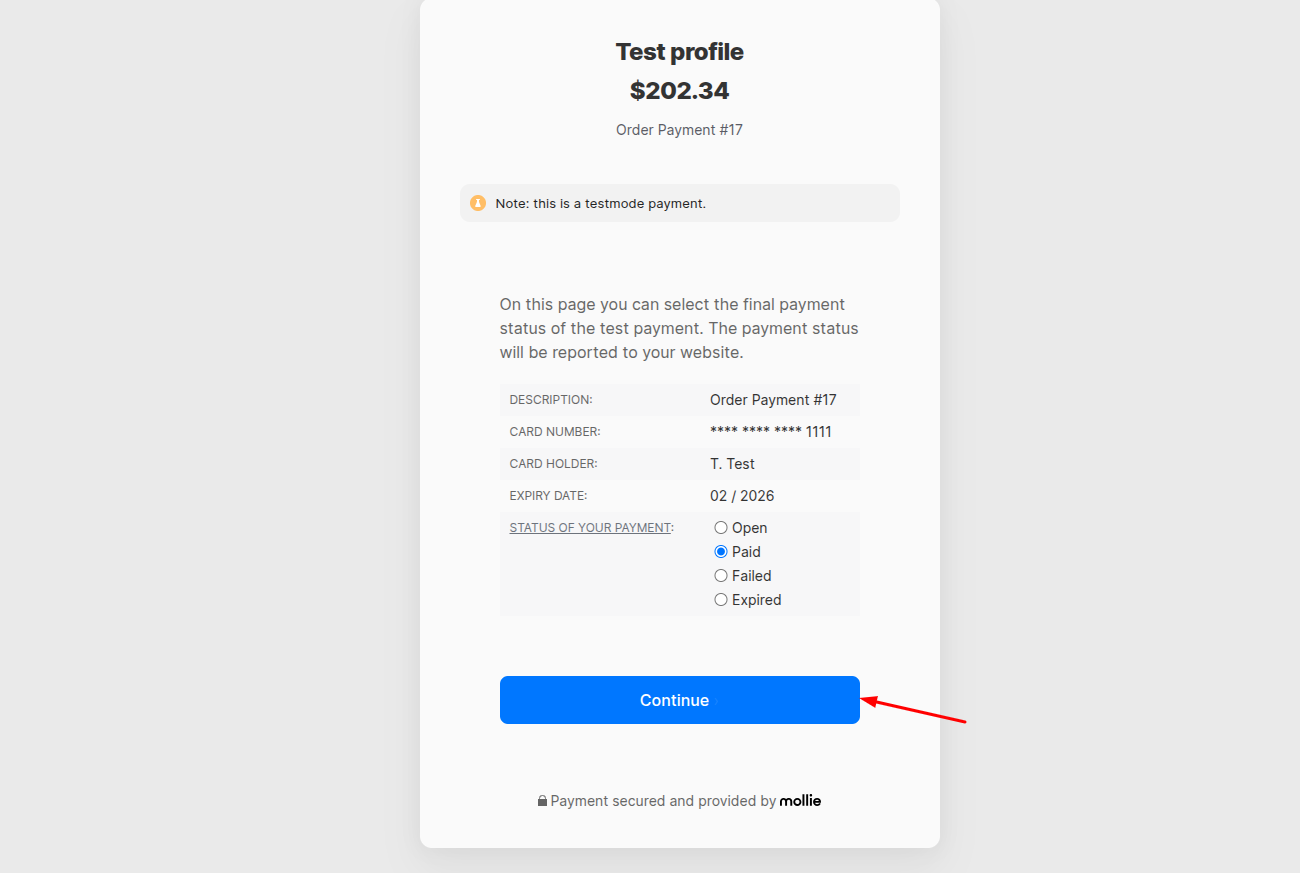
Payment is processed securely by Mollie.
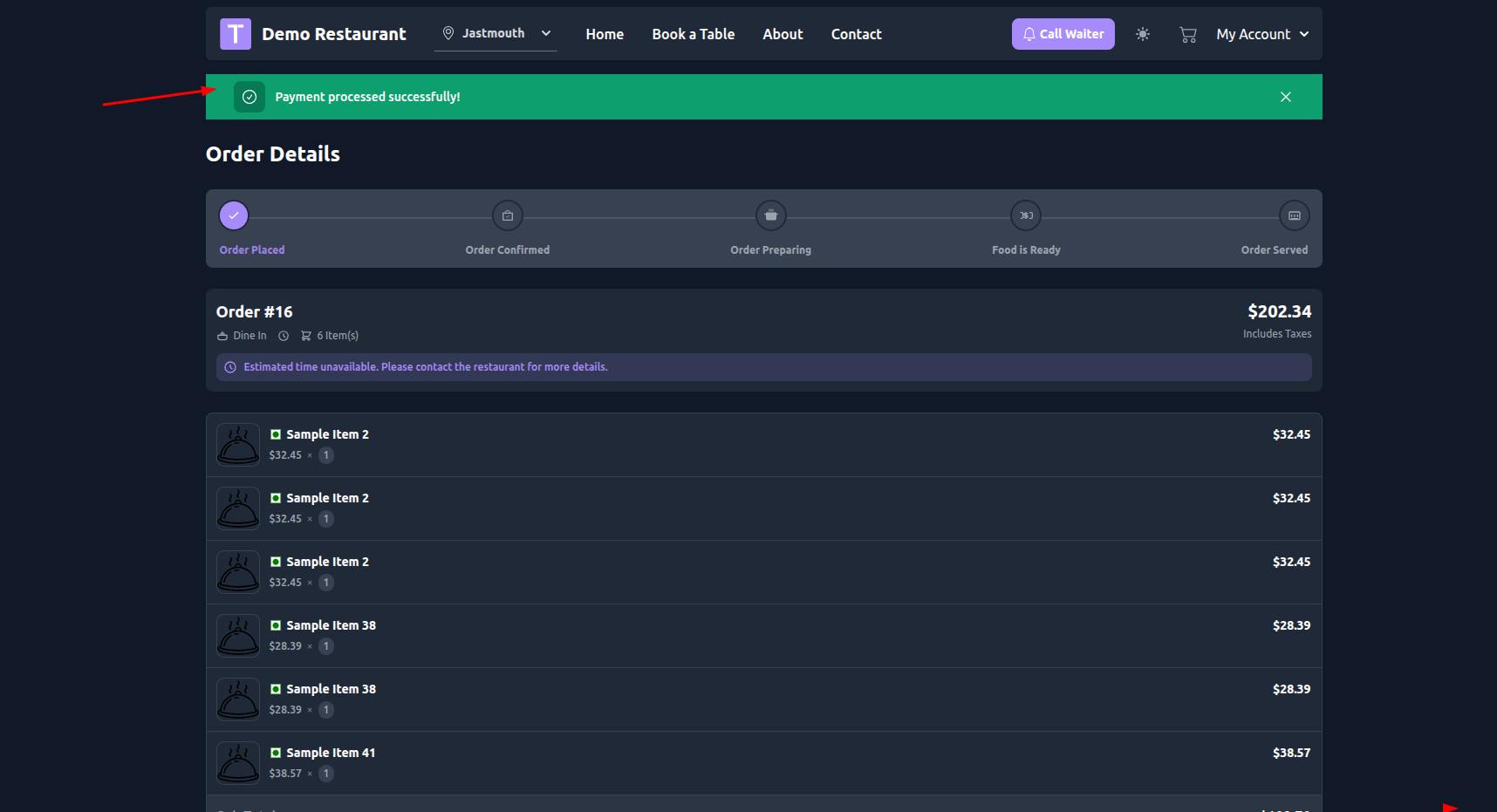
After successful payment:
Customer is redirected back to the system.
Order status is updated to Paid.
Confirmation is shown.
✅ Important Notes
Ensure API key is correct .
Webhook must be configured properly for automatic payment status updates.
Server cron and SSL should be properly configured for secure transactions.
Test payments should be done before switching to Live mode.
Was this article helpful?
That’s Great!
Thank you for your feedback
Sorry! We couldn't be helpful
Thank you for your feedback
Feedback sent
We appreciate your effort and will try to fix the article